

Latest Version
September 13, 2026
Divine Softech
Communication
Android
6
Free
com.messages.app.messagebox.chat.sms.me
Report a Problem
More About Messages: SMS Texting App Home – Free Messaging & Launcher
What is Messages: SMS Texting App Home?
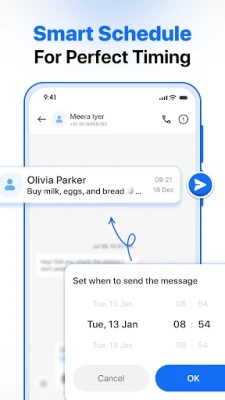
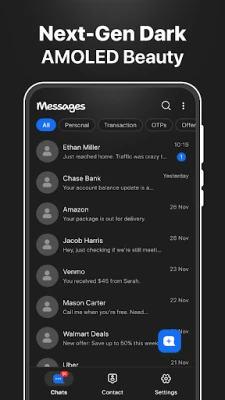
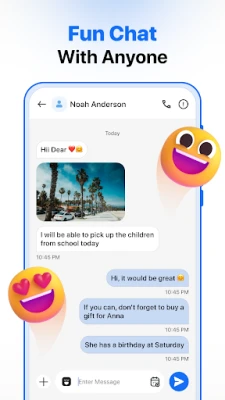
Messages: SMS Texting App Home, developed by Divine Softech, is a free Android utility that merges a basic SMS inbox with a simple home‑screen launcher. The app is designed for users who want a streamlined way to handle text messages while keeping quick access to their most used applications.
Main features
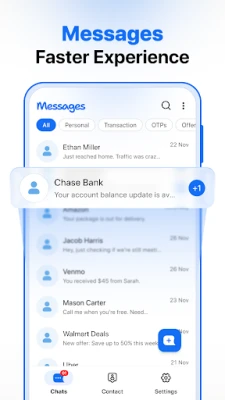
- Integrated SMS inbox – view incoming texts and send replies without leaving the home screen.
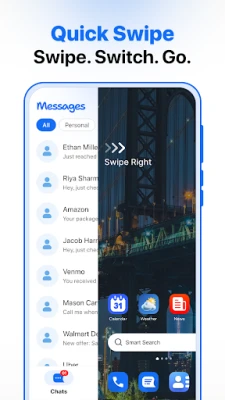
- One‑tap launcher – swipe from the home screen to reveal a list of installed apps, searchable by name.
- Fast contact search – locate a conversation by typing a contact name or phone number.
- Dual‑SIM support – works on devices that have dual‑SIM capability, using the system’s default handling.
- Lightweight design – built to run smoothly without noticeable impact on battery life.
How it works
After installing the app, you can set it as your default SMS handler in the system settings. Once active, a swipe gesture from the home screen brings up the launcher view, where all installed apps appear in a vertical list. Tapping an app opens it directly, while tapping a message thread opens the conversation screen for reading or replying.
Practical uses
- Quick messaging – respond to texts without navigating through multiple screens.
- Fast app access – launch frequently used apps from the same gesture used for messaging.
- Convenient for dual‑SIM users – manage messages from either SIM without extra steps.
Installation information
The app can be installed from the standard Android package installer. No special permissions beyond those required for sending and receiving SMS are requested. After installation, you will be prompted to set the app as the default SMS application; this step is optional but enables the integrated experience.
Things to know before installing
- The app does not include its own cloud backup service; any backup functionality depends on the device’s native SMS backup options.
- All messages remain stored locally on the device unless you use a separate backup solution.
- Because the launcher is accessed via a swipe gesture, you may need to adjust your home‑screen settings if another app already uses a similar gesture.
Who may find it useful?
Anyone who prefers a minimalist messaging experience combined with a quick way to launch apps will benefit from this tool. It is especially handy for users who want to keep their home screen uncluttered while still having fast access to both texts and apps.
Frequently asked questions
Do I need an internet connection to use the app?
No. The core messaging and launcher functions operate offline. An internet connection is only required if you choose to use a separate backup service.
Can I customize the launcher layout?
The launcher presents apps in a simple list that can be searched by name. Advanced layout customization is not part of the current feature set.
Is the app compatible with Android 5.0 and newer?
The app follows standard Android APIs for SMS handling and home‑screen gestures, which are available on most devices running Android 5.0 (Lollipop) and later. Specific compatibility depends on the device’s manufacturer implementation.
Rate the App
User Reviews












Popular Apps










 Games
Games Entertainment
 Communication
 E-mail
 Security
 Tools
Tools Media
Media Internet
 Finance
 Design
 Education
 IT Tools
 Travel & Local
 Android
 Windows
 Linux
Linux