

Latest Version
September 09, 2026
Legion Game Studio
Communication
Android
11
Free
com.messages.smstextingapp.messenger
Report a Problem
More About Messages – SMS Texting App by Legion Game Studio
What is Messages – SMS Texting App?
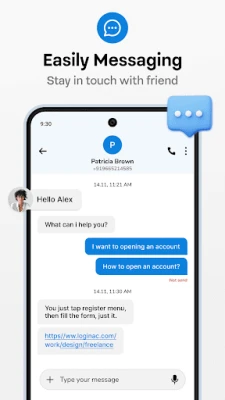
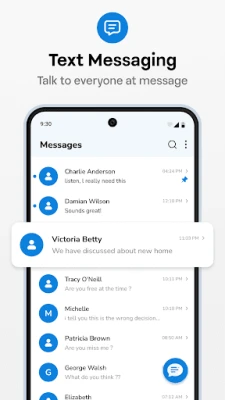
Messages – SMS Texting App is a free Android messenger developed by Legion Game Studio. It replaces the default texting program on your device, offering a modern look and a set of tools that make everyday texting more convenient.
Main features
- SMS and MMS support – Send plain text, photos, videos and other media without needing an internet connection.
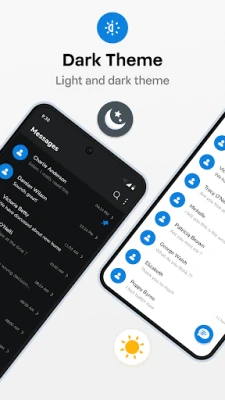
- Customizable appearance – Choose light or dark themes and adjust accent colors to match your personal style.
- Conversation management – Pin important chats, archive older threads, and use a built‑in search to locate messages quickly.
- Quick actions – Copy, share or delete content from a message with a single tap.
- Offline operation – All messages are stored locally on your device; no account or cloud service is required.
How it works
After installation, the app can be set as the default SMS handler. Once active, it intercepts incoming texts and presents them in its own interface. Outgoing messages are sent through your carrier just like with the stock app, but you benefit from the additional UI options and shortcuts the app provides.
Practical uses
- Keep personal and work conversations separate by applying different themes.
- Find a specific message fast using the search bar, which looks through text, contacts and keywords.
- Archive older chats to keep the main list tidy without losing any history.
Installation information
The app is available as a free download from the Google Play Store. Simply tap “Install,” grant the required permissions for sending and receiving SMS, and follow the on‑screen prompts to set it as your default messenger.
Things to know before installing
- The app works with any Android device that can send and receive SMS/MMS through the carrier network.
- All messages remain on the device; there is no automatic cloud backup unless you use a separate backup solution.
- Because it replaces the system messenger, you may need to re‑configure any shortcuts or widgets you previously used.
Who may find it useful?
Anyone who wants a more personalized texting experience without switching to a full‑featured instant‑messaging platform. The app is especially handy for users who prefer to keep their communications offline and stored locally.
Frequently asked questions
Do I need an internet connection to use the app?
No. SMS and MMS are sent through your carrier’s network, so the app works without Wi‑Fi or mobile data.
Can I back up my messages?
The app stores messages on the device. You can back them up using Android’s built‑in backup tools or a third‑party solution of your choice.
Is the app safe to use?
It requests only the permissions required to send and receive SMS. No additional data is collected beyond what is necessary for its core functions.
Rate the App
User Reviews














Popular Apps










 Games
Games Entertainment
 Communication
 E-mail
 Security
 Tools
Tools Media
Media Internet
 Finance
 Design
 Education
 IT Tools
 Travel & Local
 Android
 Windows
 Linux
Linux