

Latest Version
Latest
September 12, 2026
Selfcoder Mobile Apps
Communication
Android
4
Free
com.messenger.messages.sms.organizer
Report a Problem
More About Messages: SMS Text Messenger – Simple, Offline‑First SMS App
What is Messages: SMS Text Messenger?
Messages: SMS Text Messenger is a free Android application that replaces the default messaging client with a streamlined, offline‑first experience. Developed by Selfcoder Mobile Apps, the app stores all conversations locally, so your messages never leave your phone unless you choose to share them.
Main features
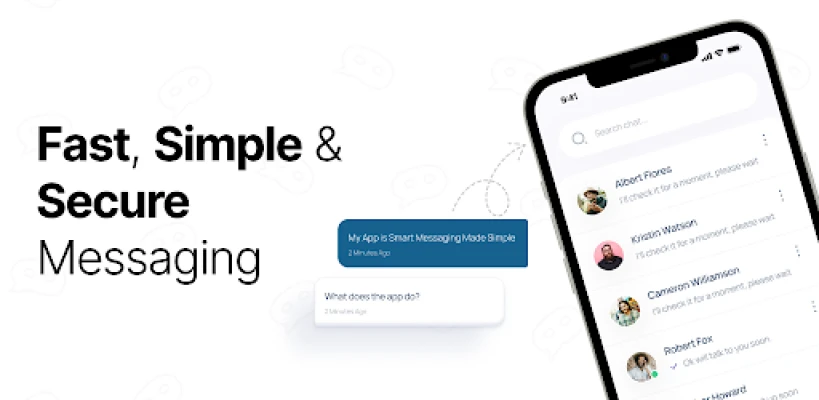
- Minimalist design – A clean layout that focuses on the conversation, reducing visual clutter and battery usage.
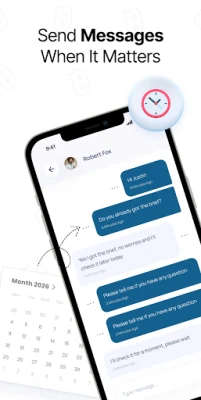
- Schedule messages – Compose a text and set a future delivery time, useful for sending reminders or messages at appropriate hours.
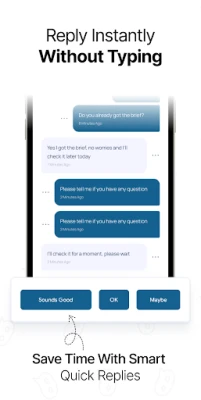
- Custom quick replies – Save frequently used phrases and insert them with a single tap.
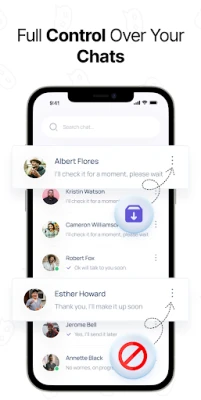
- Conversation mute – Silence individual chats while keeping other notifications active.
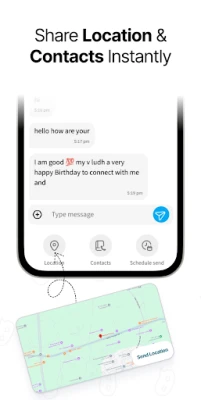
- Location sharing – Send your current location directly from the chat screen.
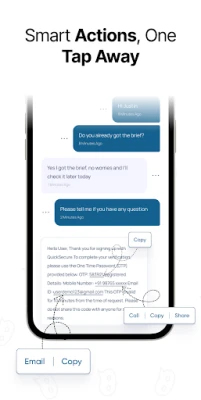
- Smart actions – Detect phone numbers, email addresses or URLs in messages and provide one‑tap actions such as copy, call or email.
How it works
The app integrates with Android’s native SMS service, allowing it to send and receive messages without requiring an internet connection. All data is stored in the app’s private storage, which means the information is only accessible on the device unless you export it manually.
Practical uses
- Professional users can schedule follow‑up texts after meetings.
- Parents can set bedtime reminders for children without waking them up.
- Anyone who prefers a distraction‑free texting environment will appreciate the uncluttered UI.
Installation information
Download the APK from a trusted source, then enable installation from unknown sources in your device settings if required. After installation, you can set Messages: SMS Text Messenger as the default SMS app in Android’s system settings.
Things to know before installing
- The app works with standard SMS and MMS messages; carrier fees apply as usual.
- Because it stores data locally, backing up conversations requires manual export or a third‑party backup solution.
- Features such as scheduling rely on the device’s clock; ensure the time zone is correct for accurate delivery.
Who may find it useful?
Users who value privacy, want to reduce battery drain, or simply dislike the bloat of many pre‑installed messaging apps will benefit from this client. It is also suitable for people who need basic productivity tools like scheduled sending and quick replies without additional cloud services.
Frequently asked questions
Does the app require an internet connection?
No. It sends and receives SMS through your carrier network, so it works offline.
Can I back up my messages?
The app does not include automatic cloud backup, but you can export chats manually or use Android’s backup utilities.
Is the app compatible with all Android versions?
Compatibility depends on the device’s Android version and the SMS service APIs. The app is designed for modern Android releases, but exact minimum requirements are not specified.
Rate the App
User Reviews
Other Apps in This Category














Popular Apps










 Games
Games Entertainment
 Communication
 E-mail
 Security
 Tools
Tools Media
Media Internet
 Finance
 Design
 Education
 IT Tools
 Travel & Local
 Android
 Windows
 Linux
Linux