




Latest Version
September 02, 2026
Metamorph AI Labs
Communication
Android
43
Free
messenger.sms.messages.messaging.text
Report a Problem
More About Messages SMS Text Home – Simple Android SMS Messenger
What is Messages SMS Text Home?
Messages SMS Text Home is a lightweight Android application that focuses on core SMS functionality. It replaces the default messaging interface with a streamlined layout designed for quick reading and sending of text messages. The app is offered by Metamorph AI Labs and is free to install.
Main Features
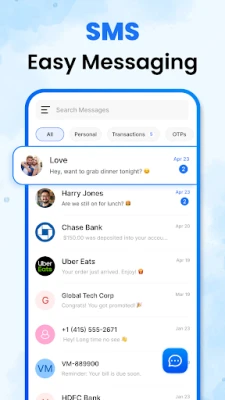
- Clear conversation view – A minimal design keeps each chat tidy, reducing visual clutter.
- Emoji support – Insert standard emojis to add tone and personality to your texts.
- Photo and contact sharing – Attach images or share a contact’s details directly from the conversation screen.
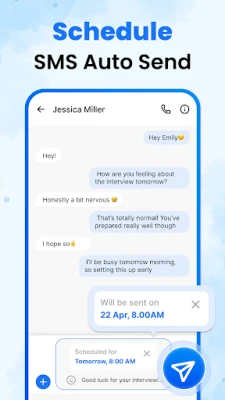
- Message scheduling – Compose a message and set a future delivery time, useful for reminders or timed greetings.
- Block unwanted senders – Add numbers to a block list to keep spam out of your inbox.
- Backup and restore – Export your SMS history and restore it later, helping you keep important conversations safe.
- Home‑screen shortcuts – Widgets and launcher shortcuts give instant access to recent chats.
How It Works
After installation, the app registers as a default SMS handler, allowing it to send and receive messages through your mobile carrier. The interface groups messages by contact, showing timestamps and read status where available. To send a new message, tap the compose button, choose a recipient from your contacts, type your text, add any optional media or emojis, and hit send. Scheduled messages are created via a small calendar icon in the compose view; you select the desired date and time before confirming.
Practical Uses
- Keeping personal conversations organized without the distractions of social‑media‑style apps.
- Sending quick updates or reminders to family members using the scheduling feature.
- Sharing photos or contact cards directly in a text without switching apps.
- Reducing spam by blocking numbers that repeatedly send unwanted messages.
Installation Information
The app can be downloaded from the Appitika store. Tap the install button, grant the necessary SMS permissions when prompted, and set Messages SMS Text Home as your default messaging app in the system settings if you prefer to use it for all text communication.
Things to Know Before Installing
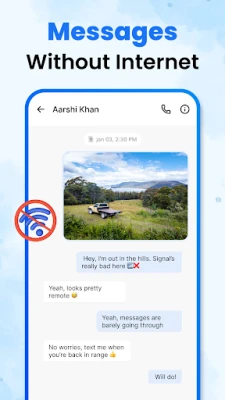
- The app relies on your device’s mobile network for sending and receiving SMS; it does not provide internet‑based messaging.
- Permissions required include access to SMS, contacts, storage (for media attachments) and the ability to set the app as the default SMS handler.
- Backup and restore functions store data locally; ensure you have sufficient storage space.
Who May Find It Useful?
Anyone who prefers a straightforward texting experience will benefit from this app—especially users who want a clean UI, basic media sharing, and the ability to schedule messages without the overhead of feature‑rich messengers.
Frequently Asked Questions
Can I use the app alongside my current messaging app?
Yes, you can keep the default app installed, but only one app can be set as the default SMS handler at a time. Switching defaults is done through Android’s system settings.
Does the app support group SMS?
Group messaging works as long as your carrier supports sending SMS to multiple recipients. The app will display each participant in the conversation thread.
How are backups stored?
Backups are saved as a file on your device’s internal storage. You can copy this file to another location for safekeeping and later import it through the restore option.
Is there a limit to the number of scheduled messages?
The app does not impose a specific limit, but each scheduled message consumes a small amount of storage for its metadata.
Rate the App
User Reviews















Popular Apps










 Games
Games Entertainment
 Communication
 E-mail
 Security
 Tools
Tools Media
Media Internet
 Finance
 Design
 Education
 Android Firmwares
 Travel & Local
 Android
 Windows
 Linux
Linux