

Latest Version
September 06, 2026
Ai Photo Labs
Communication
Android
7
Free
com.secure.sms.messaging
Report a Problem
More About Messages: SMS & Text App – Simple Messaging for Android
What is Messages: SMS & Text App?
Messages: SMS & Text App is a free Android messenger developed by Ai Photo Labs. It focuses on core texting functions, letting you exchange SMS and MMS messages without the clutter of unnecessary features. The app keeps your conversations on the device, providing a straightforward way to stay in touch.
Main features
- Standard SMS & MMS support – send and receive text messages and multimedia messages.
- Dual‑SIM handling – choose which SIM card to use when your device has two.
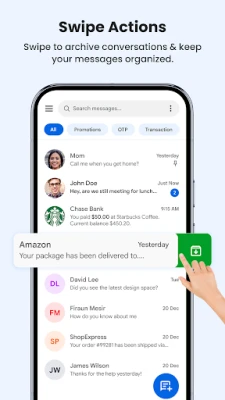
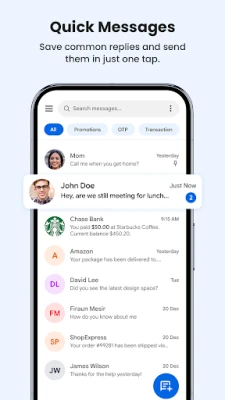
- Conversation organization – view messages by contact, search quickly, and archive chats you want to keep out of the main list.
- Theme options – switch between light and dark modes to match your preference.
- Basic notification control – set custom sounds or vibration patterns for incoming texts.
How it works
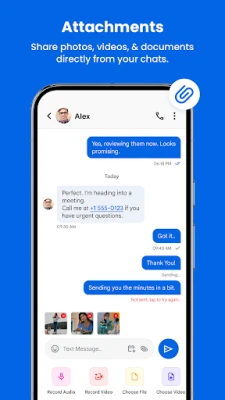
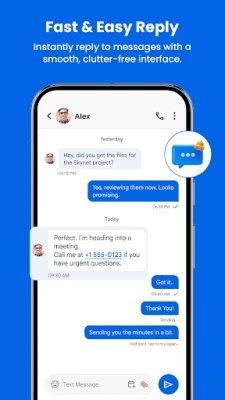
After installation, the app requests the standard permissions required for sending and receiving SMS. Once granted, it registers as the default messaging application, allowing it to handle incoming texts directly. The interface presents a list of recent conversations; tapping a contact opens a chat window where you can type a message, attach media, or use quick‑reply shortcuts.
Practical uses
The app is suitable for everyday personal texting, receiving verification codes, and managing simple group chats. Because it stores messages locally, it can be a good choice for users who prefer not to rely on cloud‑based messengers for basic communication.
Installation information
Download the APK from a trusted source, then enable installation from unknown sources in your device settings if required. Follow the on‑screen prompts to install, and after the first launch you’ll be guided to set the app as the default SMS handler.
Things to know before installing
- The app does not include built‑in backup to cloud services; you may need a separate solution if you want to preserve messages after a device reset.
- All messages remain on the device; there is no automatic synchronization with other devices.
- Only standard Android SMS permissions are requested; the app does not collect additional personal data.
Who may find it useful?
Anyone looking for a no‑frills texting experience on Android—students, professionals, or users who want a lightweight alternative to pre‑installed messengers—will appreciate the simplicity and focus of Messages: SMS & Text App.
Frequently asked questions
- Can I use the app with two SIM cards? Yes, the app lets you select which SIM to use for each message when your device supports dual SIM.
- Does the app support group messaging? Group SMS is supported, allowing you to send a single message to multiple recipients.
- Is there a way to protect my messages? The app stores messages locally without cloud backup; you can rely on your device’s lock screen security for protection.
- Will the app work on all Android versions? It requires the standard Android messaging APIs, which are present on most devices running recent Android releases.
Rate the App
User Reviews















Popular Apps










 Games
Games Entertainment
 Communication
 E-mail
 Security
 Tools
Tools Media
Media Internet
 Finance
 Design
 Education
 IT Tools
 Travel & Local
 Android
 Windows
 Linux
Linux