

Latest Version
Latest
September 15, 2026
SMS, Messages & Text Messaging
Communication
Android
10
Free
com.messenger.phone.number.text.sms.service.apps
Report a Problem
More About Messages : SMS & Private Chat – Free Messaging App
What is Messages : SMS & Private Chat?
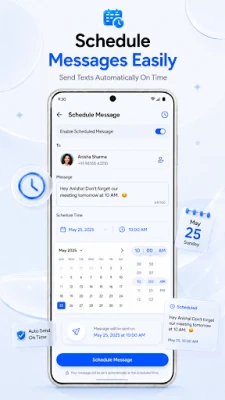
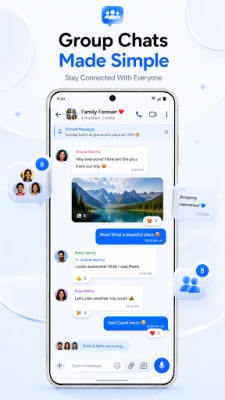
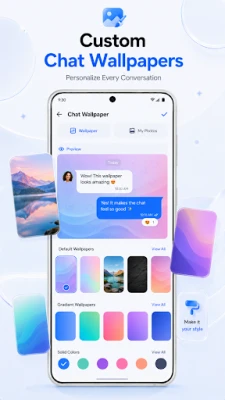
Messages : SMS & Private Chat is a free Android application developed by SMS, Messages & Text Messaging. It provides a straightforward interface for sending and receiving traditional SMS and MMS messages without requiring an internet connection.
Main capabilities
- Compose and send SMS text messages.
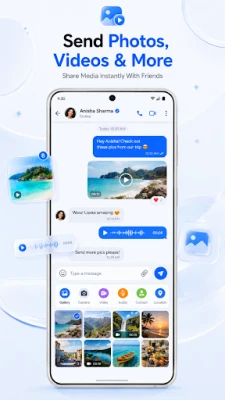
- Attach photos, audio clips or other media through MMS.
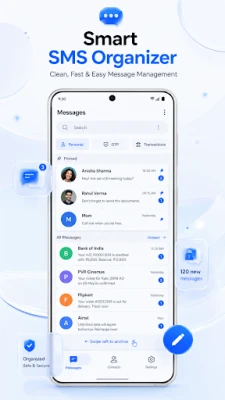
- View incoming messages in a chronological conversation view.
- Basic organization tools such as pinning or archiving chats.
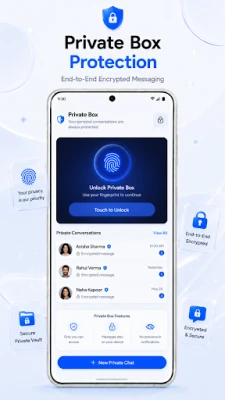
- Optional privacy settings that let users hide selected conversations.
How it works
After installation, the app registers as a default messaging client, allowing it to access the device’s telephony services. Users can start a new conversation by selecting a contact or entering a phone number, then type a message and hit send. For MMS, the app offers a simple attachment picker that pulls media from the device’s gallery or microphone.
Practical uses
- Communicating with contacts who prefer or only support SMS.
- Sending quick updates when mobile data or Wi‑Fi is unavailable.
- Keeping a separate, private conversation thread for sensitive topics.
Installation information
The app can be downloaded from the Appitika store. It requires Android permissions to read contacts, send SMS, and access storage for media attachments. Installation follows the standard Android process: tap “Install,” accept the permissions, and set the app as the default messaging client if desired.
Compatibility
Messages : SMS & Private Chat is built for Android devices that support the standard telephony stack. It works on phones with single or dual SIM configurations, provided the operating system includes the necessary SMS APIs.
Things to know before installing
- Because the app relies on the carrier’s SMS service, standard carrier charges for text messages apply.
- All messages are stored locally on the device; backing up conversations requires a separate solution.
- Privacy features are limited to local hiding of chats; they do not encrypt messages end‑to‑end.
Who may find it useful?
Anyone who needs a simple, no‑frills way to manage SMS and MMS without additional internet‑based chat apps. It is especially handy for users who prefer to keep their texting separate from social media platforms or who frequently travel to areas with limited data coverage.
Frequently asked questions
Do I need an internet connection to send messages?
No. The app uses the carrier’s SMS service, so messages are sent over the cellular network.
Can I use the app alongside another messaging app?
Yes. You can set it as the default for SMS only, while other apps handle internet‑based chats.
Is there a way to back up my messages?
The app stores messages locally; you would need to use Android’s backup tools or a third‑party solution to export them.
Rate the App
User Reviews















Popular Apps










 Games
Games Entertainment
 Communication
 E-mail
 Security
 Tools
Tools Media
Media Internet
 Finance
 Design
 Education
 IT Tools
 Travel & Local
 Android
 Windows
 Linux
Linux