

Latest Version
August 27, 2026
Picsden
Communication
Android
87
Free
com.message.messenger.text.sms.messages.app.launcher
Report a Problem
More About Messages – SMS Message Home
What is Messages – SMS Message Home?
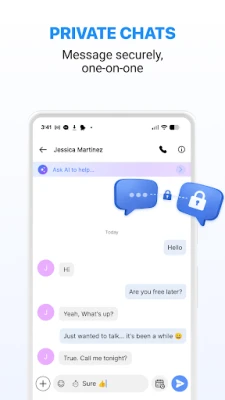
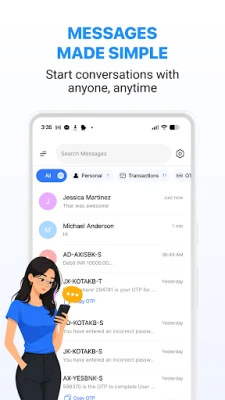
Messages – SMS Message Home is a free Android messaging client developed by Picsden. It focuses on the core task of sending and receiving short text messages (SMS) while providing a clean, easy‑to‑navigate interface. The app is intended for users who want a straightforward alternative to the default messaging app that comes with their device.
Main features
- Basic SMS sending and receiving – Compose new messages, view incoming texts, and reply directly from the conversation list.
- Conversation organization – Threads are grouped by contact, making it simple to follow the flow of each dialogue.
- Customizable notifications – Adjust sound, vibration and preview settings per contact or globally.
- Simple backup option – Export messages to a file on the device for later restoration.
How it works
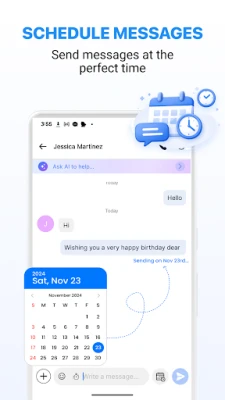
After installation, the app registers as a default SMS handler if you choose. From the main screen you can start a new conversation by selecting a contact or entering a phone number manually. The compose area supports standard text entry and basic emoji insertion. Received messages appear in chronological order within each thread, and you can tap a message to copy its content or forward it.
Practical uses
- Keeping personal and work texts separate from the system messenger.
- Using a lightweight app on older devices where the stock messenger may be slow.
- Having a single place to back up important SMS conversations.
Installation information
The app is available for free download. Open the APK file, grant the required permissions for sending and receiving SMS, and follow the on‑screen prompts to complete the installation. You may need to enable installation from unknown sources if you are not installing through an official store.
Things to know before installing
- The app requires permission to read, send and receive SMS messages; this is standard for any messaging client.
- It does not include built‑in support for MMS (multimedia messages) or internet‑based chat protocols.
- Backup files are stored locally; you should copy them to external storage or cloud services if you need long‑term preservation.
Who may find it useful?
Anyone who prefers a minimalistic SMS experience, users with devices that have limited storage, and people who want a dedicated app for text‑only communication will benefit from Messages – SMS Message Home.
Frequently asked questions
Can I set this app as my default messenger?
Yes. During the first launch the app will ask whether it should become the default SMS handler. You can also change this later in the Android system settings.
Does the app support group SMS?
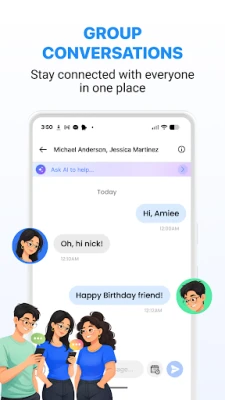
Group messaging is supported as long as the carrier allows multiple recipients in a single SMS.
How do I restore a backup?
Use the “Import” option in the app’s settings, locate the previously exported file, and confirm the restore process.
Rate the App
User Reviews















Popular Apps










 Games
 Entertainment
 Communication
 E-mail
 Security
 Tools
 Media
 Internet
 Finance
 Design
 Education
 Android Firmwares
 Travel & Local
 Android
 Windows
 Linux