

Latest Version
Latest
September 03, 2026
Phase Zero Apps
Communication
Android
10
Free
phase.zero.sms.messages.text
Report a Problem
More About Messages – SMS & Chat Messaging
What is Messages – SMS & Chat Messaging?
Messages – SMS & Chat Messaging is a free Android application developed by Phase Zero Apps. It provides a dedicated interface for sending and receiving traditional SMS as well as group chats, while offering a range of visual customizations and practical tools to keep your conversations organized.
Main Features
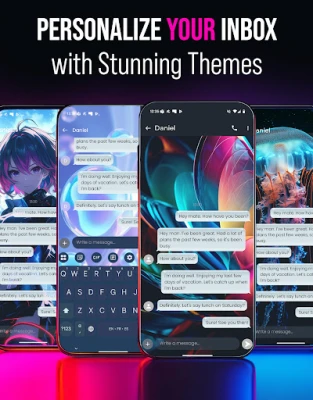
- Theme selection – Choose from several built‑in themes that change the look of the app, from minimalist to more decorative styles.
- Spam blocker – Mark a conversation as spam and the app will automatically route similar incoming messages to a spam folder.
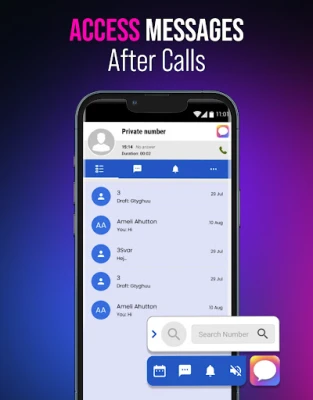
- Search – Quickly locate contacts or specific messages using a built‑in search function.
- Group chat support – Create and participate in group conversations, subject to carrier limitations.
- Dual‑SIM handling – Switch between two phone numbers when your device has dual‑SIM capability.
- Pin to top – Long‑press a conversation to keep it at the top of the list for easy access.
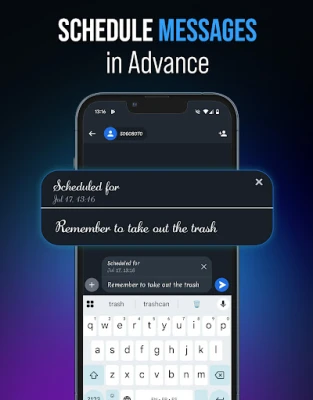
- Scheduled sending – Set a future date and time for a message to be sent automatically.
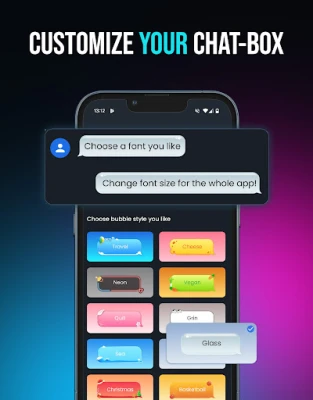
- Custom ringtones and chat bubbles – Assign distinct notification sounds and bubble styles to individual chats.
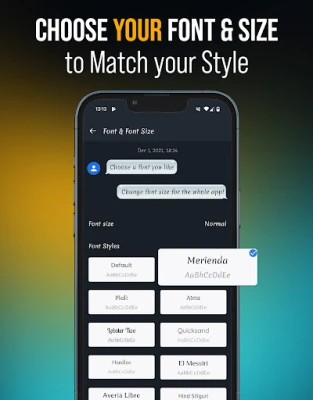
- Font options – Adjust font type and size to suit personal reading preferences.
How It Works
After installation, the app integrates with the device’s default SMS service. When you open Messages, you’ll see a conversation list that can be filtered, searched, or pinned. Composing a new message follows the familiar texting workflow, with additional options such as selecting a theme, choosing a custom ringtone, or scheduling delivery. If your phone supports dual SIMs, a simple toggle lets you pick which number to use for each message.
Practical Uses
- Keeping personal and work SMS streams separate by using different themes or fonts.
- Managing promotional or unknown numbers with the spam blocker to reduce clutter.
- Planning reminders or birthday wishes by scheduling messages in advance.
- Coordinating events with friends through group chats without needing a separate messenger app.
Installation Information
The app is available for free on the Google Play Store. Installation follows the standard process: tap “Install,” grant the required SMS permissions, and launch the app. Initial setup may ask you to select a default theme and configure notification preferences.
Things to Know Before Installing
- The app requires permission to read and send SMS messages; this is essential for core functionality.
- Group chat capabilities depend on your mobile carrier’s support for SMS‑based group messaging.
- Custom themes and fonts affect only the appearance within the app and do not change system‑wide settings.
Who May Find It Useful?
Anyone who prefers a dedicated SMS interface with extra organization tools will benefit. The app is especially handy for users who manage multiple numbers, want to reduce spam, or enjoy personalizing the look and sound of their messaging experience.
Frequently Asked Questions
Do I need an internet connection to send messages?
No. The app uses the device’s cellular SMS service, so it works without data or Wi‑Fi.
Can I use the app alongside the default messaging app?
Yes. You can set Messages as the default SMS app or keep the system app and use both as needed.
Is my data private?
The app accesses only the SMS content required for sending, receiving, and organizing messages. It does not collect personal data beyond what is necessary for its core functions.
Rate the App
User Reviews














Popular Apps










 Games
Games Entertainment
 Communication
 E-mail
 Security
 Tools
Tools Media
Media Internet
 Finance
 Design
 Education
 IT Tools
 Travel & Local
 Android
 Windows
 Linux
Linux