

Latest Version
September 08, 2026
Messaging Text Chat
Communication
Android
30
Free
com.messages.textmessages.chatmessenger
Report a Problem
More About Messages – Simple SMS & MMS Chat App
What is Messages?
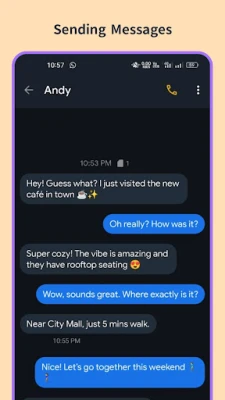
Messages is a free Android application developed by Messaging Text Chat that provides a straightforward way to handle text communication. It supports standard SMS and MMS as well as chat‑style conversations, allowing you to stay in touch without the clutter of unnecessary features.
Main features
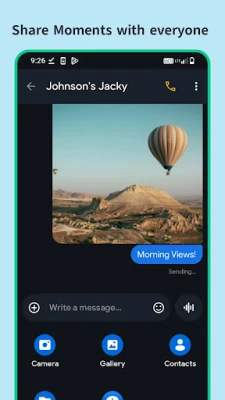
- Instant SMS & MMS – Send and receive regular text messages, picture messages and multimedia files quickly.
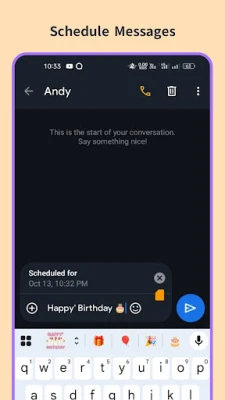
- Message scheduling – Set a future time for a message to be sent, useful for reminders or timed greetings.
- Group texting – Create a group and send a single message to multiple contacts.
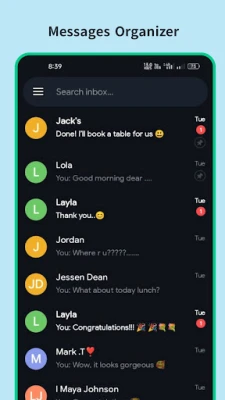
- Quick search – Find a conversation or specific text by typing keywords in the search bar.
- Call‑linked actions – After a phone call you can tap a shortcut to draft a follow‑up SMS or set a reminder.
- Number blocking – Block unwanted callers or spammers directly from the app.
How it works
After installation, Messages can be set as the default messaging app, which lets it handle all incoming and outgoing SMS/MMS automatically. The interface is divided into a conversation list and a chat window. Tap a contact to open a chat, type your message, attach media if needed, and hit send. Scheduled messages are created via a small clock icon in the compose area; you choose the date and time, and the app queues the message for delivery.
Practical uses
- Sending quick updates to friends or family without opening a separate chat service.
- Planning birthday wishes or event reminders by scheduling them in advance.
- Coordinating small teams or clubs through group texts.
- Keeping a record of important conversations in a single, searchable place.
Installation information
The app is available for free on the Android platform. Download it from a trusted source, open the APK, and follow the standard installation prompts. Once installed, you may be asked to set Messages as the default SMS app; this step is optional but enables full functionality.
Things to know before installing
- The app requires permission to send and receive SMS/MMS and to access contacts for easier messaging.
- It does not replace carrier‑based messaging services; it works with the same network you already use.
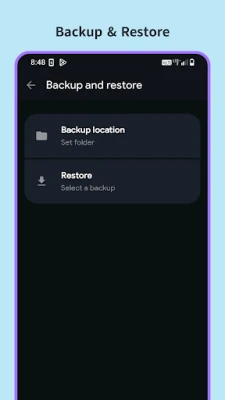
- All data is stored locally on the device; there is no cloud backup unless you enable it through Android’s built‑in backup features.
Who may find it useful?
Anyone who prefers a lightweight, ad‑free texting experience will benefit from Messages. It is especially handy for users who need scheduled messages, occasional group chats, or a simple way to block unwanted numbers without switching to a full‑featured messenger.
Frequently asked questions
Can I use Messages for internet‑based chat?
No. The app works with the carrier’s SMS/MMS system only; it does not provide Wi‑Fi or data‑based chat like WhatsApp.
Is there a limit to how many messages I can schedule?
The app does not impose a hard limit, but very large numbers of pending messages may affect performance.
Will my messages be encrypted?
SMS and MMS are transmitted using the carrier’s standard protocols, which are not end‑to‑end encrypted. For sensitive communication, consider a dedicated encrypted messenger.
Rate the App
User Reviews















Popular Apps










 Games
Games Entertainment
 Communication
 E-mail
 Security
 Tools
Tools Media
Media Internet
 Finance
 Design
 Education
 Android Firmwares
 Travel & Local
 Android
 Windows
 Linux
Linux