

Latest Version
Latest
September 04, 2026
hkapps.ai
Communication
Android
6
Free
com.hkapps.messagepro
Report a Problem
More About Message Pro – SMS Messenger
What is Message Pro?
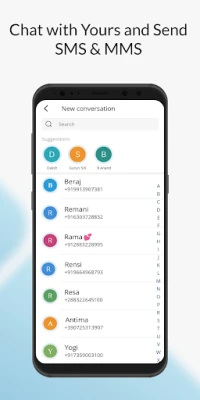
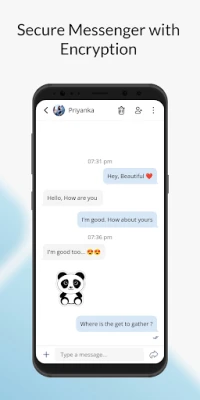
Message Pro is a free SMS messenger developed by hkapps.ai. It replaces the default messaging client with a dedicated interface for sending and receiving standard text messages. The app focuses on simplicity, allowing you to stay in touch with contacts without the distractions of social‑media‑style chat apps.
Main features
- Standard SMS support – Send and receive plain‑text messages through your carrier’s network.
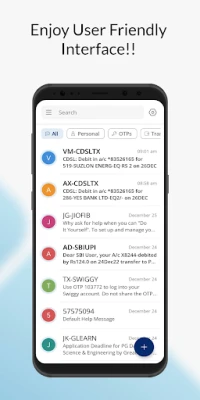
- Conversation organization – Separate chats for personal messages, one‑time passwords (OTPs), transaction alerts and promotional offers.
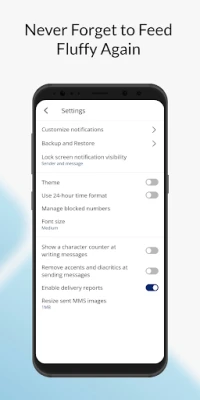
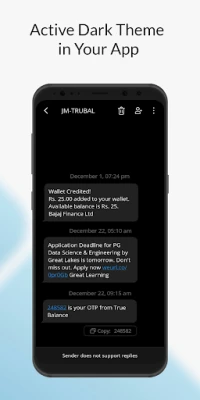
- Customizable appearance – Choose from several font sizes and theme options to suit your visual preferences.
- Message management tools – Copy, forward or delete individual messages, and block unwanted numbers directly from the app.
- Time format toggle – Switch between 12‑hour and 24‑hour clocks for timestamps.
- Character counter – See how many characters remain while you type, helping you stay within SMS limits.
How it works
After installation, Message Pro registers as the default SMS handler (optional). It reads incoming SMS from the system and displays them in its own inbox. Outgoing messages are sent through your carrier just like any other SMS app. The interface groups conversations by contact and lets you apply filters to view only OTPs, offers or personal chats.
Practical uses
- Keeping a clear record of verification codes without mixing them with regular chats.
- Separating promotional messages from personal conversations for easier review.
- Using larger fonts or high‑contrast themes for better readability.
- Blocking spam numbers without needing a separate call‑blocking tool.
Installation information
Message Pro is available as a free download. Install it from the Google Play Store, grant the required SMS permissions, and optionally set it as the default messaging app during the first launch. No additional configuration is needed to start sending and receiving texts.
Things to know before installing
- The app works with the standard SMS service provided by your mobile carrier; it does not use internet‑based messaging protocols.
- All messages are stored locally on the device unless you choose to back them up using Android’s built‑in backup features.
- Because it handles SMS, the app requires permission to read and send text messages, which is normal for any messaging client.
Who may find Message Pro useful?
Anyone who prefers a dedicated SMS experience will benefit from Message Pro. It is especially handy for users who receive many verification codes, banking alerts or promotional offers and want to keep those messages separate from personal chats. The customizable font sizes also make it a good choice for users with visual accessibility needs.
Frequently asked questions
Do I need an internet connection to use Message Pro?
No. Message Pro sends and receives messages through your carrier’s SMS network, so it works without Wi‑Fi or mobile data.
Can I back up my messages?
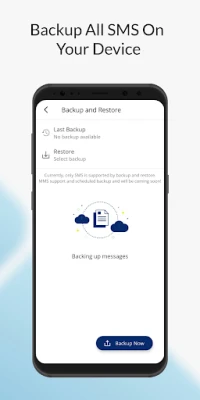
Message Pro stores chats on the device. You can back up the data using Android’s standard backup options or third‑party backup tools that support SMS.
Is the app safe to use?
The app requests only the permissions required for sending and reading SMS. It does not collect personal data beyond what is necessary for its core functionality.
Can I block unwanted contacts?
Yes. Within a conversation you can block the sender, preventing future SMS from that number from appearing in your inbox.
Rate the App
User Reviews















Popular Apps










 Games
Games Entertainment
 Communication
 E-mail
 Security
 Tools
Tools Media
Media Internet
 Finance
 Design
 Education
 IT Tools
 Travel & Local
 Android
 Windows
 Linux
Linux