

Latest Version
Latest
September 06, 2026
HSTAR
Communication
Android
34
Free
com.holiestep.msgpeepingtom
Report a Problem
More About Message Peeping Tom – Read Messages Discreetly
What is Message Peeping Tom?
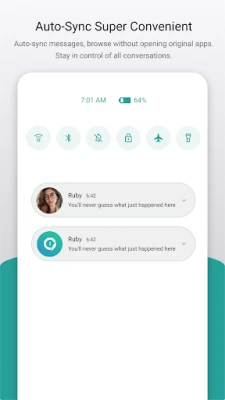
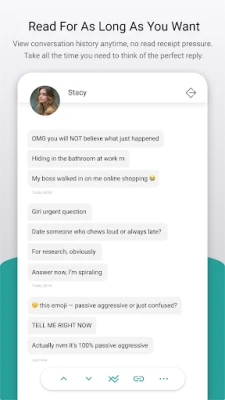
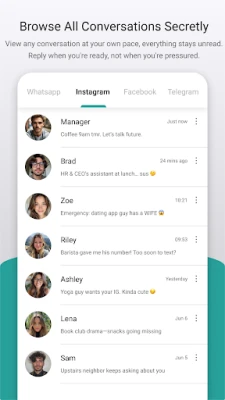
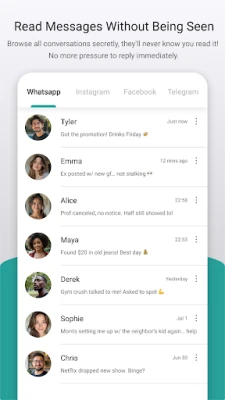
Message Peeping Tom is a free Android utility that helps you glance at incoming messages without triggering the read receipt that many messaging apps send automatically. It works by intercepting notification content, allowing you to see the text of a message while keeping the sender unaware that you have read it.
Main Features
- Invisible preview – View the content of a notification without marking the message as read.
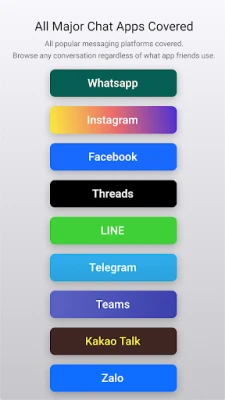
- Supports multiple messengers – Works with popular apps that use standard Android notifications, such as WhatsApp, Telegram, Facebook Messenger, Instagram, and others.
- Quick switch back – After previewing, you can jump directly to the original chat to reply at your convenience.
- Local privacy – All intercepted message data stays on your device; the app does not transmit any content to external servers.
- Optional lock – You can protect access to the app with a fingerprint or password if you share your device.
How It Works
The app requires notification access, which lets it read the text shown in a notification bar. When a new message arrives, Message Peeping Tom displays the message text in its own interface. Because the original messaging app never receives a read acknowledgement, the sender’s status remains unchanged. When you decide to respond, you can tap a button that opens the original conversation, where you can reply normally.
Practical Uses
- Avoid the pressure of replying instantly when you’re busy or in a meeting.
- Check messages discreetly in public places without drawing attention.
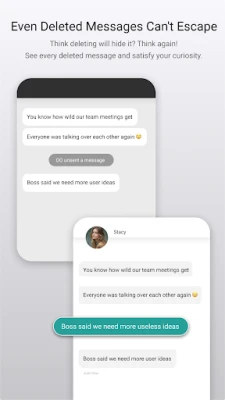
- Read messages that might be deleted from the chat later, as the notification still contains the original text.
- Maintain a clear boundary between work and personal time by reviewing work messages without marking them as read.
Installation Information
Download the APK from a trusted source, then install it like any other Android application. During the first launch, the app will ask for notification access. Grant this permission in the system settings to enable message preview functionality. If you wish to protect the app, you can enable the optional fingerprint or password lock from the settings menu.
Compatibility
Message Peeping Tom runs on Android devices that support notification access, which includes most devices running Android 5.0 (Lollipop) and newer. Because it relies on standard notification data, it works with any messaging app that posts readable notifications.
Things to Know Before Installing
- The app can only show the content that appears in the notification; if a messenger hides the message text in its notification, the preview will be limited.
- Read receipts are controlled by the original messaging app; Message Peeping Tom does not alter how those apps handle receipts beyond preventing the automatic read signal.
- All data stays on your device; however, you should still consider the security of your device overall, especially if you enable the lock feature.
Who May Find It Useful?
Anyone who wants more control over when a message is marked as read can benefit from Message Peeping Tom. This includes professionals who need to manage work communications, students juggling multiple chats, and anyone who prefers to read messages without the immediate expectation of a reply.
Frequently Asked Questions
Does the app work with all messaging apps?
It works with any app that sends a standard Android notification containing the message text. Some apps may hide content for privacy, in which case the preview will be limited.
Will using the app affect battery life?
The app runs only when a notification arrives and does not continuously monitor the device, so the impact on battery is minimal.
Is my message data shared with anyone?
No. All intercepted messages are stored locally and are not transmitted to external servers.
Can I delete a preview after reading it?
Yes. The app provides an option to clear the preview history from within its interface.
Rate the App
User Reviews















Popular Apps










 Games
Games Entertainment
 Communication
 E-mail
 Security
 Tools
Tools Media
Media Internet
 Finance
 Design
 Education
 Android Firmwares
 Travel & Local
 Android
 Windows
 Linux
Linux