




Latest Version
Latest
September 09, 2026
Meetup
Communication
Android
8
Free
com.meetup
Report a Problem
More About Meetup: Social Events & Groups – Connect with Like‑Minded People
What is Meetup?
Meetup is a free Android app that helps you find and join communities centered around shared interests. Whether you enjoy tech talks, fitness classes, book clubs, or casual coffee meet‑ups, the app lets you explore events and groups that match your hobbies and professional goals.
Main features
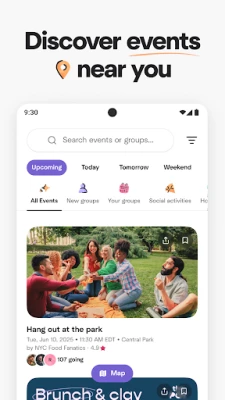
- Browse events by location or category – Use a map view or keyword search to see what’s happening nearby or online.
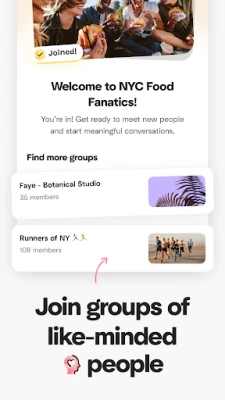
- Join existing groups – Connect with established communities that already host regular activities.
- Create your own group – Start a new group, set up events, and invite others to participate.
- Save events for later – Mark events you’re interested in and revisit the details whenever you’re ready.
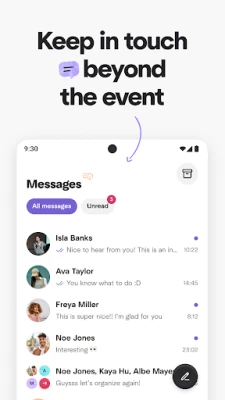
- In‑app messaging – Communicate with members before, during, and after events.
How it works
After installing the app, you create a simple profile and select interests that matter to you. The app then suggests groups and events that align with those preferences. You can filter results by distance, date, or topic, and you can view each event’s description, time, and venue. When you decide to attend, you RSVP directly in the app, which adds the event to your personal schedule.
Practical uses
- Professional networking – Find tech meet‑ups, industry panels, or startup pitch nights to expand your career contacts.
- Fitness and wellness – Locate yoga classes, running clubs, or outdoor adventure groups in your area.
- Creative hobbies – Join photography walks, writing circles, or craft workshops to practice your skills with peers.
- Social connection – Attend casual gatherings, game nights, or language exchange sessions to meet new friends.
Who may find it useful?
Anyone looking to turn a solitary interest into a shared experience can benefit from Meetup. Students, professionals, retirees, and families all use the platform to discover activities that fit their schedules and preferences.
Things to know before installing
- The app uses your device’s location to suggest nearby events. You can adjust location permissions in Android settings.
- While the core app is free, some groups may charge fees for specific events or memberships.
- Creating a group requires a brief description and a set of topics to help others discover it.
Frequently asked questions
Do I need an account to browse events?
You can explore public listings without an account, but RSVP-ing and messaging require a free sign‑up.
Can I attend events online?
Yes. Many groups host virtual meet‑ups, and the app clearly indicates whether an event is in‑person or online.
How do I manage my RSVP list?
All events you’ve marked “Going” appear in the “My Events” section, where you can view details, get directions, or cancel your RSVP.
Rate the App
User Reviews















Popular Apps










 Games
Games Entertainment
 Communication
 E-mail
 Security
 Tools
Tools Media
Media Internet
 Finance
 Design
 Education
 IT Tools
 Travel & Local
 Android
 Windows
 Linux
Linux