




Latest Version
Latest
September 02, 2026
MyntraApp Studio
Communication
Android
7
Free
com.onlinevideocall.livevideochatcall
Report a Problem
More About Meeting – Online Meetings
What is Meeting – Online Meetings?
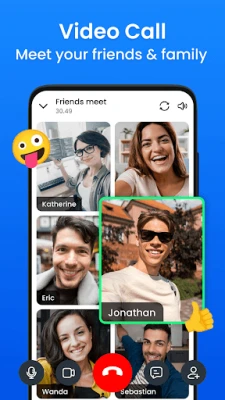
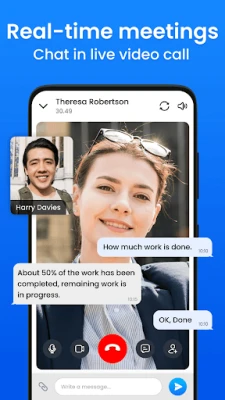
Meeting – Online Meetings is a free Android application developed by MyntraApp Studio that lets users create or join virtual meetings from their mobile devices. It focuses on real‑time audio, video and screen sharing, making it suitable for quick team huddles, webinars, or casual catch‑ups.
Main features
- Instant or scheduled meetings – Start a call immediately or set a future time and share an invitation link.
- Video and audio support – Use the front or rear camera for video, or switch to audio‑only mode to save bandwidth.
- Screen sharing – Present slides, documents or apps directly from the phone.
- Webinar tools – Participants can raise their hand, ask questions via Q&A, and respond to polls when the organizer enables them.
- Basic moderation – Hosts can mute individuals or all participants, lock a meeting with a password and remove attendees if needed.
How it works
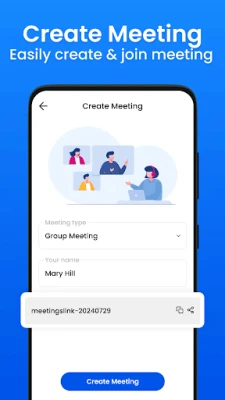
After installing the app, users create a new meeting by tapping the “Start” button. The app generates a unique meeting ID that can be shared through any messaging platform. Attendees join by entering the ID or clicking the shared link. During the call, the host controls access, enables screen sharing, and can launch polls or Q&A sessions.
Practical uses
- Remote team stand‑ups or project reviews.
- Online classes or tutoring sessions.
- Small‑scale webinars where presenters need to share slides and interact with the audience.
- Family gatherings or social catch‑ups when meeting in person isn’t possible.
Installation information
The app is available for free on the Google Play Store. Search for “Meeting – Online Meetings” or use the package name com.onlinevideocall.livevideochatcall to locate it. The download size and required Android version are not specified, so ensure your device has sufficient storage and runs a recent Android release.
Things to know before installing
- The app requires access to the camera, microphone and storage for screen sharing and saving recordings, if that option is used.
- Because the app is free, it may display non‑intrusive ads; however, core meeting functionality remains unaffected.
- Check your data plan if you plan to use video calls frequently on mobile networks.
Who may find it useful?
Anyone who needs a quick way to connect face‑to‑face with others—students, freelancers, small business owners, event organizers, or friends—can benefit from the straightforward interface and essential collaboration tools offered by Meeting – Online Meetings.
Frequently asked questions
Do I need an account?
No. Meetings can be started without registering; however, creating an account may provide additional features such as meeting history.
Can I record a meeting?
The app includes a recording option, but it depends on device capabilities and storage availability.
Is there a limit to the number of participants?
The official documentation does not specify a maximum, so the practical limit will depend on network conditions and device performance.
Rate the App
User Reviews















Popular Apps










 Games
Games Entertainment
 Communication
 E-mail
 Security
 Tools
Tools Media
Media Internet
 Finance
 Design
 Education
 IT Tools
 Travel & Local
 Android
 Windows
 Linux
Linux