

Latest Version
September 13, 2026
M3 Consulting Inc
Communication
Android
7
Free
com.m3consulting.meetingminutes
Report a Problem
More About Meeting Minutes – Simple Meeting Management
What is Meeting Minutes?
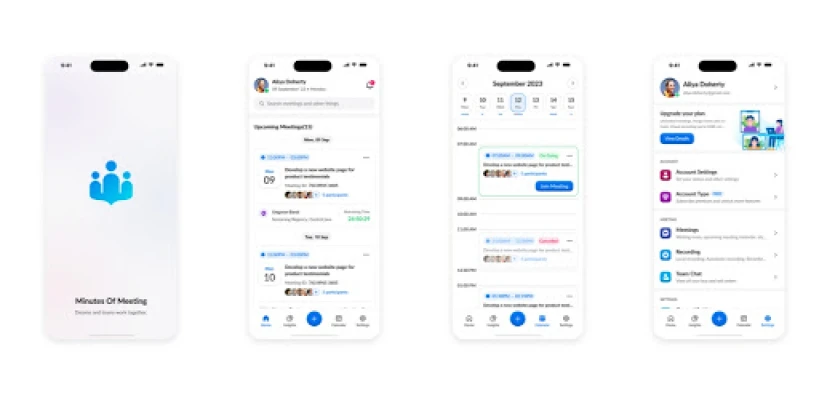
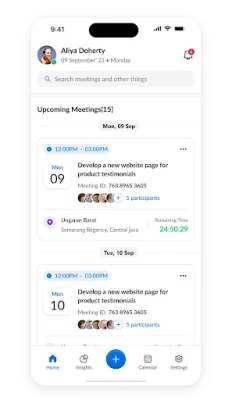
Meeting Minutes is a lightweight Android tool designed for anyone who needs to keep a clear record of meetings. It lets you capture the core elements of a session—participants, agenda points, discussion notes and follow‑up tasks—within a single, easy‑to‑navigate interface.
Main features
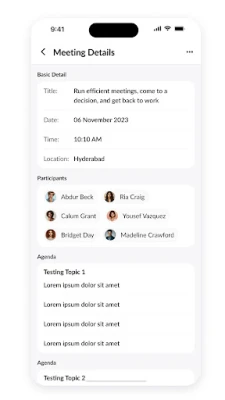
- Create and edit meetings: Add a new meeting, set its date and time, and fill in sections for agenda, discussion and action items.
- Participant management: Choose attendees from your phone’s contact list or type them manually, reducing duplicate entry.
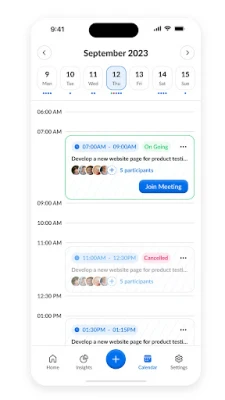
- Import from calendar: Pull existing calendar events into the app to speed up meeting setup.
- Sorting and filtering: View meetings, contacts or tasks by date, status or custom tags.
- Export options: Generate a PDF, Word XML or HTML file of the minutes, or export action items as a CSV file for spreadsheet use.
- Backup and restore: Save a full database backup, encrypted for privacy, and restore it later or on a new device.
- Automatic backup: When the app is open, it can create scheduled backups without manual effort.
- Calendar sync for tasks: Action items can be added to your device calendar, helping you stay on schedule.
How it works
After installing, you start by tapping the “New Meeting” button. Fill in the basic information, then add agenda items one by one. For each agenda point you can write discussion notes and assign action items to specific participants. The app automatically timestamps entries, so you always know when a note was added.
When a meeting is finished, choose an export format. The PDF version is ready for sharing via email or messaging apps, while the CSV export lets you import tasks into spreadsheet programs for further analysis.
Practical uses
- Project teams can keep a single source of truth for decisions and responsibilities.
- Freelancers can document client calls and track deliverables.
- Students can record study group discussions and assign follow‑up research tasks.
- Small businesses can maintain consistent meeting records without needing complex software.
Installation information
The app is offered as a free download from the Google Play Store. No additional in‑app purchases are required to use the core meeting‑recording features. Installation follows the standard Android process: tap “Install,” wait for the download, and open the app from your app drawer.
Things to know before installing
- The app works offline; internet access is only needed for exporting files or syncing with external services.
- Backups are stored locally on the device; consider copying them to cloud storage if you need remote access.
- Exported files are encrypted by the app, but you will need the app to decrypt them.
Who may find it useful?
Anyone who regularly holds meetings—team leaders, consultants, educators, nonprofit organizers, or hobby groups—will benefit from a dedicated place to capture minutes and track follow‑up actions.
Frequently asked questions
Can I import existing calendar events?
Yes. The app can read events from your device calendar and pre‑populate meeting details, saving you time.
Is there a way to share minutes directly from the app?
After exporting to PDF, Word XML or HTML, you can use Android’s share sheet to send the file via email, messaging apps or cloud services.
How are backups protected?
Backup files are encrypted by the app before they are written to storage, helping keep your meeting data private.
Rate the App
User Reviews















Popular Apps










 Games
Games Entertainment
 Communication
 E-mail
 Security
 Tools
Tools Media
Media Internet
 Finance
 Design
 Education
 IT Tools
 Travel & Local
 Android
 Windows
 Linux
Linux