

Latest Version
September 01, 2026
Mailum
Communication
Android
7
Free
com.mailum.mailapp
Report a Problem
More About Mailum: Fully Encrypted Email
What is Mailum?
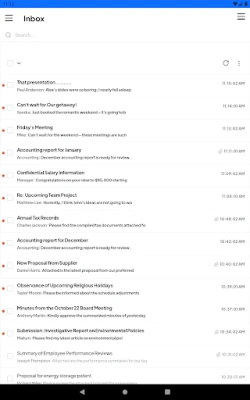
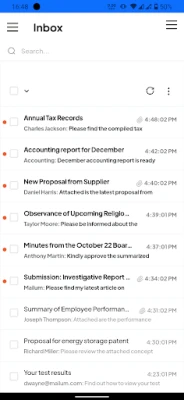
Mailum is an email client that focuses on privacy by applying end‑to‑end encryption to every part of a message. The app is developed by Mailum and offered free of charge, allowing users to send and receive email without exposing the content, subject line, or metadata to anyone other than the intended recipient.
Main features
- Full‑message encryption – Both the body and the subject line are encrypted before leaving the device.
- Metadata protection – Sender, recipient addresses and other header information are encrypted, reducing the amount of information that can be harvested from network traffic.
- Zero‑knowledge design – The service does not retain readable copies of your messages on its servers.
- Free to use – No subscription fee is required to create an account or to send encrypted mail.
How it works
When you compose a message, Mailum generates a cryptographic key pair for your account. The public key is shared with contacts who need to send you encrypted mail, while the private key remains stored only on your device. Before a message is transmitted, the app encrypts the content with the recipient’s public key. Only the matching private key can decrypt the message, ensuring that intermediaries—including the service provider—cannot read it.
Practical uses
Mailum is suitable for anyone who handles sensitive information, such as journalists protecting sources, activists coordinating actions, or professionals discussing confidential projects. It also serves everyday users who simply prefer to keep personal conversations private.
Installation information
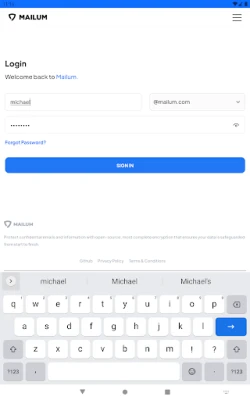
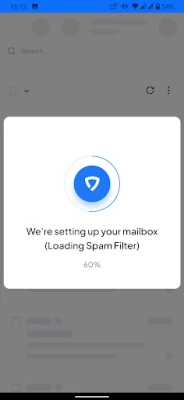
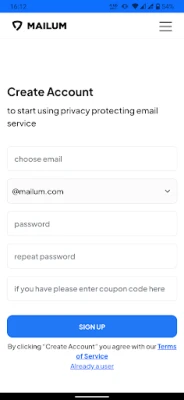
To install Mailum, locate the app in the Android marketplace using the package name com.mailum.mailapp. Tap “Install” and follow the on‑screen prompts. After installation, launch the app and create a new account by providing an email address and setting a strong password. The setup process will guide you through generating the encryption keys.
Things to know before installing
- Because encryption keys are stored locally, losing access to your device without a backup may make your encrypted messages unrecoverable.
- Mailum relies on internet connectivity for sending and receiving mail, but the encryption process occurs entirely on the device.
- Some corporate or institutional email systems may block encrypted traffic; verify that your email provider supports standard SMTP/IMAP protocols.
Who may find it useful?
Anyone who values confidentiality can benefit from Mailum, including:
- Journalists and media professionals.
- Human‑rights defenders and activists.
- Legal and medical professionals handling privileged information.
- Individuals who simply want a private alternative to mainstream email services.
Frequently asked questions
Is Mailum really free?
Yes, the app can be downloaded and used without a subscription fee.
Do I need a separate email address?
Mailum works with existing email accounts; you can link a personal address during setup.
Can I use Mailum on multiple devices?
The encryption keys are generated per device. To use the same account on another device, you will need to import or synchronize the keys securely.
What happens if I forget my password?
Because the private key is stored locally, password recovery is limited to resetting the app’s access. Without the key, previously encrypted messages cannot be decrypted.
Rate the App
User Reviews















Popular Apps










 Games
Games Entertainment
 Communication
 E-mail
 Security
 Tools
Tools Media
Media Internet
 Finance
 Design
 Education
 IT Tools
 Travel & Local
 Android
 Windows
 Linux
Linux