

Latest Version
Latest
August 16, 2026
Mailfence
Communication
Android
66
Free
com.contactoffice.mailfence
Report a Problem
More About Mailfence – Secure Private Email for Android
What is Mailfence?
Mailfence is a privacy‑focused email service that brings a full suite of communication tools to Android devices. Developed by the team behind the Mailfence platform, the app lets you manage email, documents, calendars and contacts without relying on advertising or data‑mining business models.
Main features
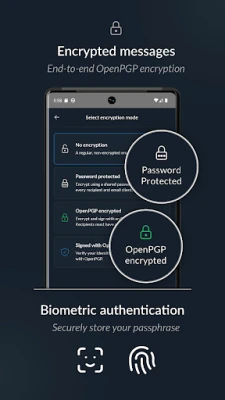
- End‑to‑end encrypted email – Send and receive messages protected with OpenPGP encryption, ensuring only the intended recipient can read the content.
- Password‑protected messages – Add an extra layer of security by requiring a password to open an email.
- Multiple mailboxes – Switch easily between different Mailfence accounts or aliases.
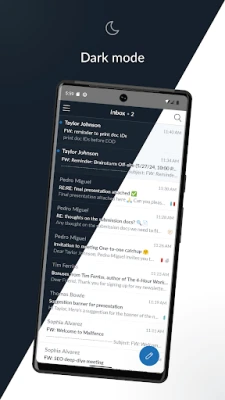
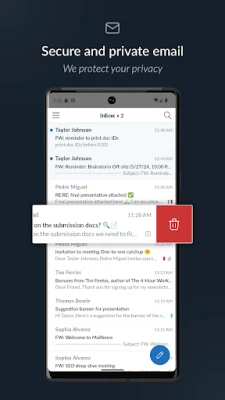
- Organisation tools – Use folders, labels and swipe gestures to keep your inbox tidy.
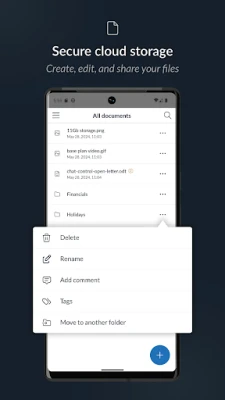
- Integrated cloud storage – Access private and shared documents, organise them with folders and labels, and share with other Mailfence users.
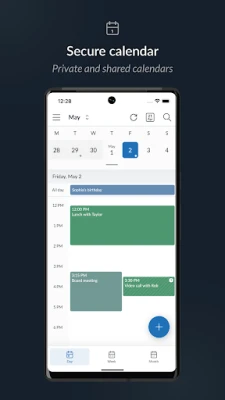
- Calendar management – View personal and shared calendars, create events, and receive email reminders.
- Contact management – Store private and shared address books, add labels and notes, and search efficiently.
How it works
After installing the app, you create a Mailfence address (e.g., @mailfence.com or @mf.me) or log in with an existing account. The interface groups the four core tools—Mail, Drive, Calendar and Contacts—under a single navigation pane, allowing you to move between them without leaving the app. Encryption is handled automatically: when you compose a message to another Mailfence user, the app encrypts it with their public key; for external recipients, you can attach a password‑protected file or use OpenPGP if you have their key.
Practical uses
- Personal privacy – Keep everyday correspondence free from tracking and advertising.
- Business communication – Manage team calendars, share documents securely, and maintain a unified address book.
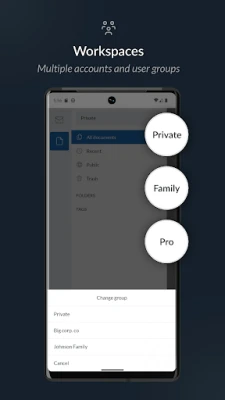
- Secure collaboration – Use shared folders and workspaces to exchange files with colleagues while retaining full control over who can view them.
Installation information
The app is distributed as a free download. Install it from the Google Play Store, grant the standard permissions required for network access and storage, and follow the on‑screen setup to create or import your Mailfence account.
Things to know before installing
- The app does not include advertising, but it does require an internet connection for sending and receiving messages.
- Encryption features depend on the availability of public keys for your contacts; you may need to exchange keys manually for non‑Mailfence recipients.
- While the core functions are free, advanced features such as additional storage or premium support are managed on the Mailfence website, not within the Android app.
Who may find Mailfence useful?
Anyone who values email privacy—individual users, freelancers, small businesses, or larger teams—can benefit from Mailfence. Its integrated approach makes it especially handy for users who prefer a single app for email, files, calendars and contacts.
Frequently asked questions
Is Mailfence compatible with other email clients?
Yes. Mailfence supports standard protocols (POP, IMAP, SMTP) so you can configure the same account in third‑party email apps if you prefer.
Can I access my Mailfence data on a desktop?
Mailfence provides a web interface and supports WebDAV, CalDAV and CardDAV, allowing you to work with files, calendars and contacts from a computer.
Do I need a separate password for encryption?
Encryption uses OpenPGP keys linked to your account. For password‑protected messages, you set a password per message, which the recipient must enter to open.
Rate the App
User Reviews















Popular Apps










 Games
Games Entertainment
 Communication
 E-mail
 Security
 Tools
Tools Media
Media Internet
 Finance
 Design
 Education
 Android Firmwares
 Travel & Local
 Android
 Windows
 Linux
Linux