
Latest Version
Latest
August 13, 2026
VKL
Communication
Android
288
Free
ru.mail.mailapp
Report a Problem
More About Mail: Email, Cloud, Calendar – All‑in‑One Organizer
What is Mail: Email, Cloud, Calendar?
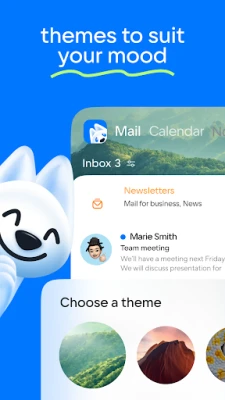
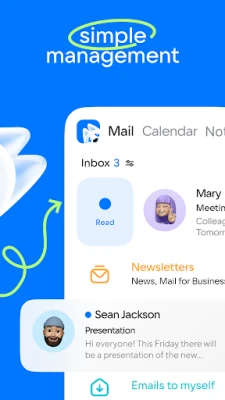
Mail is an Android application that brings together several daily‑use services in a single interface. It combines an email client, a calendar, note‑taking tools and cloud storage, allowing you to handle communication, scheduling and file management without switching between multiple apps.
Main features
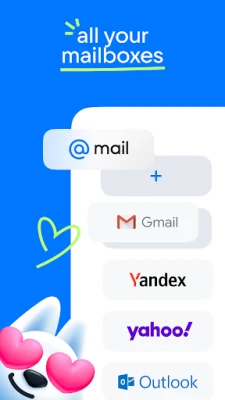
- Email aggregation – Connect accounts from popular providers such as Gmail, Outlook, Yahoo and Yandex and view all messages in one place.
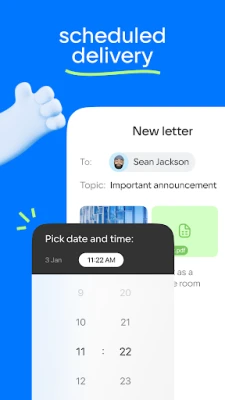
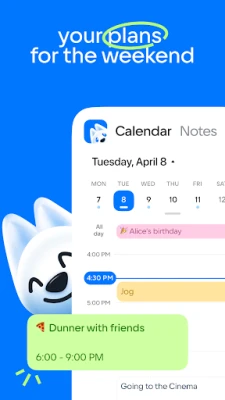
- Calendar integration – Create, edit and receive reminders for events directly from the app. The calendar view supports daily, weekly and monthly layouts.
- Notes and quick capture – Store short text notes, to‑do items or ideas that sync with your cloud storage.
- Cloud storage – Upload photos, documents and scanned files to a personal cloud space that can be accessed from the app.
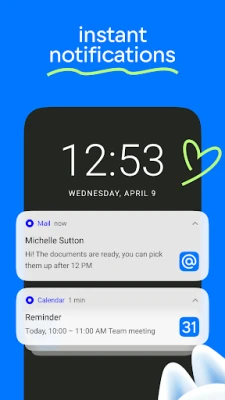
- Custom notifications – Choose which folders or calendars trigger push notifications and set quiet hours to avoid interruptions.
How it works
After installing the app, you are guided through an account‑setup wizard where you can add existing email accounts using standard IMAP/SMTP settings or the built‑in integrations for major providers. Once linked, messages appear in unified inboxes that can be filtered by account or label.
The calendar module reads event data from your email accounts and lets you add new appointments manually. Reminders can be set with custom tones or vibration patterns. Notes are saved locally and optionally synced to the cloud, making them available across devices.
Practical uses
- Professionals who need to monitor several work and personal email accounts without juggling separate apps.
- Students managing class schedules, assignment deadlines and study notes in one place.
- Anyone who prefers a single entry point for email, calendar and file storage to reduce screen clutter.
Installation information
The app is distributed as a free download from the Google Play Store. Installation follows the standard Android process: tap “Install,” grant the requested permissions for email access and storage, and launch the app to begin configuration.
Things to know before installing
- Internet connectivity is required for syncing email, calendar events and cloud files.
- The app may request access to your contacts and storage to enable full functionality; you can adjust these permissions in the Android settings after installation.
- Because the app aggregates multiple services, the amount of data stored locally depends on the number of linked accounts and the size of attached files.
Who may find it useful?
Mail is suited for users who appreciate an integrated workflow—especially those who handle multiple email addresses, need a reliable calendar, and want a convenient place for quick notes and file backups. It is also a good fit for users who prefer a single, free solution rather than a collection of separate paid apps.
Frequently asked questions
Can I add more than one email account?
Yes. The app supports adding multiple accounts from various providers and lets you switch between them or view all messages together.
Is my data synchronized across devices?
Notes and cloud files can be synced if you enable the cloud feature within the app. Email and calendar data are synchronized through the respective service providers.
What permissions does the app need?
Typical permissions include access to the internet, storage for attachments and cloud files, and contacts to help identify senders. You can review and modify these permissions in your device settings.
Rate the App
User Reviews















Popular Apps










 Games
Games Entertainment
 Communication
 E-mail
 Security
 Tools
Tools Media
Media Internet
 Finance
 Design
 Education
 Android Firmwares
 Travel & Local
 Android
 Windows
 Linux
Linux