Latest Version
Latest
August 31, 2026
mail.de GmbH
Communication
Android
4
Free
de.mail.android.mailapp
Report a Problem
More About mail.de Mail – Email, Calendar & Contacts for Android
What is mail.de Mail?
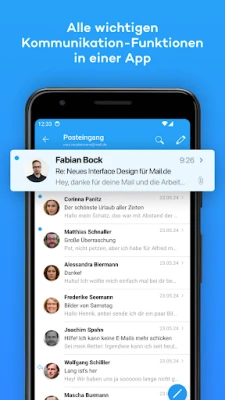
mail.de Mail is the official Android client for the mail.de service. It brings your email, address book, calendar and online storage together in a single, mobile‑friendly interface, allowing you to stay connected whether you are at home, at work, or on the move.
Main features
- Email handling – Send and receive messages, attach files up to 100 MB, and use push notifications to stay informed of new mail.
- Multiple accounts – Manage several mail.de accounts without leaving the app.
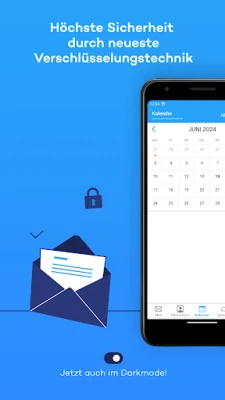
- PGP encryption – Encrypt outgoing messages and attachments for added privacy.
- Contacts – View, add, edit and sync your address book directly with the web version.
- Calendar – See upcoming appointments, create new events and keep them synchronized with the online calendar.
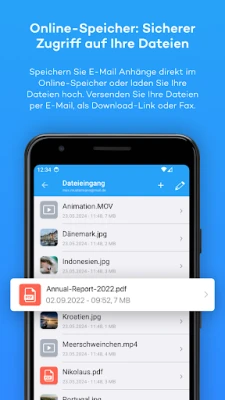
- Cloud storage – Access files stored in mail.de’s online drive, rename them, and share them via email or fax.
- SMS & fax – Send and receive short messages and fax documents from within the same app.
How it works
After installing the app, you log in with your mail.de credentials. The client then synchronizes your mailbox, contacts, calendar entries and cloud files automatically. Push notifications keep you aware of new messages, while the built‑in encryption options protect the content you send.
Practical uses
- Quickly reply to work emails while traveling.
- Keep personal contacts up to date across devices.
- Schedule meetings and receive reminders without opening a separate calendar app.
- Share large documents by uploading them to cloud storage and sending a link.
- Send a fax directly from your phone when a traditional fax machine isn’t available.
Installation information
The app is available through the Google Play Store. Search for mail.de Mail, tap Install, and follow the on‑screen prompts. No additional files are required.
Things to know before installing
- Requires a mail.de account; the app does not create new accounts.
- Internet connectivity is needed for synchronization and push notifications.
- Some features, such as large‑file sharing, depend on the limits set by the mail.de service.
Who may find it useful?
Anyone who uses mail.de for personal or professional communication will benefit from a dedicated Android client. The integrated contacts and calendar make it especially handy for users who prefer a single app to manage multiple aspects of their digital life.
Frequently asked questions
Is my data encrypted?
Yes. The app supports PGP encryption for emails and attachments, and all communication is transmitted over secure connections.
Can I use the app with other email providers?
mail.de Mail is designed for mail.de accounts only. For other providers you will need a different client.
Does the app work on tablets?
Yes. The interface adapts to larger screens, providing a comfortable experience on both smartphones and tablets.
Rate the App
User Reviews











Popular Apps










 Games
Games Entertainment
 Communication
 E-mail
 Security
 Tools
Tools Media
Media Internet
 Finance
 Design
 Education
 IT Tools
 Travel & Local
 Android
 Windows
 Linux
Linux