


Latest Version
Latest
August 18, 2026
Snug Apps
Communication
Android
181
Free
com.snugapps.messaging.text.sms
Report a Problem
More About Magic SMS – Free Text Messaging App
What is Magic SMS?
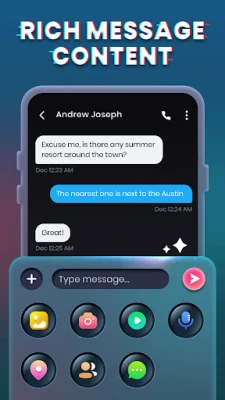
Magic SMS is a lightweight messaging client for Android devices. Developed by Snug Apps, it provides a standard SMS interface while offering optional enhancements such as private folders, message scheduling and a selection of visual themes. The app works with the device’s native SMS service, so you can continue using your existing phone number without needing a separate account.
Main features
- Private Box – Store selected conversations in a hidden folder that can be protected with a PIN or pattern.
- SMS blocker – Filter incoming messages from numbers you choose to block, helping keep your inbox tidy.
- Scheduled sending – Compose a message and set a future time for it to be delivered.
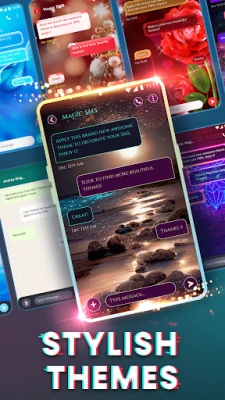
- Themes and wallpapers – Choose from several built‑in color schemes and background images to personalize the chat view.
- Standard SMS support – Send and receive plain text messages without requiring an internet connection.
How it works
After installation, Magic SMS can be set as the default messaging app. Once selected, the app automatically imports existing SMS threads and continues to handle new incoming and outgoing messages. The private box is accessed through a dedicated menu item; messages moved there are hidden from the main inbox until the correct security code is entered. The blocker works by matching incoming numbers against a user‑defined blacklist and silently discarding matches.
Practical uses
- Keep sensitive conversations out of sight using the Private Box.
- Reduce spam by blocking unwanted numbers.
- Plan reminders or birthday wishes by scheduling messages in advance.
- Give your messaging app a personal look with themes that match your style.
Installation information
Download the APK from a trusted source, then follow the standard Android installation steps: enable installation from unknown sources if required, tap the downloaded file, and accept the permissions prompt. The app requests permission to read and send SMS, access contacts for easier recipient selection, and optionally to modify system settings for setting it as the default messenger.
Things to know before installing
- The app relies on the device’s native SMS service; a mobile plan with SMS capability is required.
- Features such as the Private Box and blocker are optional and can be enabled or disabled in the settings.
- Because the app is free, it may display non‑intrusive ads; these do not affect core functionality.
Who may find Magic SMS useful?
Anyone who prefers a simple, offline messaging solution but wants a few extra tools for privacy and organization. It is especially handy for users who receive frequent promotional texts and would like an easy way to filter them, or for those who enjoy customizing the look of their messaging app.
Frequently asked questions
Do I need an internet connection to use Magic SMS?
No. The app sends and receives standard SMS through your carrier’s network, so it works without data.
Can I use Magic SMS alongside another messaging app?
Yes. You can keep another app installed, but only one can be set as the default for sending SMS. Switching the default is done in the Android system settings.
Is my private box truly secure?
The private box is hidden behind a user‑set PIN or pattern. While it adds a layer of obscurity, it is not encrypted at the system level, so it should be used for casual privacy rather than highly sensitive data.
How do I block a number?
Open the settings menu, navigate to the “Block list” section, and add the unwanted number. Future messages from that number will be automatically filtered.
Rate the App
User Reviews















Popular Apps










 Games
Games Entertainment
 Communication
 E-mail
 Security
 Tools
Tools Media
Media Internet
 Finance
 Design
 Education
 Android Firmwares
 Travel & Local
 Android
 Windows
 Linux
Linux