

Latest Version
Latest
August 23, 2026
SeaPeak Global
Communication
Android
142
Free
com.lovemessenger.neon.textsms
Report a Problem
More About Love Messages: Text SMS – Free Love‑Themed Messaging
What is Love Messages: Text SMS?
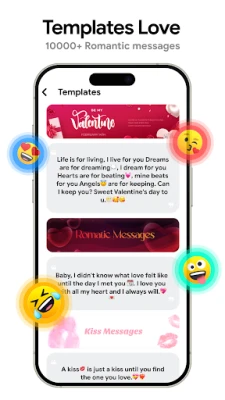
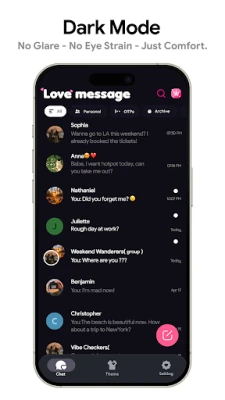
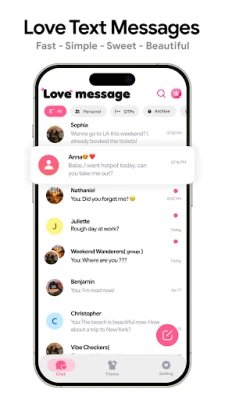
Love Messages: Text SMS is a free Android messaging client developed by SeaPeak Global. It focuses on giving ordinary text and multimedia messages a personal, romantic look. The app replaces the default chat bubbles and background with a collection of love‑inspired themes, letting users express affection through visual style as well as words.
Main Features
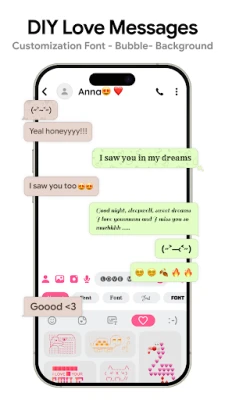
- Themed chat interface – Choose from a variety of love‑oriented color palettes, fonts, and background images that are applied to incoming and outgoing messages.
- Standard SMS & MMS support – Send and receive plain text, photos, videos, audio clips and other multimedia content without leaving the app.
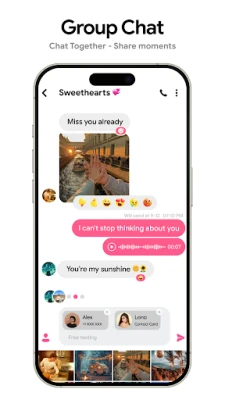
- Group messaging – Create group conversations and keep the chosen theme consistent across all participants.
- Dual‑SIM handling – If your device has two SIM cards, you can select which line to use for each message.
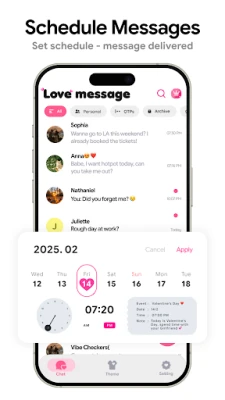
- Conversation management – Pin important chats, archive older threads, and delete messages quickly.
- Notification controls – Mute specific conversations or adjust alert tones while keeping the themed appearance.
How It Works
After installation, the app asks for the usual permissions to read, send and receive SMS/MMS messages. Once granted, it becomes the default messaging handler, intercepting incoming texts and displaying them with the selected love theme. Users can switch themes at any time from the settings menu, and the change is applied instantly to all open conversations.
Practical Uses
The visual customization is especially appealing for users who want their everyday communication to reflect a romantic or affectionate mood—whether it’s daily chats with a partner, birthday wishes for a loved one, or simply adding a touch of personality to routine messages. Because the core messaging functions remain unchanged, the app works with any carrier and does not require an internet connection for SMS delivery.
Installation Information
Download the APK from a trusted source, then follow the standard Android installation steps: enable installation from unknown sources if needed, run the installer, and grant the requested permissions. After the first launch, you’ll be prompted to set Love Messages: Text SMS as the default messaging app, which ensures all new texts are routed through it.
Compatibility
The app is built for Android devices that support the standard SMS/MMS APIs. It does not rely on specific hardware features, so it should run on most smartphones running a recent version of Android. Users with older versions may experience limited theme options.
Things to Know Before Installing
- Because the app replaces the system messaging UI, you will lose the default look while it is active.
- Theme packs are included for free; additional premium packs are not required for basic use.
- The app does not provide its own messaging service—it works with your carrier’s SMS plan.
Who May Find It Useful?
Anyone who enjoys personalizing their phone experience, especially couples or friends who like to share affectionate messages, will appreciate the themed interface. It is also suitable for users who prefer a dedicated SMS app that separates texting from internet‑based messengers.
Frequently Asked Questions
- Can I use the app without an internet connection? Yes. SMS and MMS are delivered through your carrier’s network, and the app’s theme rendering works offline.
- Will my contacts see the themes? No. Themes are applied only on your device; the message content is sent in the standard format.
- Is there a way to revert to the stock messaging app? You can change the default messaging app in Android settings at any time.
- Does the app support backup of messages? The app includes a basic export function for conversation history, but it does not integrate with cloud backup services automatically.
Rate the App
User Reviews















Popular Apps










 Games
 Entertainment
 Communication
 E-mail
 Security
 Tools
 Media
 Internet
 Finance
 Design
 Education
 Android Firmwares
 Travel & Local
 Android
 Windows
 Linux