

Latest Version
Latest
August 25, 2026
GriceMobile
Communication
Android
134
Free
com.grice.dialer
Report a Problem
More About Liquid Phone – iCall Dialer by GriceMobile
What is Liquid Phone – iCall Dialer?
Liquid Phone – iCall Dialer is a free Android dialer developed by GriceMobile. It replaces the standard phone app with a streamlined interface that focuses on clarity and ease of use. The app is designed for users who want a more personal feel when making and receiving calls without unnecessary clutter.
Main features
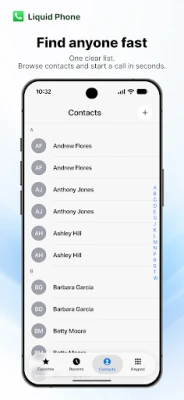
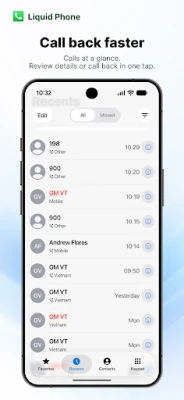
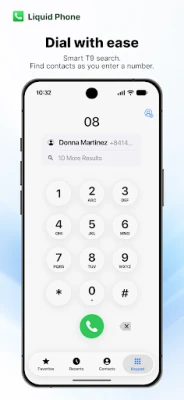
- Clean layout – A minimalist design that highlights the dial pad, contacts, and recent calls.
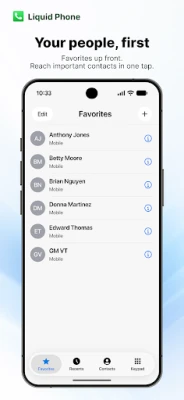
- Quick access – Favorites, recent calls and the full contact list are reachable from the main screen.
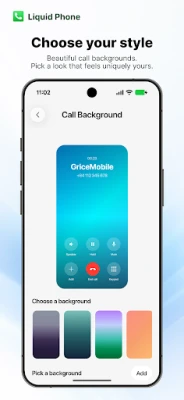
- Customizable appearance – Users can choose between light and dark themes and adjust font size to suit their preferences.
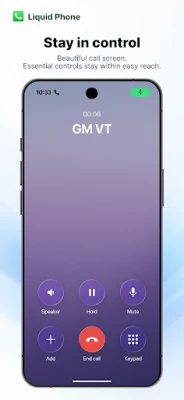
- Standard call controls – Access to mute, speaker, keypad, hold, add call, merge and conference options when supported by the device.
- Basic notification options – Options for keypad tones, vibration and flash alerts during calls.
How it works
After installation, the app can be set as the default phone application. Once set, all outgoing and incoming calls are handled through Liquid Phone, which presents the chosen theme and layout. The dialer uses the standard Android telephony framework, so it works with the device’s carrier and hardware capabilities.
Practical uses
- People who prefer a less crowded calling screen than the stock app.
- Users who want to adjust font size or switch between light and dark modes for better readability.
- Anyone looking for a straightforward way to manage favorites and recent calls without extra widgets.
Installation information
The app is distributed as a free APK. Install it from a trusted source, then follow the on‑screen prompts to grant the necessary phone and contacts permissions. After granting permissions, you can set Liquid Phone as the default dialer in the system settings.
Things to know before installing
- It requires the standard phone and contacts permissions to place calls and display contact information.
- The app does not include additional services such as voicemail hosting or call‑recording; it relies on the device’s built‑in capabilities.
- Some advanced carrier features (e.g., visual voicemail) may only be available through the carrier’s own app.
Who may find it useful?
Users who value a tidy, customizable calling interface and want a free alternative to the pre‑installed phone app will appreciate Liquid Phone. It is also suitable for devices with dual SIM support, as the app integrates with the system’s SIM selection dialog.
Frequently asked questions
Is Liquid Phone safe to use?
The app only requests the permissions required for making and receiving calls and accessing contacts. It does not request unrelated permissions such as storage or location.
Can I keep my existing call history?
When set as the default dialer, the app imports the existing call log and continues to update it alongside the system log.
Does the app work on all Android versions?
It works on Android versions that support the standard telephony APIs. Specific version requirements are listed on the download page of the APK.
Rate the App
User Reviews















Popular Apps










 Games
 Entertainment
 Communication
 E-mail
 Security
 Tools
 Media
 Internet
 Finance
 Design
 Education
 Android Firmwares
 Travel & Local
 Android
 Windows
 Linux