




Latest Version
August 12, 2026
LINE (LY Corporation)
Communication
Android
349
Free
jp.naver.line.android
Report a Problem
More About LINE: Calls & Messages – Free Chat and Voice Calls
What is LINE?
LINE is a communication platform that lets you send text messages, make voice and video calls, and share multimedia with people you know. It combines a traditional messenger with a rich set of expressive tools such as stickers, emojis and customizable themes.
Main Features
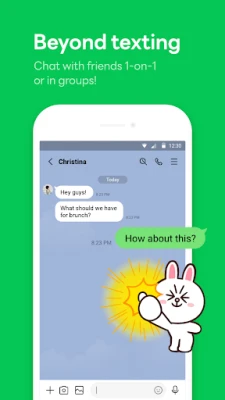
- Instant Messaging – Send one‑to‑one or group chats, attach photos, videos, and files.
- Voice and Video Calls – Place high‑quality calls without extra charges, using either cellular data or Wi‑Fi.
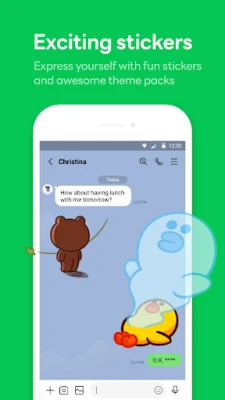
- Stickers and Emojis – Choose from a large collection of stickers and animated emojis to add personality to your conversations.
- Themes – Personalize the app’s appearance with downloadable themes.
- Cross‑Device Sync – Access your chats on smartphones, Wear OS watches and desktop computers.
How It Works
After installing the app, you register with a phone number or email address. Your contacts who also use LINE appear automatically, making it easy to start a conversation. Messages are sent over the internet, so you only need an active data connection. Voice and video calls use the same connection, adapting to network conditions to maintain call quality.
Practical Uses
- Keeping in touch with family members across different time zones.
- Coordinating plans with friends through group chats.
- Sharing moments instantly via photos, videos or voice notes.
- Adding a fun touch to conversations with stickers and animated emojis.
Installation Information
The app can be downloaded from the Google Play Store. Ensure you have sufficient storage space and a stable internet connection during the download and installation process.
Compatibility
LINE runs on Android devices that meet the minimum system requirements set by the Play Store. The app also offers companion versions for Wear OS smartwatches and desktop computers, allowing seamless communication across platforms.
Things to Know Before Installing
- Data usage may increase during video calls or when sending large media files.
- Some stickers and themes are free, while others may require in‑app purchases.
- To enjoy the full experience, keep the app updated through the Play Store.
Who May Find It Useful?
Anyone who wants a free, feature‑rich messenger that supports both text and real‑time calls. It is especially handy for users who enjoy expressive communication through stickers and who need to stay connected across multiple devices.
Frequently Asked Questions
Is LINE free to use?
Yes, the core messaging, voice and video call functions are free. Some optional content, such as premium stickers, may require a purchase.
Can I use LINE on a computer?
Yes, LINE offers desktop applications for Windows and macOS, allowing you to continue conversations without switching devices.
How secure are my messages?
LINE provides encryption for messages and calls, helping protect your privacy while communicating.
Rate the App
User Reviews















Popular Apps










 Games
Games Entertainment
 Communication
 E-mail
 Security
 Tools
Tools Media
Media Internet
 Finance
 Design
 Education
 Android Firmwares
 Travel & Local
 Android
 Windows
 Linux
Linux