

Latest Version
Latest
August 16, 2026
Kinder Messenger
Communication
Android
63
Free
com.kindermessenger.kids
Report a Problem
More About KINDER Kids Messenger – Safe Chat for Children
What is KINDER Kids Messenger?
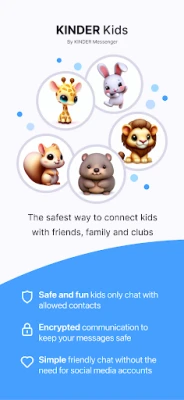
KINDER Kids Messenger is a free Android app designed for children to communicate with family and pre‑approved friends in a controlled environment. The app does not require a phone number, email address or any social‑media profile to create a child account, helping parents keep the experience simple and private.
Main features
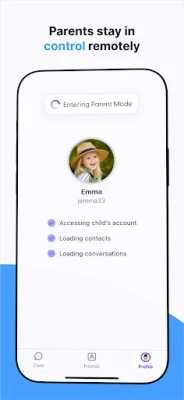
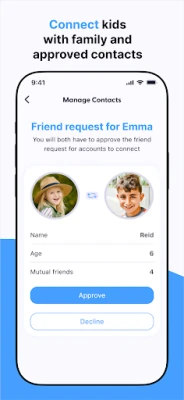
- Parent‑approved contacts – Parents create accounts for their children and select who can be added to the child’s contact list.
- Chat and voice calls – Kids can exchange text messages, share photos and make voice calls with approved contacts.
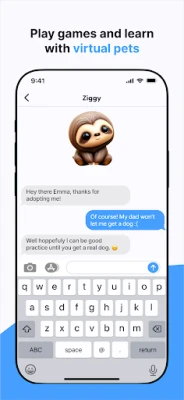
- Virtual pet interaction – The app includes educational virtual pets that children can adopt, chat with and share creations such as “Floofs” with friends.
- Family integration – Works alongside the KINDER Family app, allowing parents to manage multiple child accounts and keep the whole family connected.
- No external accounts required – Accounts are created within the app, eliminating the need for phone numbers or email addresses.
How it works
Parents start by downloading the app and setting up a parent account. From there they can add child profiles, define approved contacts and manage communication permissions. When a child wants to start a conversation, the app checks that the recipient is on the approved list before allowing the chat or call to proceed. All interactions stay within the app’s closed network, preventing contact with strangers.
Practical uses
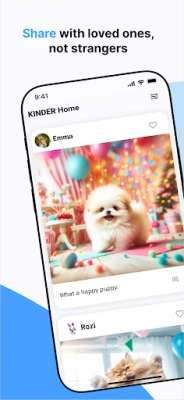
The app is useful for families who want their children to stay in touch with grandparents, cousins or after‑school club members without exposing them to open messaging platforms. It also serves as a safe way for children to share photos of school projects, artwork or moments from family outings.
Installation information
Search for KINDER Kids Messenger in the Google Play Store, tap “Install,” and follow the on‑screen prompts to create a parent account. The app is free to download and use. No additional purchases are required to access the core messaging functions.
Things to know before installing
- Because the app relies on a parent‑managed account structure, the initial setup takes a few minutes.
- All communication is limited to contacts that have been explicitly approved by a parent.
- The app does not collect phone numbers or email addresses for child accounts.
Who may find it useful?
Parents who want a simple, closed‑loop messaging solution for their children; grandparents looking for an easy way to stay connected with young family members; teachers or club leaders who need a safe channel for group communication with kids.
Frequently asked questions
Do children need a phone number to use the app?
No. Child accounts are created inside the app and do not require a phone number or email address.
Can kids add friends on their own?
Only after a parent has approved the contact. Parents control the entire contact list.
Is the app free?
Yes, the app can be downloaded and used without charge.
Does the app work on all Android devices?
The app is built for Android, but specific device compatibility depends on the version of Android the device runs. Check the Play Store listing for any minimum version requirements.
Rate the App
User Reviews















Popular Apps










 Games
Games Entertainment
 Communication
 E-mail
 Security
 Tools
Tools Media
Media Internet
 Finance
 Design
 Education
 Android Firmwares
 Travel & Local
 Android
 Windows
 Linux
Linux