


Latest Version
Latest
September 02, 2026
Abdulsattar Alkhalaf
Media
Android
16
Free
com.a3apps.kidstube
Report a Problem
More About KidsTube – Safe Video Player for Young Children
What is KidsTube?
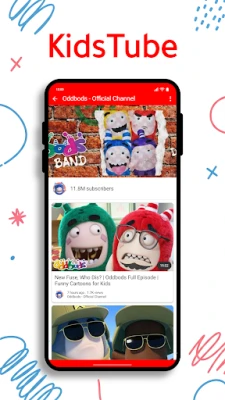
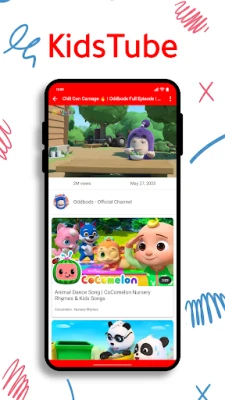
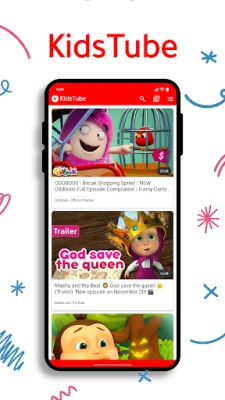
KidsTube is a free Android app created by developer Abdulsattar Alkhalaf. It provides a curated collection of videos aimed at preschool‑aged children, focusing on educational stories, nursery rhymes, and simple interactive programs. The app is built around a "safe‑by‑design" philosophy, meaning that every piece of content is screened before it appears in the library.
Main Features
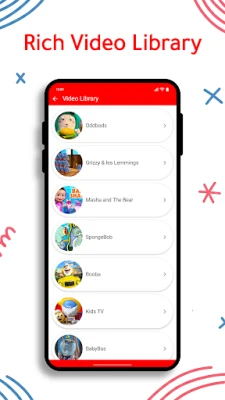
- Curated video library – Only content that meets the app’s safety guidelines is available, reducing the risk of accidental exposure to unsuitable material.
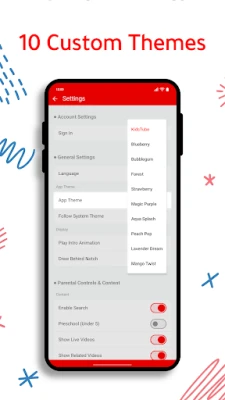
- Parental control suite – Parents can set daily screen‑time limits, enable or disable live streams, and block specific videos or keywords.
- Safe search – Built‑in filters automatically exclude results that do not match the app’s child‑friendly criteria.
- Activity overview – A simple history log shows which videos have been watched, helping parents stay informed about their child’s interests.
- Customizable interface – The app offers several bright themes and a dark‑mode option to protect young eyes.
- Voice‑activated discovery – Children can use voice commands to find videos without needing to type.
How It Works
When KidsTube is launched, the home screen presents large, colorful icons that represent different categories such as "Stories," "Songs," and "Learning Games." Tapping a category opens a list of videos that have been pre‑approved for the target age group. The app’s internal filter checks each selection against a set of safety rules; content that does not comply is simply not displayed.
Parents access the control panel through a lock‑protected settings area. From there they can adjust timers, toggle live streaming, and manage blocked keywords. All changes are saved locally on the device, ensuring that the child’s experience remains consistent across sessions.
Practical Uses
- Entertaining short videos during travel or waiting periods.
- Reinforcing language skills with bilingual songs and stories.
- Providing a quiet, screen‑based activity while parents attend to other tasks.
- Encouraging independent exploration in a controlled digital space.
Installation Information
KidsTube can be downloaded from the Google Play Store. The installation process follows the standard Android app workflow: tap "Install," wait for the download to complete, and then open the app. No additional setup steps are required beyond granting basic permissions for storage access, which the app uses to cache video files for smoother playback.
Things to Know Before Installing
- The app does not require an internet connection for the initial set of videos, but additional content may be streamed when a network is available.
- All parental controls are managed on the device itself; there is no cloud‑based account needed.
- Because the library is curated, the selection is smaller than general video platforms, but this focus helps maintain a safe environment.
Who May Find KidsTube Useful?
Parents of toddlers and preschoolers who want a simple, ad‑free video player with built‑in safety features will appreciate KidsTube. Caregivers, early‑education teachers, and anyone responsible for young children’s screen time can also benefit from the app’s straightforward controls and age‑appropriate content.
Frequently Asked Questions
Is KidsTube free to use?
Yes, the app is offered at no cost and does not require a subscription.
Can I add my own videos?
The current version focuses on a curated library and does not include a feature for importing personal videos.
How are new videos added?
Content updates are delivered through regular app updates from the developer. Each update undergoes the same safety review process before the videos become visible.
Does the app collect personal data?
KidsTube stores settings and usage logs locally on the device. It does not require an online account, and no personal identifiers are transmitted to external servers.
Rate the App
User Reviews















Popular Apps










 Games
Games Entertainment
 Communication
 E-mail
 Security
 Tools
Tools Media
Media Internet
 Finance
 Design
 Education
 IT Tools
 Travel & Local
 Android
 Windows
 Linux
Linux