

Latest Version
Latest
August 13, 2026
Xooloo SAS
Communication
Android
369
Free
com.xooloo.android.messenger
Report a Problem
More About Kids Messenger – Safe Chat for Children
What is Kids Messenger?
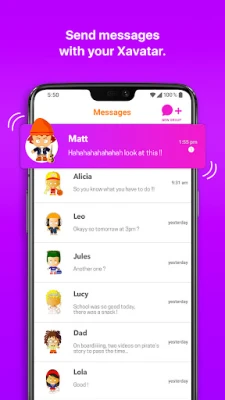
Kids Messenger is a free Android app created by Xooloo SAS that offers a child‑friendly space for messaging and voice/video calls. Designed specifically for younger users, it replaces the need for a traditional phone number with a simple account system, allowing kids to stay connected with family and friends while giving parents tools to manage access.
Main features
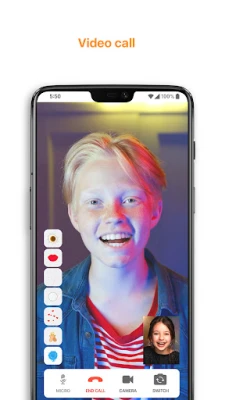
- Audio and video calls – Children can start one‑to‑one or group calls without a SIM card.
- Group chat support – Up to twelve participants can join an audio conversation and up to six can appear on video.
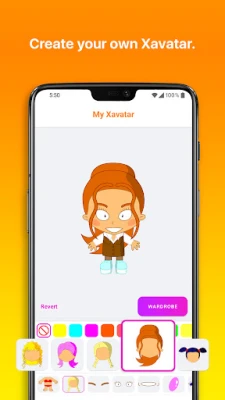
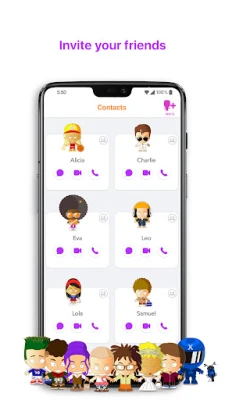
- Custom avatars – Users create a personalized Xavatar that represents them in chats and calls.
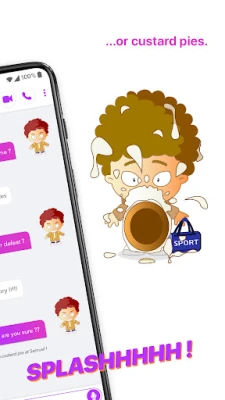
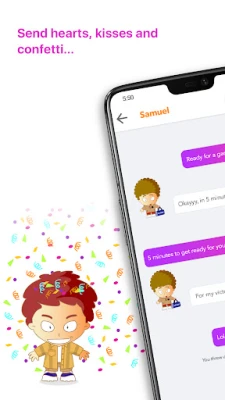
- Animated stickers – Fun effects such as kisses, confetti or playful pies can be sent to brighten a conversation.
- Birthday reminders – The app notifies users of friends’ birthdays and offers a simple way to send a greeting.
- Parental consent workflow – For children under 13, an adult must approve the account before it becomes active.
How it works
After downloading the app, a child creates an account using an email address or a unique friend code. The system does not require a mobile phone number, which helps keep personal data private. Once the account is approved by a parent, the child can add contacts who have been invited via email, phone number, or friend code. All communications occur within the app’s encrypted channels, and the interface is built to be intuitive for young users.
Practical uses
- Staying in touch with classmates for school projects.
- Keeping family members connected across distances.
- Organising virtual playdates with a small group of friends.
- Celebrating birthdays with a quick video call or animated greeting.
Installation information
The app is available through the Google Play Store. Search for "Kids Messenger" or use the package name com.xooloo.android.messenger to locate it. Tap "Install" and follow the on‑screen prompts to create an account. No additional files or side‑loading steps are required.
Things to know before installing
- The app is free and does not contain in‑app purchases or subscription fees.
- Parental consent is mandatory for users under 13; an adult must verify the account during setup.
- Parents can view the contact list but do not have access to the content of messages.
- All calls and messages are limited to the app’s network; external SMS or phone calls are not supported.
Who may find it useful?
Kids Messenger is ideal for children aged 5‑12 who want a safe, playful way to communicate with peers and family members. It also benefits parents looking for a controlled environment where they can oversee who their child contacts without reading private conversations.
Frequently asked questions
Do I need a phone number to use the app?
No. The app works with an email address or a unique friend code, eliminating the need for a SIM card.
Is the app truly free?
Yes. There are no hidden fees, subscriptions, or in‑app purchases.
Can parents read my child’s messages?
Parents can see the list of contacts but cannot view the actual chat content.
What devices are supported?
The app runs on Android devices that meet the standard Play Store requirements. Specific version details are not listed, but it is compatible with most modern smartphones and tablets.
Rate the App
User Reviews















Popular Apps










 Games
Games Entertainment
 Communication
 E-mail
 Security
 Tools
Tools Media
Media Internet
 Finance
 Design
 Education
 Android Firmwares
 Travel & Local
 Android
 Windows
 Linux
Linux