

Latest Version
Latest
September 04, 2026
Keeper Security, Inc.
Communication
Android
8
Free
com.keepersecurity.chat
Report a Problem
More About KeeperChat Encrypted Messenger – Secure Messaging for Android
What is KeeperChat?
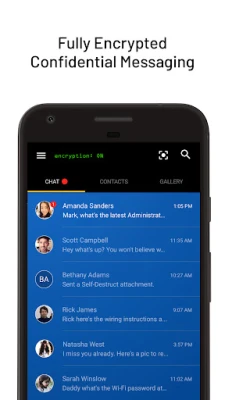
KeeperChat is a free Android messaging app developed by Keeper Security, Inc. It focuses on protecting the privacy of your conversations by applying strong encryption to every message, photo and video you send.
Main features
- End‑to‑end encryption – messages are encrypted on your device and can only be decrypted by the intended recipient.
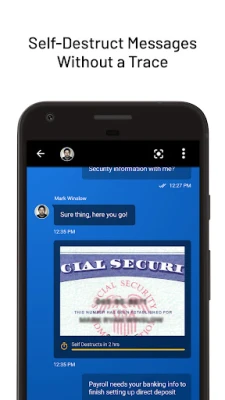
- Self‑destruct timer – you can set a lifespan for individual messages so they disappear automatically after they are read.
- Stealth screen mode – a blur overlay can be activated to hide the content of the app when you need to glance away.
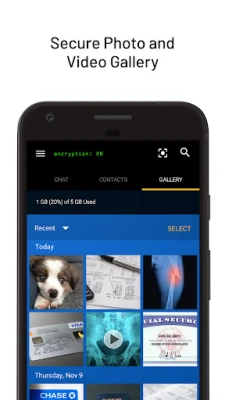
- Secure media gallery – photos and videos shared within the app are stored in an encrypted vault that does not appear in the phone’s regular gallery.
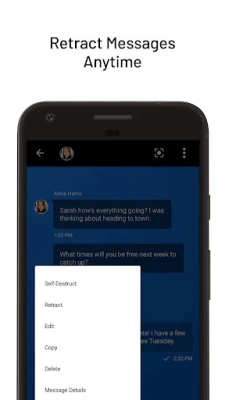
- Message retraction – you can withdraw a sent message before the recipient opens it, leaving no trace in the chat history.
- Cross‑device login – your account can be restored on a new device using your credentials, keeping your chat history accessible without exposing it to third parties.
How it works
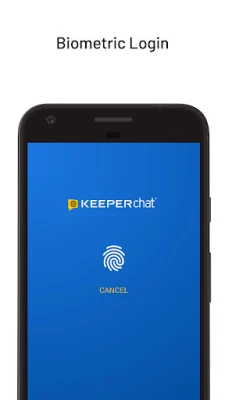
When you install KeeperChat, you create a personal account protected by a password or biometric lock. All outgoing data is encrypted locally before it leaves your device, and incoming data is decrypted only after it reaches your phone. Because the encryption keys never leave your device, Keeper Security cannot read your messages, which aligns with a zero‑knowledge security model.
Practical uses
- Sharing sensitive information such as passwords, financial details or personal documents.
- Communicating confidentially with colleagues or clients.
- Keeping private photos and videos away from the default camera roll.
- Ensuring that a message disappears after a set period, useful for time‑sensitive information.
Installation information
The app is available for free on the Google Play Store. Search for the package name com.keepersecurity.chat or the title “KeeperChat Encrypted Messenger” to download and install it. Standard Android permissions required are those needed for network access and optional biometric authentication.
Things to know before installing
- The app requires a Google Play Services‑enabled device with a recent Android version; exact minimum version is not specified by the developer.
- Because the app stores encrypted media internally, it may use additional storage space for the private vault.
- All communications rely on an internet connection; offline messaging is not supported.
Who may find KeeperChat useful?
Anyone who needs a higher level of privacy for everyday messaging – from professionals handling confidential client data to individuals who simply want to keep personal chats out of the hands of prying eyes.
Frequently asked questions
Is KeeperChat really free?
Yes, the application is offered at no cost, with no mandatory in‑app purchases required to use core encryption features.
Can I use KeeperChat on multiple devices?
Yes, you can log in on another Android device using the same account credentials, and your encrypted vault will be restored after authentication.
What happens to my messages if I lose my phone?
Because messages are encrypted and tied to your account, you can reinstall the app on a new device and recover your chat history after logging in.
Does KeeperChat store my data on external servers?
Message content is encrypted before it leaves your device, and the server stores only the encrypted payload. The provider does not have access to the decryption keys.
Rate the App
User Reviews















Popular Apps










 Games
Games Entertainment
 Communication
 E-mail
 Security
 Tools
Tools Media
Media Internet
 Finance
 Design
 Education
 IT Tools
 Travel & Local
 Android
 Windows
 Linux
Linux