





Latest Version
Latest
August 13, 2026
JusTalk
Communication
Android
256
Free
com.juphoon.justalk
Report a Problem
More About JusTalk – Free Video Chat & Voice Calls
What is JusTalk?
JusTalk is a free communication app that combines video calling, voice calling, and instant messaging in a single interface. Developed by JusTalk, it aims to provide a reliable way for users to stay in touch across distances, whether for personal conversations or quick work discussions.
Main Features
- High‑definition video and voice calls – Clear audio and video quality for one‑to‑one or group conversations.
- Instant messaging – Send text messages, emojis, and stickers without leaving the call screen.
- Call recording – Capture important moments during a call with a single tap.
- Interactive games – Play simple games with the person you’re talking to, adding a fun element to calls.
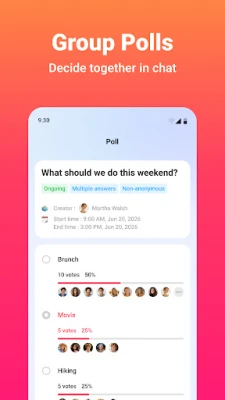
- Group polls – Create quick polls within a group chat to gather opinions or decide on plans.
- Sticker store – Access a collection of stickers and add custom ones for more expressive chats.
- Collaborative doodling – Draw together on a shared canvas while on a video call.
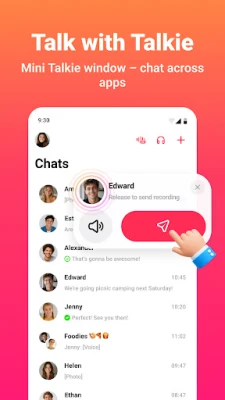
- Walkie‑Talkie mode – Send real‑time voice messages without initiating a full call.
How It Works
After installing JusTalk, you create an account using a phone number or email address. The app then syncs your contacts, allowing you to start a call or chat with a single tap. Calls are routed over the internet, which helps keep them free of charge regardless of the participants’ locations. Features such as recording, games, and doodling are accessed from icons that appear during an active call.
Practical Uses
- Family gatherings – Share moments with relatives who live far away using video calls that support multiple participants.
- Remote work – Hold quick voice meetings or screen‑free discussions, and record decisions for later reference.
- Social fun – Play built‑in games or doodle together to make chats more engaging.
- Group planning – Use polls to find a convenient time for events or trips.
Installation Information
The app is available through the standard Android app store. Search for JusTalk - Video Chat & Calls or use the package name com.juphoon.justalk. Tap “Install” and follow the on‑screen prompts to grant the necessary permissions for microphone, camera, and storage.
Things to Know Before Installing
- The app requires internet access (Wi‑Fi or mobile data) for all calls and messages.
- Permissions for camera, microphone, and storage are needed to enable video calls, voice communication, and call recording.
- Because the service is free, data usage will depend on call length and video quality.
Who May Find JusTalk Useful?
Anyone who needs a straightforward way to stay in touch can benefit from JusTalk. It is especially handy for:
- Families spread across different cities or countries.
- Small teams or freelancers who need quick voice or video check‑ins.
- Friends who enjoy casual gaming or collaborative drawing during chats.
Frequently Asked Questions
Is JusTalk free to use?
Yes, the core calling and messaging features are free. Standard data charges from your mobile provider may still apply.
Can I record a call?
During an active call, a record button appears. Tapping it saves the audio and video locally on your device.
Do I need a separate account for each device?
No. Your account is linked to your phone number or email, so you can log in on multiple Android devices.
Are there any limits on group calls?
The app supports multi‑person video calls, though the exact participant limit depends on network conditions.
Rate the App
User Reviews















Popular Apps










 Games
Games Entertainment
 Communication
 E-mail
 Security
 Tools
Tools Media
Media Internet
 Finance
 Design
 Education
 Android Firmwares
 Travel & Local
 Android
 Windows
 Linux
Linux