


Latest Version
Latest
August 13, 2026
JusTalk
Communication
Android
279
Free
com.justalk.kids.android
Report a Problem
More About JusTalk Kids – Safe Messenger for Children
What is JusTalk Kids?
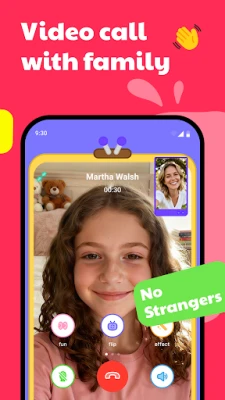
JusTalk Kids is a free messaging application designed specifically for children. It combines voice and video calling, instant messaging, and a set of creative tools while giving parents full oversight of who their child can communicate with.
Main Features
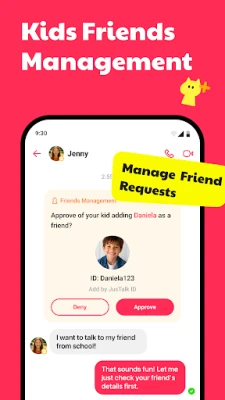
- Parent‑Managed Contacts – Children can only add friends after a parent approves the request, keeping the contact list limited to trusted people.
- Encrypted Calls and Messages – All voice, video and text exchanges are encrypted, helping to protect privacy.
- Creative Play Area – The app includes a drawing board and a simple text editor that let kids express themselves while chatting.
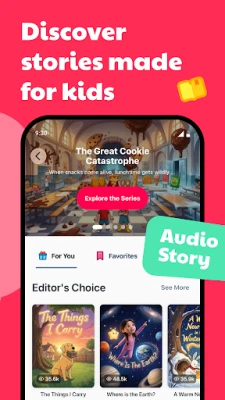
- Educational Content – Built‑in picture books with audio narration and short educational videos are available for casual learning.
- Group Calls with Interactive Elements – Kids can join group voice or video calls that support doodling on the screen and simple in‑call games.
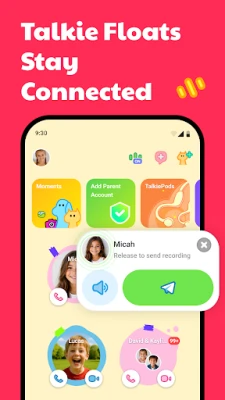
- Walkie‑Talkie Mode – A quick‑tap voice message feature works like a walkie‑talkie, allowing short, real‑time chats without a full call.
How It Works
When a child first opens JusTalk Kids, they create a child account that is linked to a parent account. The parent sets a password that controls access to the app’s settings and contact approvals. Any attempt by the child to add a new friend triggers a notification to the parent, who can approve or deny the request. Once a contact is approved, both parties can exchange messages, voice notes, or start video calls.
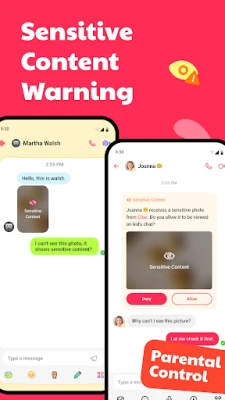
All media shared within the app is scanned for potentially sensitive content. If something is flagged, the parent receives an alert and can decide whether to allow the content to remain visible.
Practical Uses
- Staying in touch with family members who live far away.
- Coordinating playdates or school projects with classmates.
- Sharing drawings or short stories in a safe, moderated environment.
- Using the built‑in books and videos for short, guided learning sessions.
Installation Information
JusTalk Kids is available as a free download from the Google Play Store. Search for the package name com.justalk.kids.android or the app name, then tap “Install.” The app requires an Android device with a Google Play Services‑compatible operating system; specific version requirements are not listed, so the Play Store will indicate compatibility during installation.
Things to Know Before Installing
- Set up a parent account first to manage permissions.
- Ensure the device has a stable internet connection for voice and video calls.
- Review the app’s permission requests during installation; they are limited to what is needed for messaging and media handling.
Who May Find It Useful?
Parents who want a child‑friendly communication tool, educators looking for a safe way for students to collaborate, and children who enjoy interactive chatting with built‑in creative features will all benefit from JusTalk Kids.
Frequently Asked Questions
Is JusTalk Kids free?
Yes, the app can be downloaded and used without any purchase.
Can I limit the amount of time my child spends in the app?
Parents can set usage limits through the parent account settings.
Are calls recorded automatically?
Call recording is optional and can be enabled or disabled by the parent.
What happens if a child receives an unwanted message?
Parents receive alerts for flagged content and can block the sender from the parent dashboard.
Rate the App
User Reviews















Popular Apps










 Games
Games Entertainment
 Communication
 E-mail
 Security
 Tools
Tools Media
Media Internet
 Finance
 Design
 Education
 Android Firmwares
 Travel & Local
 Android
 Windows
 Linux
Linux