

Latest Version
Latest
September 15, 2026
Jio Platforms Limited
Communication
Android
23
Free
com.jio.web
Report a Problem
More About JioSphere: Web Browser – Fast, Private, Indian‑focused
What is JioSphere?
JioSphere is a mobile web browser developed by Jio Platforms Limited for Android devices. It is positioned as a lightweight, privacy‑oriented browser that caters to Indian users by supporting a wide range of regional languages and offering features that help keep browsing sessions secure.
Main features
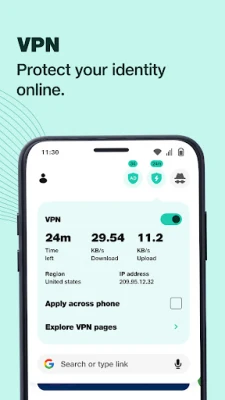
- Built‑in VPN – Connect to a free, high‑speed VPN directly from the browser to access content beyond regional restrictions.
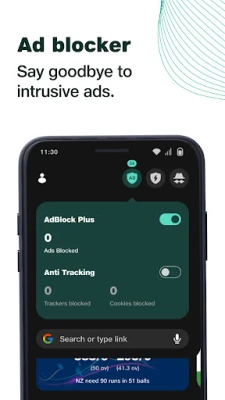
- Anti‑tracking protection – Blocks common web trackers, reducing the amount of personal data that sites can collect.
- Ad‑blocker – Filters out most intrusive advertisements, helping pages load faster and providing a cleaner reading experience.
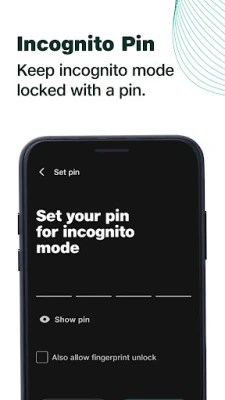
- Incognito mode with PIN – Private tabs are not saved to history, and a user‑defined PIN can lock those tabs for extra privacy.
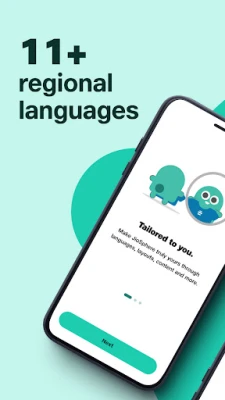
- Regional language support – The interface and search can be switched to more than 20 Indian languages, making browsing comfortable for non‑English speakers.
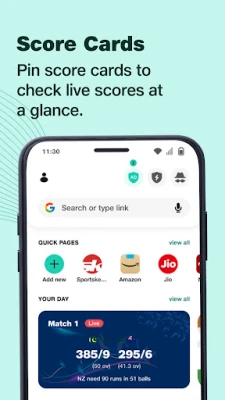
- Customizable home screen – Users can pin favorite sites, choose preferred search engines and arrange informational cards for quick access.
- Voice search and QR scanner – Hands‑free searching and quick URL entry via QR codes are built into the app.
- Dark mode – A system‑aware dark theme reduces eye strain in low‑light environments.
How it works
When you launch JioSphere, the home screen presents a set of tiles that you can rearrange. Tapping a tile opens the site in a regular tab, while the incognito option opens a private tab that does not retain history or cookies. The VPN can be toggled from the toolbar; once enabled, all traffic from the browser is routed through Jio’s servers. Anti‑tracking and ad‑blocking run automatically, but you can adjust their settings in the privacy menu.
Practical uses
- Reading news in your native language without dealing with unwanted ads.
- Accessing services that are restricted to certain regions using the built‑in VPN.
- Keeping sensitive searches private with incognito mode protected by a PIN.
- Saving bandwidth on slower connections thanks to ad‑blocking and lightweight page rendering.
Installation information
The app is available as a free download from the Google Play Store. Installation follows the standard Android process: tap “Install,” grant any required permissions, and launch the app from your app drawer.
Things to know before installing
- The browser requires Android; exact version requirements are not listed, so a recent Android release is recommended.
- Because the VPN is integrated, using it may affect data usage depending on your mobile plan.
- Privacy features such as anti‑tracking and ad‑blocking can be disabled if you prefer a fully open browsing experience.
Who may find JioSphere useful?
Anyone who wants a browser that respects privacy, offers a free VPN, and supports Indian regional languages will benefit from JioSphere. It is especially handy for users who frequently switch between English and local languages, or who need a simple way to browse without extra extensions.
Frequently asked questions
Is the VPN truly free?
JioSphere includes a VPN that does not require a separate subscription, but data consumption follows your mobile carrier’s plan.
Can I use other search engines?
Yes, the browser lets you select from several popular search engines in the settings.
Does the ad‑blocker affect website functionality?
In most cases the blocker removes only unwanted ads. If a site stops working, you can whitelist it from the privacy menu.
Rate the App
User Reviews















Popular Apps










 Games
Games Entertainment
 Communication
 E-mail
 Security
 Tools
Tools Media
Media Internet
 Finance
 Design
 Education
 Android Firmwares
 Travel & Local
 Android
 Windows
 Linux
Linux