



Latest Version
Latest
August 21, 2026
Cisco Systems, Inc.
Communication
Android
90
Free
com.cisco.im.intune
Report a Problem
More About Jabber for Intune – Secure Cisco Collaboration for Android
What is Jabber for Intune?
Jabber for Intune is the enterprise‑focused variant of Cisco’s Jabber collaboration app, built to run on Android smartphones and tablets. It combines the familiar messaging, voice, and video capabilities of Jabber with mobile application management (MAM) features that are controlled through Microsoft Intune. The result is a solution that lets organizations support bring‑your‑own‑device (BYOD) policies while keeping corporate communications secure.
Main capabilities
- Managed access – IT can provision the app using Intune, enforce sign‑in with a corporate work account, and apply policies such as password requirements or encryption.
- Data protection – When a device is lost or the user leaves the organization, administrators can remotely wipe the app’s data without affecting personal content on the device.
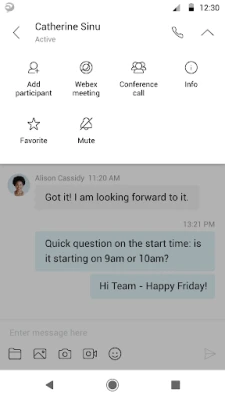
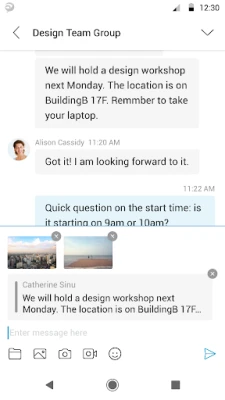
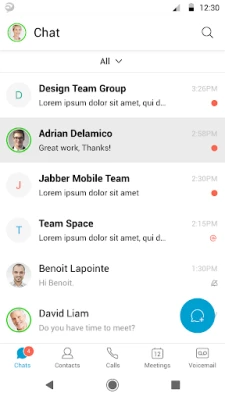
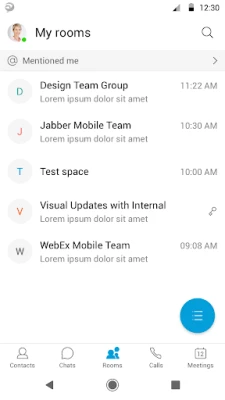
- Collaboration tools – Users retain the core Jabber experience: presence status, instant messaging, voice calls, video calls, and voicemail.
- Integration with Cisco Webex Meetings – Calls can be escalated to multi‑party conferences through Webex, providing a seamless transition from one‑to‑one chat to group meetings.
How it works with Intune
After an organization adds Jabber for Intune to its Intune app catalog, the app is deployed to selected users or groups. Intune delivers configuration settings, such as required authentication methods, network restrictions, and data‑loss‑prevention rules. Because the app is wrapped with Intune’s MAM layer, the policies are enforced even on devices that are not fully enrolled in device‑level management.
Practical uses
- Field workers who need instant access to corporate chat and voice services on personal phones.
- Remote teams that rely on secure video meetings while traveling.
- Enterprises that must comply with data‑privacy regulations and need the ability to remove corporate data on demand.
Installation information
The app is distributed through the Google Play Store. Users typically receive a link or invitation from their IT department. Installation follows the standard Play Store flow, after which the app prompts for corporate credentials and applies any Intune‑defined policies.
Compatibility and requirements
Jabber for Intune runs on Android devices that meet the minimum version required by the Cisco Jabber client and are compatible with Microsoft Intune’s MAM capabilities. Specific version numbers are defined by the organization’s IT policies.
Things to consider before installing
- Ensure the device is enrolled in the corporate Intune environment or is listed for MAM deployment.
- Verify that a valid work account (Azure AD or similar) is available for sign‑in.
- Be aware that some features may be restricted based on regional regulations or the organization’s configuration.
Who may find it useful?
Any business that uses Cisco Jabber for internal communication and wants to extend its use to employee‑owned Android devices will benefit from Jabber for Intune. IT administrators gain granular control, while end users enjoy the same collaboration experience they expect from the standard Jabber client.
Frequently asked questions
Is Jabber for Intune a separate app from the regular Jabber client?
Yes. It is packaged specifically for deployment through Microsoft Intune and includes the additional management hooks required for corporate control.
Can personal data on the device be affected by a remote wipe?
No. The remote wipe capability targets only the data stored by Jabber for Intune, leaving personal apps and files untouched.
Do I need a Cisco license to use the app?
Access to Cisco Jabber services typically requires a valid Cisco subscription or license, which is managed by the organization’s IT department.
What happens if I switch to a new Android device?
The new device must be enrolled in Intune and the user must reinstall the app. Once signed in, the same corporate policies and data will be applied.
Rate the App
User Reviews















Popular Apps










 Games
 Entertainment
 Communication
 E-mail
 Security
 Tools
 Media
 Internet
 Finance
 Design
 Education
 Android Firmwares
 Travel & Local
 Android
 Windows
 Linux