


Latest Version
August 21, 2026
Cisco Systems, Inc.
Communication
Android
84
Free
com.cisco.im.bb
Report a Problem
More About Jabber for BlackBerry – Cisco Collaboration App
What is Jabber for BlackBerry?
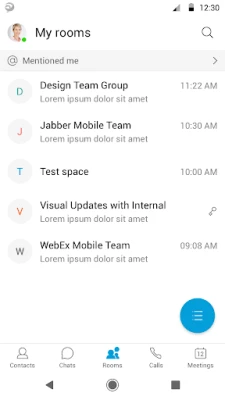
Jabber for BlackBerry is Cisco’s collaboration client designed to run on BlackBerry devices that are managed through the BlackBerry Dynamics platform. It brings the core capabilities of Cisco Jabber—presence, instant messaging, voice and video calls, and voicemail—into the secure environment provided by BlackBerry Dynamics.
Main features
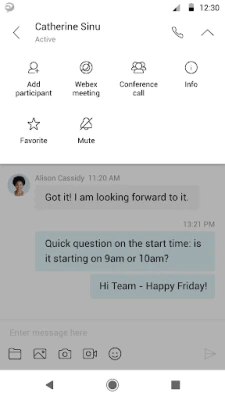
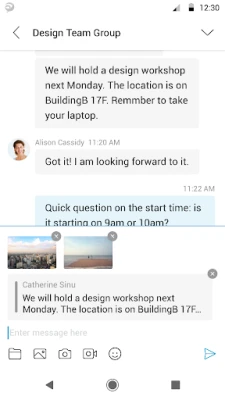
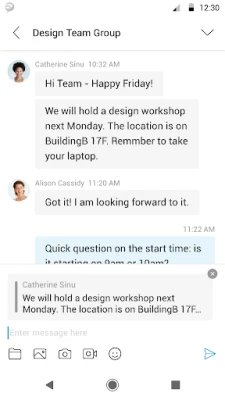
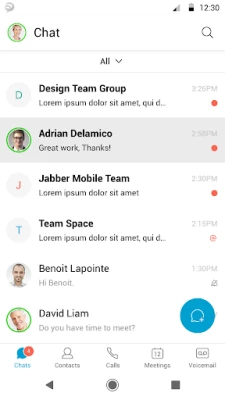
- Presence and messaging: See the availability of colleagues and exchange instant messages in real time.
- Voice and video calling: Place one‑to‑one voice or video calls directly from the app.
- Voicemail access: Listen to and manage voicemail messages without leaving the client.
- Secure integration: Operates within BlackBerry Dynamics, inheriting its data‑in‑motion and data‑at‑rest protection.
How it works
The app relies on the BlackBerry Dynamics SDK to enforce enterprise‑grade security policies. When a device is enrolled in BlackBerry Dynamics, the app receives the necessary credentials and configuration from the corporate server. Users then log in with their Cisco Jabber credentials, and the client connects to the organization’s Cisco communication infrastructure—whether on‑premises or cloud‑based.
Practical uses
Employees who need to stay connected while working on BlackBerry smartphones or tablets can use Jabber for BlackBerry to:
- Check colleague availability before calling.
- Send quick text messages without switching to a separate email client.
- Join voice or video meetings directly from the device.
- Access voicemail when away from a desk.
Installation information
The application is distributed through enterprise channels that support BlackBerry Dynamics. It is not available on public app stores. Organizations that have a BlackBerry Dynamics subscription can add Jabber for BlackBerry to their catalog and push it to enrolled devices.
Compatibility and requirements
Jabber for BlackBerry runs on devices that meet the BlackBerry Dynamics minimum specifications. Because the app is tightly coupled with the Dynamics platform, it will not function on devices that are not enrolled or that lack the required licenses from BlackBerry.
Things to know before installing
- You must have an active BlackBerry Dynamics license for the device.
- The app does not operate as a standalone client; it needs the underlying Dynamics framework.
- Corporate IT may need to configure server settings, such as the Cisco Jabber server address and authentication method.
Who may find it useful?
Enterprises that have standardized on BlackBerry devices for security reasons and also use Cisco’s collaboration suite will benefit most. Field workers, sales teams, and executives who travel frequently can stay in touch without compromising corporate security policies.
Frequently asked questions
Do I need a separate Cisco Jabber license?
Jabber for BlackBerry uses the same Cisco Jabber credentials that your organization already provides. No additional Cisco license is required beyond what your company already uses for Jabber.
Can I use the app on a personal BlackBerry phone?
The app requires enrollment in BlackBerry Dynamics, which is typically managed by an organization’s IT department. Personal devices that are not enrolled will not be able to run the client.
Is the app available on Google Play?
No. It is distributed exclusively through the BlackBerry Dynamics enterprise channel.
What happens if my device is not licensed for BlackBerry Dynamics?
The app will not start and will display a message indicating that a valid Dynamics license is required.
Rate the App
User Reviews















Popular Apps










 Games
 Entertainment
 Communication
 E-mail
 Security
 Tools
 Media
 Internet
 Finance
 Design
 Education
 Android Firmwares
 Travel & Local
 Android
 Windows
 Linux