


Latest Version
September 07, 2026
INS Apps
Communication
Android
33
Free
com.internet.explorer.browser
Report a Problem
More About Internet Browser – Simple Free Web Explorer
What is Internet Browser?
Internet Browser is a free Android application developed by INS Apps that provides a straightforward way to access web pages. It focuses on a minimal interface and essential browsing functions, making it suitable for users who prefer simplicity over a feature‑heavy experience.
Main features
- Tabbed browsing – Open several pages at once and switch between them easily.
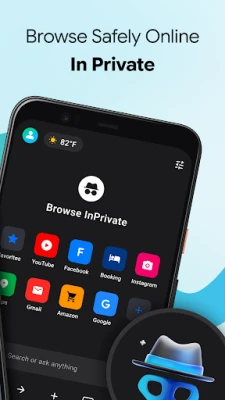
- Private browsing – Browse without storing history, cookies or cache for the session.
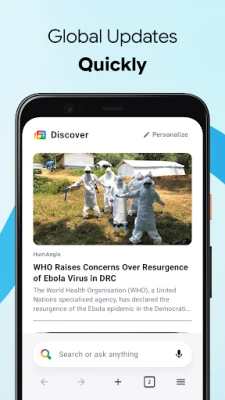
- Unified search bar – Enter URLs or search terms in a single field.
- Download manager – View and manage files downloaded from web pages.
- History and data control – Access recent sites and clear browsing data whenever you wish.
- Desktop / mobile view toggle – Choose how sites are rendered based on your preference.
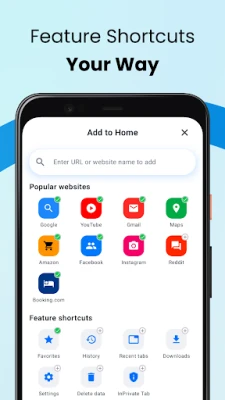
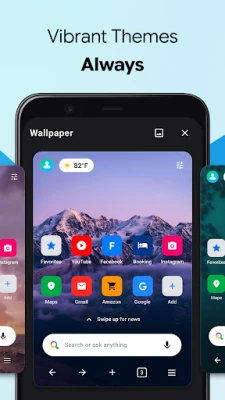
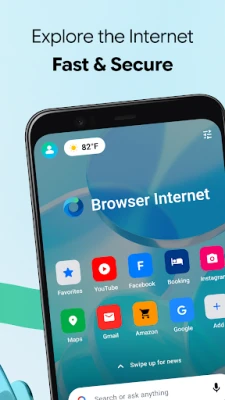
- Customizable home shortcuts – Add quick links to your favorite sites on the start screen.
How it works
When you launch Internet Browser, the home screen presents a search bar and optional shortcuts. Typing a web address or a query loads the page in the current tab. You can tap the plus icon to open a new tab, and the tab switcher lets you move between open pages. Private mode is activated from the menu and isolates the session from the regular browsing data.
Practical uses
- Quick look‑ups and everyday web searches.
- Reading articles without the distraction of ads or toolbars.
- Downloading documents, images or other files directly to your device.
- Keeping a private session for sensitive browsing.
- Switching to desktop view for sites that work better on larger layouts.
Installation information
The app is available as a free download from the Appitika store. Installation follows the standard Android process: tap “Install,” grant any required permissions, and the app will appear in your app drawer.
Things to know before installing
- The app does not require a large amount of storage, making it suitable for devices with limited space.
- It works without additional plugins; however, some complex web features may rely on the device’s built‑in WebView component.
Who may find it useful?
Anyone looking for a lightweight, no‑frills browser on Android – from casual users who need a simple way to read news, to power users who appreciate quick tab management and a private mode without extra bloat.
Frequently asked questions
Is Internet Browser safe to use?
It follows standard Android security practices and does not request unnecessary permissions beyond what is needed for web access and file downloads.
Can I sync bookmarks across devices?
The current version does not include a cloud sync feature; bookmarks are stored locally on the device.
Does the browser support voice search?
Voice input is handled by Android’s built‑in speech recognition, which can be accessed through the search bar if your device supports it.
Rate the App
User Reviews















Popular Apps










 Games
Games Entertainment
 Communication
 E-mail
 Security
 Tools
Tools Media
Media Internet
 Finance
 Design
 Education
 Android Firmwares
 Travel & Local
 Android
 Windows
 Linux
Linux