


Latest Version
Latest
August 13, 2026
Jio Haptik Technologies Limited
Communication
Android
309
Free
com.haptik.interakt
Report a Problem
More About Interakt for WhatsApp Business – Team Inbox & Messaging
What is Interakt for WhatsApp Business?
Interakt is a free Android application developed by Jio Haptik Technologies Limited that turns a single WhatsApp number into a collaborative workspace. It is designed for small and medium‑sized businesses that need to handle customer messages efficiently without switching between personal and business accounts.
Main features
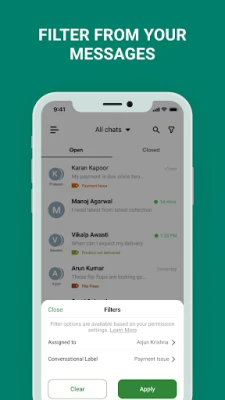
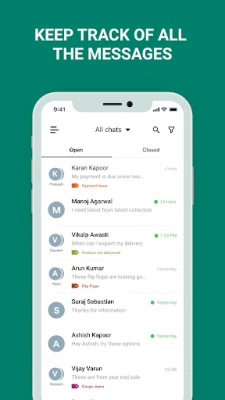
- Shared team inbox – All incoming WhatsApp chats appear in one unified view, allowing any authorized team member to respond.
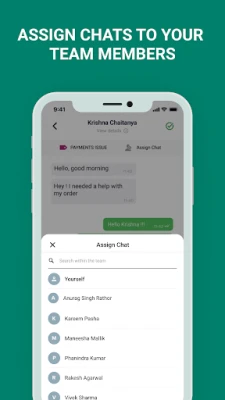
- Multi‑agent support – Add teammates, assign chats, and reassign conversations as needed, so no message is left unattended.
- Rich‑media composer – Send text, images, documents, and quick‑reply templates directly from the app.
- Smart cards – View key customer details (name, phone number, recent interactions) alongside each chat for context‑aware replies.
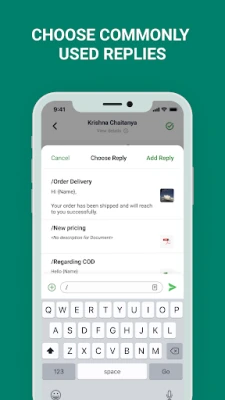
- Quick replies – Save frequently used responses and insert them with a tap to speed up support.
How it works
After installing the app, a business links its WhatsApp Business number to Interakt. The app then creates a virtual inbox that mirrors all incoming messages. Team members log in with their credentials, see the same conversation list, and can pick up chats that match their expertise. When an agent replies, the message is sent through the linked WhatsApp number, so customers see a single, consistent sender.
Practical uses
- Customer support – Answer queries, process orders, and resolve issues without juggling multiple devices.
- Sales outreach – Share product catalogs, price lists, or promotional offers using the rich‑media composer.
- Appointment scheduling – Coordinate bookings by assigning chats to specific staff members.
Installation information
Search for Interakt for WhatsApp Business in the Google Play Store, tap Install, and grant the requested permissions for contacts and messaging. Once installed, open the app and follow the on‑screen steps to connect your WhatsApp Business number.
Things to know before installing
- You need an active WhatsApp Business account; the app does not create a number on its own.
- The app requires internet access to sync messages in real time.
- Team members must be invited by the account administrator; each user will have a separate login.
Who may find it useful?
Retail shops, service providers, online sellers, and any organization that receives customer inquiries via WhatsApp can benefit from a shared inbox. The tool is especially helpful for teams that want to avoid missed messages and maintain a consistent brand voice.
Frequently asked questions
Is Interakt free to use?
Yes, the Android version is offered at no cost. Additional services, such as API access, may be available through the developer’s website.
Can I use Interakt with multiple WhatsApp numbers?
The app is built around a single WhatsApp Business number per installation. Managing several numbers would require separate instances of the app.
What data does the app store?
Interakt stores chat history locally for the duration of the session and may sync basic customer details to provide context. No personal data is shared beyond what is necessary for messaging.
Rate the App
User Reviews















Popular Apps










 Games
Games Entertainment
 Communication
 E-mail
 Security
 Tools
Tools Media
Media Internet
 Finance
 Design
 Education
 Android Firmwares
 Travel & Local
 Android
 Windows
 Linux
Linux