

Latest Version
Latest
September 02, 2026
Video Downloader Story Saver
Media
Android
16
Free
instagram.video.downloader.story.saver.ig.insaver
Report a Problem
More About InSaver: All Video Downloader – Free Media Saver
What is InSaver?
InSaver: All Video Downloader is a free Android utility that enables users to copy media content—such as videos, photos and stories—from social networking sites directly to their phone’s storage. The app focuses on a straightforward workflow: you provide a link, tap a button, and the media is saved for offline viewing.
Main features
- No login required – The app does not ask for account credentials to start a download.
- Single‑click saving – Paste a URL and start the download with one tap.
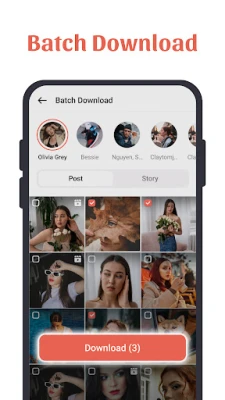
- Batch handling – Multiple links can be queued for sequential downloading.
- High‑resolution support – When the source offers HD versions, InSaver preserves that quality.
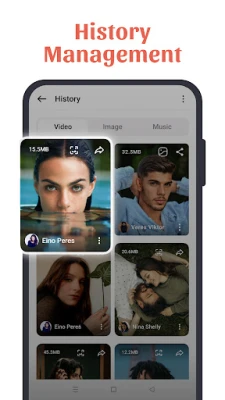
- Local storage – Downloaded files are saved in a dedicated folder, making them easy to find and manage.
How it works
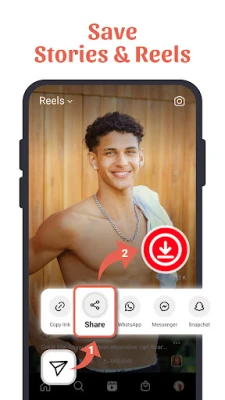
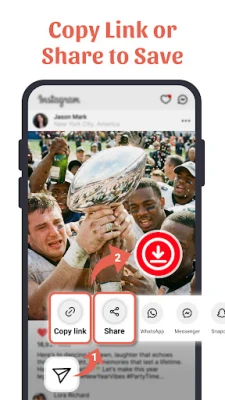
1. Open the social media app or website and copy the link of the video, photo or story you want.
2. Launch InSaver and paste the link into the input field.
3. Press the download button; the app retrieves the media and stores it on your device.
4. Access the saved file through the app’s gallery or your phone’s file manager.
Practical uses
- Keep a personal archive of favorite clips without relying on an internet connection.
- Share saved media with friends via messaging apps or email.
- Create offline playlists of short videos for travel or commuting.
Installation information
The app is distributed as a free APK. Install it by downloading the file, allowing installations from unknown sources in your device settings, and following the standard Android installation prompts.
Things to know before installing
- The app does not include built‑in browsing; you must obtain URLs from the original social platform.
- Permissions are limited to storage access for saving files.
- Download speed depends on your network connection and the source server.
Who may find InSaver useful?
Anyone who regularly encounters interesting media on social feeds and wants a quick way to keep a local copy—students, content creators, travelers, or casual users—can benefit from InSaver’s simple approach.
Frequently asked questions
Do I need to log in to any social account?
No. InSaver works with public URLs and does not request login credentials.
Can I download content from private profiles?
The app can only retrieve media that is publicly accessible via a direct link.
Where are the files stored?
Downloaded items are saved in a folder named InSaver inside your device’s internal storage.
Is the app safe to use?
InSaver requests only the permissions necessary for file storage. It does not collect personal data beyond what is required for its core functionality.
Rate the App
User Reviews















Popular Apps










 Games
Games Entertainment
 Communication
 E-mail
 Security
 Tools
Tools Media
Media Internet
 Finance
 Design
 Education
 IT Tools
 Travel & Local
 Android
 Windows
 Linux
Linux