

Latest Version
Latest
September 14, 2026
CoinCircle, Inc.
Communication
Android
77
Free
com.androidbull.incognito.browser
Report a Problem
More About Incognito Browser – Go Private
What is Incognito Browser – Go Private?
Incognito Browser, developed by CoinCircle, Inc., is a free Android web browser that focuses on privacy. When you open the app, it starts in a private mode that does not retain history, cookies or cache after you close it. The goal is to give you a browsing experience that leaves no digital footprint on your device.
Main features
- Automatic private mode – Every session starts without saved history or cookies, and all data is cleared when you exit.
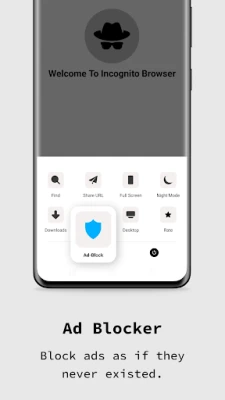
- Ad blocking – The browser includes a built‑in blocker that removes most intrusive ads, helping pages load faster and reducing distractions.
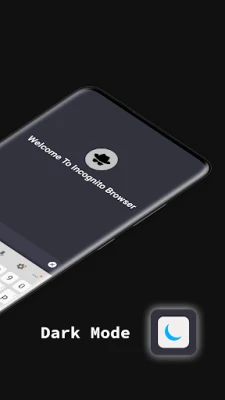
- Dark mode – A native dark theme reduces eye strain during night‑time browsing.
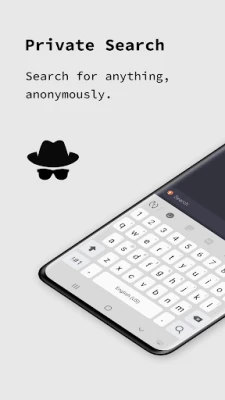
- Multiple search engines – You can choose among popular search providers such as Google, DuckDuckGo or Bing.
- Tabbed browsing – Open several pages at once and switch between them without leaving the private environment.
- Minimalist UI – The interface removes unnecessary toolbars, giving you more screen space for the content you care about.
How it works
When you launch Incognito Browser, the app creates a temporary browsing profile. All web requests are handled within this profile, and the browser does not write persistent data to the device’s storage. Once you close the app, the temporary profile is discarded, which means no history, cookies or cached files remain. The ad blocker works by filtering known advertising domains before the page is rendered.
Practical uses
The browser is useful in situations where you prefer not to leave a record of your activity, such as checking personal messages, researching sensitive topics, or using public Wi‑Fi networks. Because it does not store data, it also helps protect against casual snooping on shared devices.
Installation information
Incognito Browser is available as a free download from the Google Play Store. Simply search for the package name com.androidbull.incognito.browser or the app name, tap “Install,” and follow the on‑screen prompts. No additional configuration is required to start a private session.
Things to know before installing
- The app does not require a paid license; all features are provided at no cost.
- Because the browser clears data on exit, you will need to sign in to any online services each time you open a new session.
- While the built‑in ad blocker reduces many ads, it may not block every possible advertisement or tracking script.
Who may find it useful?
Anyone who values privacy on a mobile device can benefit from Incognito Browser. This includes frequent travelers, users of shared or public devices, and anyone who wants a simple way to browse without accumulating a history.
Frequently asked questions
- Does the browser store any data after I close it? No. All browsing data is cleared automatically when the app is closed.
- Can I use extensions or add‑ons? The current version does not support third‑party extensions.
- Is the app compatible with all Android versions? The Play Store will indicate the minimum Android version required during installation.
Rate the App
User Reviews















Popular Apps










 Games
 Entertainment
 Communication
 E-mail
 Security
 Tools
 Media
 Internet
 Finance
 Design
 Education
 Android Firmwares
 Travel & Local
 Android
 Windows
 Linux