

Latest Version
Latest
August 28, 2026
Graphene 01, Inc
Communication
Android
103
Free
com.app.huddle01
Report a Problem
More About Huddle01: Video Meetings App – Secure Calls and Collaboration
What is Huddle01?
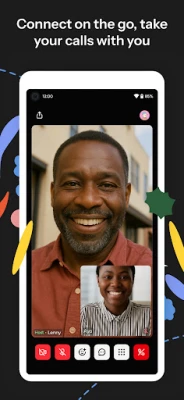
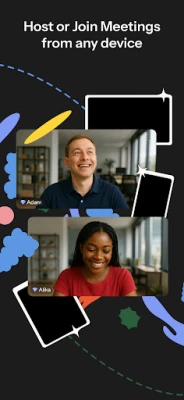
Huddle01 is a free Android application that enables users to start and join video or audio meetings directly from their smartphones. Developed by Graphene 01, Inc., the app focuses on providing a straightforward way to connect with friends, colleagues, or larger groups for real‑time conversation.
Main features
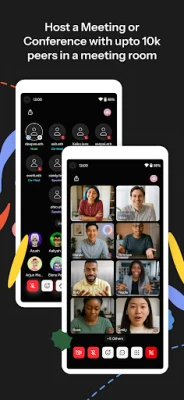
- Video and audio meetings – Initiate one‑to‑one calls or larger group sessions.
- Screen sharing – Present slides, documents, or other content without leaving the app.
- Virtual backgrounds and avatars – Choose a background image or avatar to personalize your video feed.
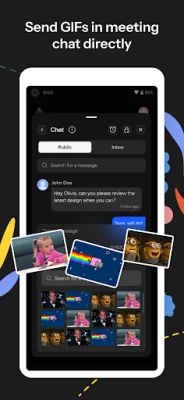
- In‑meeting chat – Send text messages during a call, including simple emojis.
- Meeting recording – Capture video or audio sessions for later review (available on supported devices).
How it works
After installing the app, you create a meeting link that can be shared via any messaging platform. Participants tap the link to join instantly. The interface offers a single screen for video, audio, and chat, making it easy to switch between speaking, presenting, or typing.
Practical uses
- Remote work – Hold team stand‑ups, project reviews, or client presentations.
- Study groups – Share screens to discuss notes or solve problems together.
- Social gatherings – Host virtual hang‑outs with friends, using avatars or fun backgrounds.
Installation information
The app is available for free on the Google Play Store. Search for Huddle01: Video Meetings App or use the package name com.app.huddle01 to locate it. Installation follows the standard Android process.
Things to know before installing
- Internet connection – A stable Wi‑Fi or cellular data connection is required for smooth video and audio quality.
- Permissions – The app requests access to the camera, microphone, and storage for screen sharing and recording.
- Device support – The app runs on Android devices that meet the minimum system requirements defined by Google Play.
Who may find it useful?
Anyone who needs a quick way to start a video or audio meeting on a mobile device – from remote workers and students to friends planning a virtual get‑together – can benefit from Huddle01.
Frequently asked questions
Do I need an account?
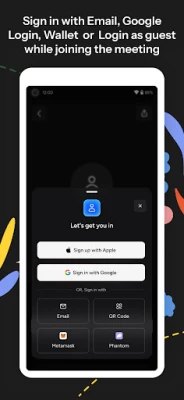
No separate account is required; you can join meetings using the shared link.
Can I record a meeting?
Recording is supported on devices that allow storage access; recordings are saved locally.
Is the app free?
Yes, Huddle01 is offered at no cost.
Rate the App
User Reviews















Popular Apps










 Games
 Entertainment
 Communication
 E-mail
 Security
 Tools
 Media
 Internet
 Finance
 Design
 Education
 Android Firmwares
 Travel & Local
 Android
 Windows
 Linux