

Latest Version
Latest
September 02, 2026
Hiya
Communication
Android
7
Free
com.webascender.callerid
Report a Problem
More About Hiya: Spam Blocker & Caller ID – Call Management Made Simple
What is Hiya?
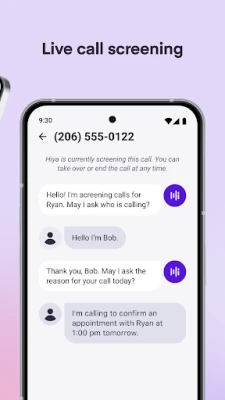
Hiya is a free Android app that helps you manage incoming calls. It provides caller identification, spam detection, and number lookup tools so you can decide whether to answer, ignore, or block a call.
Main Features
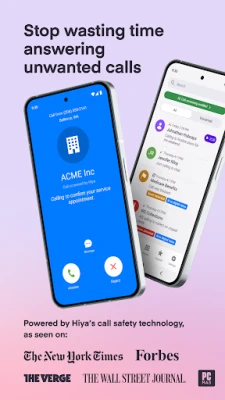
- Caller ID and context – When a call arrives, Hiya shows the name (if available) and basic information about the number.
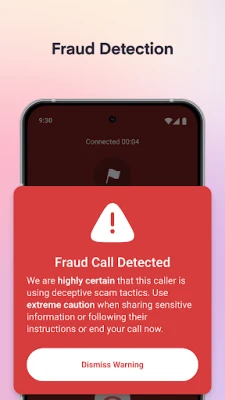
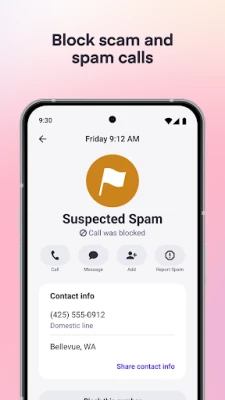
- Spam and scam detection – The app compares incoming numbers against a regularly updated database of reported spam and scam callers.
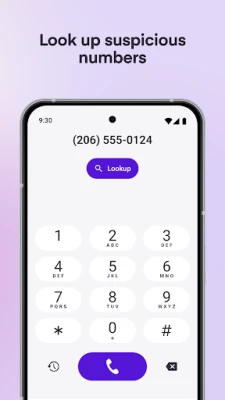
- Number lookup – You can manually search a phone number to see if it has been flagged by other users.
- Voicemail protection – By filtering out known spam callers, Hiya reduces the amount of unwanted voicemail.
How It Works
Hiya runs in the background and monitors incoming calls. When a call is received, the app checks the number against its global database. If the number matches a known spam source, Hiya can display a warning and, depending on your settings, block the call automatically. For unknown numbers, the app presents any available caller name and a brief description, allowing you to make an informed decision.
Practical Uses
- Avoid interruptions from telemarketing or robocalls.
- Protect yourself from common phone scams that try to obtain personal information.
- Quickly identify legitimate calls from businesses or friends who may not be in your contacts.
- Keep your voicemail inbox cleaner by preventing spam calls from reaching it.
Installation Information
Search for Hiya: Spam Blocker & Caller ID in the Google Play Store, tap Install, and follow the on‑screen prompts. After installation, grant the required permissions for call handling and contacts so the app can display caller information and block unwanted calls.
Things to Know Before Installing
- The app needs permission to access your phone’s call log and contacts to provide accurate identification.
- Spam detection relies on a community‑driven database; results improve as more users report unwanted numbers.
- Features such as real‑time fraud warnings may be limited to certain regions.
Who May Find Hiya Useful?
Anyone who receives frequent unknown calls, whether for personal or professional reasons, can benefit from Hiya. It is especially helpful for users who want to reduce the time spent sorting through spam voicemail or who are concerned about phone‑based scams.
Frequently Asked Questions
Is Hiya free to use?
Yes, the app is offered at no cost, though it may include optional in‑app purchases for advanced features.
Will Hiya work on all Android devices?
Hiya supports a wide range of Android phones, but some features may depend on the device’s operating system version, carrier, or regional availability.
Can I customize which calls are blocked?
Yes, the app allows you to create a personal block list and adjust the sensitivity of spam detection in the settings.
Rate the App
User Reviews















Popular Apps










 Games
Games Entertainment
 Communication
 E-mail
 Security
 Tools
Tools Media
Media Internet
 Finance
 Design
 Education
 IT Tools
 Travel & Local
 Android
 Windows
 Linux
Linux