

Latest Version
Latest
September 10, 2026
Hiya
Communication
Android
16
Free
com.hiyaphone.ai
Report a Problem
More About Hiya AI Phone & Call Assistant – Smart Call Management
What is Hiya AI Phone & Call Assistant?
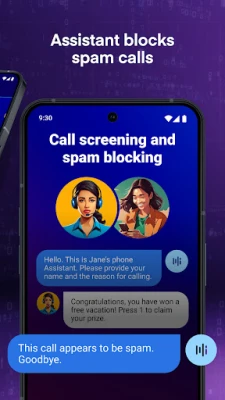
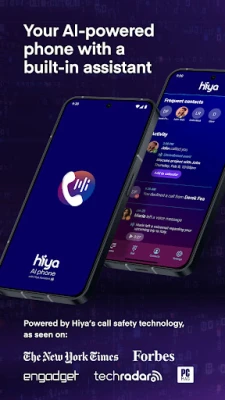
Hiya AI Phone is a free Android utility that sits alongside your native dialer to make phone conversations safer and more organized. By applying on‑device intelligence, the app can identify unknown callers, filter out unwanted numbers, and create concise records of what was said.
Main features
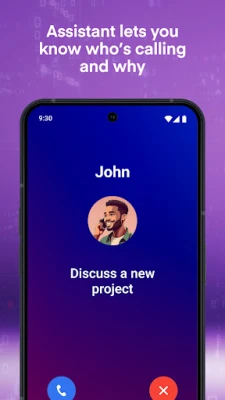
- AI‑driven call screening – When a call arrives, the app analyses the number and presents a brief description of the caller, helping you decide whether to answer.
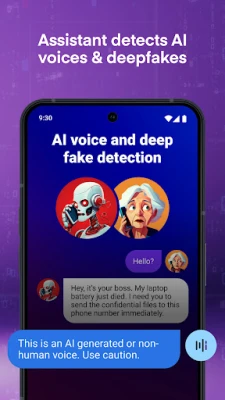
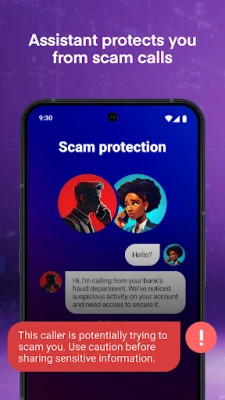
- Spam and scam protection – Known telemarketing and fraud numbers are automatically blocked or flagged, reducing interruptions.
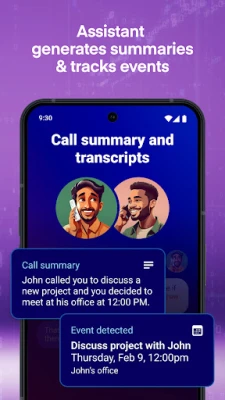
- Call transcription and summarisation – For supported languages, the app can generate a text transcript of the conversation and a short summary that highlights key points.
- Visual voicemail assistance – Voicemails are displayed as text snippets, allowing you to skim messages without listening.
- On‑device privacy – All processing and storage happen locally, so your call data does not leave the device unless you choose to share it.
How it works
After installation, Hiya AI Phone requests permission to access your call log and microphone. When a call is received or placed, the app runs a lightweight model that matches the number against a continuously updated database of known spam sources. If the call is identified as suspicious, a notification appears before you answer. For calls you choose to record, the audio is processed in real time to produce a transcript, which is then stored in a secure folder within the app.
Practical uses
- Protecting personal time – By filtering out automated marketing calls, you can focus on important conversations.
- Documenting business calls – Transcripts provide a written record that can be referenced later, useful for follow‑ups or note‑taking.
- Quick voicemail review – Reading a short text version of a voicemail helps you prioritize callbacks.
Installation information
Search for Hiya AI Phone & Call Assistant in the Google Play Store, then tap Install. The app occupies minimal storage and does not require a specific Android version beyond the standard requirements for Play Store apps. Once installed, open the app and follow the on‑screen setup wizard to grant the necessary permissions.
Things to know before installing
- The app works best when granted access to your contacts and call log, as this information improves screening accuracy.
- Transcription is available only for languages supported by the built‑in model; unsupported languages will fall back to basic call‑screening only.
- All data is stored locally unless you manually export it; there is no cloud sync by default.
Who may find Hiya AI Phone useful?
Anyone who receives a high volume of calls—such as professionals, freelancers, or busy households—can benefit from the automated screening and summarisation. Users who prefer to keep their call information private will appreciate the on‑device processing model.
Frequently asked questions
Does Hiya AI Phone replace my default dialer?
No. The app works alongside the existing phone app and adds optional screens and features. You can continue to use your preferred dialer for regular calls.
Is my call data shared with third parties?
All analysis and storage happen on the device. The app does not upload call recordings or transcripts unless you explicitly choose to share them.
Can I disable transcription for specific calls?
Yes. An incognito mode is available that temporarily suspends recording and summarisation for the duration of a call.
Rate the App
User Reviews
Other Apps in This Category













Popular Apps










 Games
Games Entertainment
 Communication
 E-mail
 Security
 Tools
Tools Media
Media Internet
 Finance
 Design
 Education
 IT Tools
 Travel & Local
 Android
 Windows
 Linux
Linux