

Latest Version
Latest
August 25, 2026
37signals
Communication
Android
146
Free
com.basecamp.hey
Report a Problem
More About HEY Email – Smart Email Management for Android
What is HEY Email?
HEY Email is a free Android client developed by 37signals that offers a different approach to handling email. Instead of a traditional inbox that fills up with every incoming message, HEY gives you tools to decide which senders you want to hear from and how each message is presented.
Main features
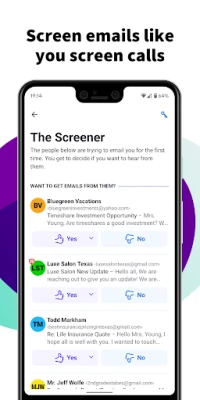
- Sender screening – The first time someone emails you, you choose whether to keep their messages in your view or send them to a separate area.
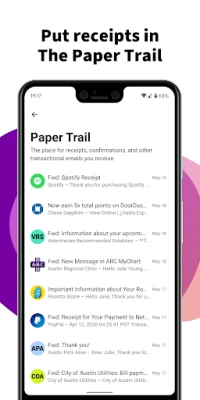
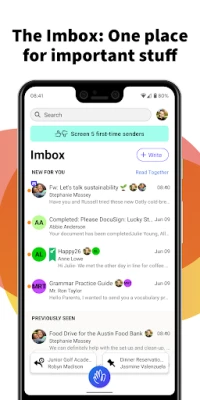
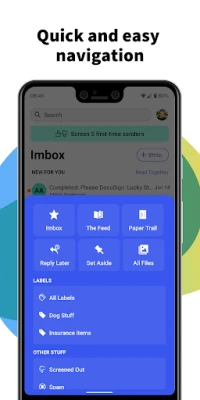
- Focused Imbox – A dedicated view for messages that matter, keeping newsletters, receipts and promotional mail out of the way.
- Workflows – Create simple stages for an email and move it through those steps, helping you track progress on multi‑step conversations.
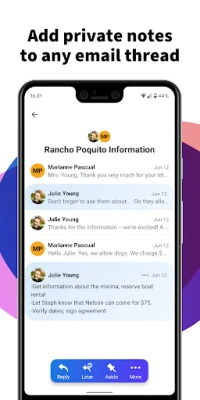
- Contact notes – Attach a searchable note to any contact, so you can store phone numbers, meeting details or follow‑up reminders without digging through old messages.
- Quiet notifications – Push notifications are off by default; you can enable them selectively for specific contacts or threads.
- Reply later – Mark a message for later response with a single tap, keeping your current focus uninterrupted.
How it works
When you add your email account, HEY creates a separate area for unknown senders. You receive a brief prompt asking whether you want to keep future messages from that address. Accepted senders appear in the Imbox, while others are stored in a holding area that you can review at any time.
Within the Imbox, you can assign an email to a workflow stage such as “To Do”, “In Review” or “Completed”. Each stage is visual, making it easy to see where a conversation stands. Adding a note to a contact is as simple as opening the contact profile and typing the information you need; the note is searchable from the main screen.
Practical uses
- Professionals who need to keep client communication separate from bulk mail.
- Students managing project discussions while filtering out promotional newsletters.
- Anyone who prefers a quiet phone experience and wants control over which messages generate alerts.
Installation information
Search for “HEY Email” in the Google Play Store, then tap Install. The app requires an internet connection to sync with your email provider. After installation, follow the on‑screen prompts to add your email address and configure basic preferences.
Things to know before installing
- The app is free to download and use; no in‑app purchases are required.
- It supports standard email protocols (IMAP/SMTP) but does not list specific provider compatibility; most major services work with standard settings.
- Push notifications are disabled by default to reduce interruptions.
Who may find it useful?
Anyone who feels overwhelmed by a crowded inbox will appreciate HEY’s screening and focused view. The workflow and note features are especially helpful for users who need to track tasks or keep contextual information alongside their email conversations.
Frequently asked questions
Is my data stored on 37signals servers?
HEY operates as an email client; it accesses your mailbox through your provider’s servers and does not host your messages.
Can I use multiple email accounts?
The app allows you to add more than one account, each with its own Imbox and settings.
What happens to messages from senders I reject?
Those messages are moved to a separate holding area where you can review them later if you change your mind.
Rate the App
User Reviews















Popular Apps










 Games
 Entertainment
 Communication
 E-mail
 Security
 Tools
 Media
 Internet
 Finance
 Design
 Education
 Android Firmwares
 Travel & Local
 Android
 Windows
 Linux