

Latest Version
Latest
August 21, 2026
Handcent
Communication
Android
88
Free
com.handcent.lang.nextsms.it
Report a Problem
More About Handcent SMS – Italian Language Pack
What is the Handcent SMS Italian Language Pack?
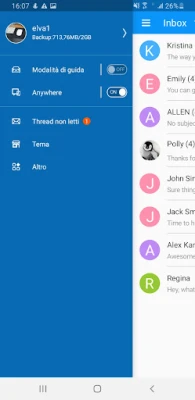
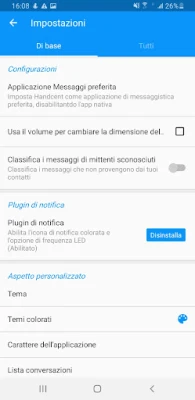
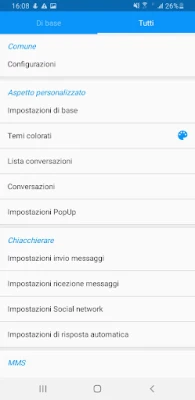
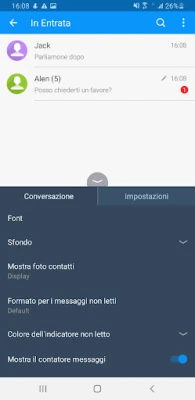
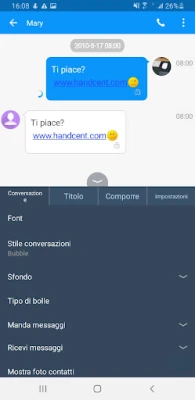
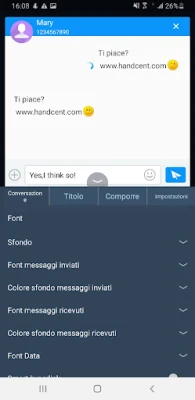
The Handcent SMS Italian Language Pack is an add‑on that provides a fully translated user interface for the Handcent SMS messaging app. Once installed, all menus, prompts, and settings appear in Italian, making the core app easier to navigate for Italian‑speaking users.
Main Features
- Complete UI translation: Every screen, button, and dialog is presented in Italian.
- Seamless integration: Works directly with the Handcent SMS app without requiring a separate version.
- Lightweight: The pack adds only the language resources, keeping the overall app size minimal.
How It Works
After downloading the language pack, the Android system stores the translation files alongside the main Handcent SMS app. When you launch Handcent SMS, the app detects the installed language pack and automatically switches the interface to Italian. No additional configuration is needed.
Practical Uses
This pack is ideal for users who prefer to operate their messaging app in Italian, whether they are native speakers or comfortable with the language. It also benefits travelers or expatriates who want a consistent language experience across their device.
Installation Information
1. Ensure that Handcent SMS is already installed on your device.
2. Download the Italian Language Pack from the Appitika page.
3. Open the downloaded file; Android will prompt you to install the language pack.
4. Follow the on‑screen instructions to complete the installation.
5. Launch Handcent SMS – the interface should now appear in Italian.
Compatibility
The language pack is designed to work with the current version of Handcent SMS available on the Play Store. It does not depend on a specific Android version, but the base Handcent SMS app must be compatible with your device.
Things to Know Before Installing
- The pack does not modify the core functionality of Handcent SMS; it only changes the displayed text.
- If you later uninstall the language pack, Handcent SMS will revert to its default language (typically English).
- Updates to Handcent SMS may require a corresponding update to the language pack to maintain full translation coverage.
Who May Find This Useful?
Anyone who uses Handcent SMS and prefers an Italian interface – including native Italian speakers, bilingual users, and those learning the language.
Frequently Asked Questions
Do I need to reinstall the language pack after updating Handcent SMS?
Usually not, but if you notice missing translations after an update, reinstalling the pack can restore full language support.
Can I use multiple language packs at once?
Android typically applies only one language pack per app. Installing another language pack will replace the previous one.
Will the language pack affect my messages?
No. It only changes the app’s interface text; your sent and received messages remain unchanged.
Rate the App
User Reviews















Popular Apps










 Games
 Entertainment
 Communication
 E-mail
 Security
 Tools
 Media
 Internet
 Finance
 Design
 Education
 Android Firmwares
 Travel & Local
 Android
 Windows
 Linux