

Latest Version
Latest
September 08, 2026
Handcent
Communication
Android
26
Free
com.handcent.app.anywhere
Report a Problem
More About Handcent Anywhere – Text from Tablet or PC
What is Handcent Anywhere?
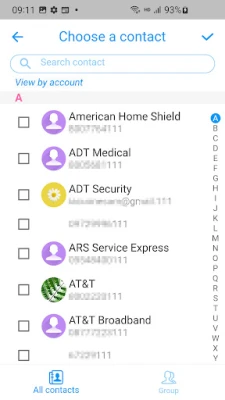
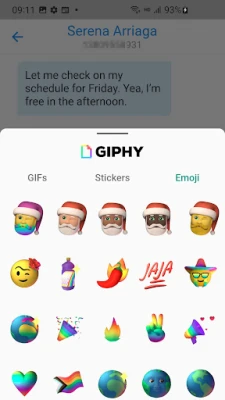
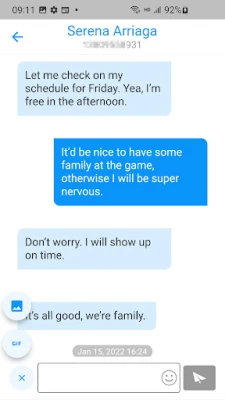
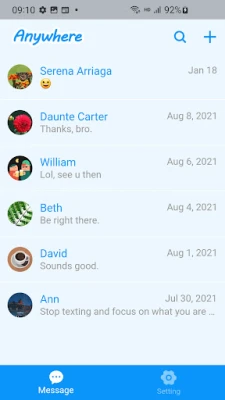
Handcent Anywhere is a companion application that extends the messaging capabilities of Handcent Next SMS to larger devices such as tablets and desktop computers. By linking your Android phone with the app, you can view, compose, and manage SMS conversations without needing to pick up your phone.
Main features
- Two‑way sync: Messages, status indicators and history are synchronized in real time between your phone and the connected device.
- Full keyboard support: Use a physical or on‑screen keyboard for faster typing compared with a phone’s touchscreen.
- Multiple device access: Log in on more than one tablet or computer and keep all conversations up to date.
- Multi‑number handling: If you manage more than one phone number, you can send and receive messages from each within the same interface.
How it works
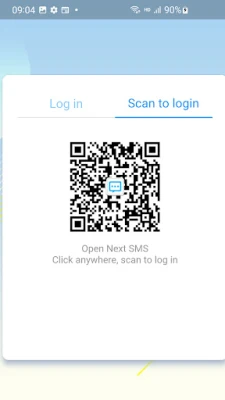
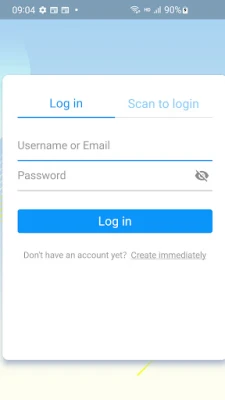
After installing Handcent Anywhere on your tablet or PC, you sign in with the same account you use for Handcent Next SMS on your phone. The app creates a secure connection that mirrors your SMS inbox and outbox. When a new message arrives on your phone, it appears instantly on the companion device, and any reply you send from the tablet is delivered through your phone’s carrier.
Practical uses
- Respond to messages while working on a laptop without switching devices.
- Use a larger screen to read long texts or group chats more comfortably.
- Keep a tablet in the kitchen or living room and stay reachable without carrying a phone.
Installation information
Handcent Anywhere is available as a free download from the Google Play Store. Install the app on your Android tablet, then follow the on‑screen prompts to link it with your Handcent Next SMS installation on your phone. No additional software is required for desktop use; a web‑based client can be accessed after linking.
Compatibility
The app requires Android devices that can run Handcent Next SMS. Specific version numbers are not listed, but the service is designed for recent Android releases. Desktop access works through standard web browsers.
Things to know before installing
- You need an active Handcent Next SMS installation on your phone; Handcent Anywhere does not function as a standalone messenger.
- Both devices must have an internet connection for synchronization.
- Message delivery still depends on your mobile carrier’s SMS service.
Who may find it useful?
Anyone who frequently switches between a phone and larger devices—students, professionals, or anyone who prefers typing on a full keyboard—will benefit from the seamless integration Handcent Anywhere provides.
Frequently asked questions
Do I need a separate account for Handcent Anywhere?
No. You use the same Handcent account you already have for Next SMS.
Is my message data encrypted?
The connection between devices is secured by Handcent’s standard protocols, but the app does not claim any specific encryption level.
Can I use Handcent Anywhere without a phone?
No. The app works as an extension of the phone‑based Handcent Next SMS service.
Rate the App
User Reviews















Popular Apps










 Games
Games Entertainment
 Communication
 E-mail
 Security
 Tools
Tools Media
Media Internet
 Finance
 Design
 Education
 Android Firmwares
 Travel & Local
 Android
 Windows
 Linux
Linux