



Latest Version
Latest
August 13, 2026
GroupMe
Communication
Android
282
Free
com.groupme.android
Report a Problem
More About GroupMe – Simple Group Messaging for Android
What is GroupMe?
GroupMe is a free messaging app that lets you create and join group chats without the need for phone‑number exchanges. It works over data connections and also supports SMS for users who prefer text messaging.
Main features
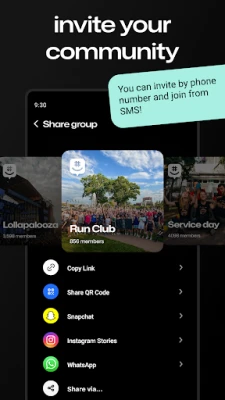
- Group creation – Start a new chat by adding participants via phone number or email.
- Cross‑platform access – Use the same groups on Android devices and on the web.
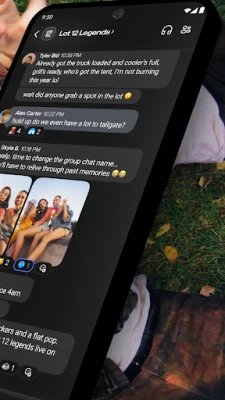
- Rich media sharing – Send photos, videos, GIFs and share links directly in the conversation.
- Custom notifications – Mute individual chats or the entire app, and choose how you are alerted.
- Direct messages – Switch to one‑on‑one conversations without leaving the group environment.
How it works
After installing the app, you create an account with a phone number or email address. From the main screen you can start a new group, invite members, and begin chatting instantly. If a participant does not have the app, they can receive messages as SMS (where supported) and join the conversation by following a simple link.
Practical uses
GroupMe fits a variety of everyday scenarios:
- Family planning – coordinate schedules, share photos from events, and keep everyone in the loop.
- Roommates – manage chores, bills, and grocery lists in a single chat.
- Work teams – discuss projects, share files, and quickly reach the whole group.
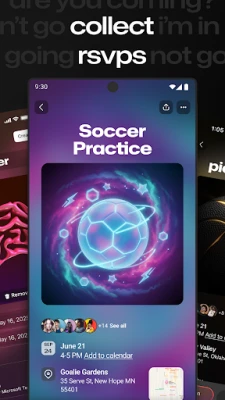
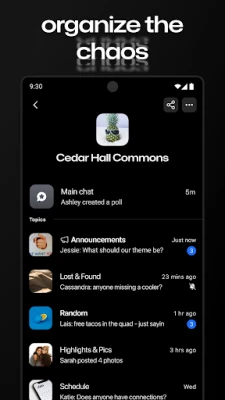
- Clubs and interest groups – post updates, event details, and media for members.
Installation information
Search for GroupMe in the Google Play Store, tap Install, and follow the on‑screen prompts. The app requires an internet connection for full functionality; SMS fallback works where supported.
Things to know before installing
- The app is free to download and use.
- Standard data or SMS charges may apply depending on your carrier.
- Group chats are stored in the cloud, allowing you to access them from multiple devices.
Who may find it useful?
Anyone who needs a straightforward way to keep a group of people connected—whether it’s a family, a group of friends, a sports team, or a workplace project—will benefit from GroupMe’s simple interface and cross‑platform support.
Frequently asked questions
Do I need a phone number to use GroupMe?
No. You can sign up with an email address, though a phone number is required for SMS fallback.
Can I use GroupMe on a computer?
Yes. Groups are accessible through the web at groupme.com, using the same account credentials.
Is there a limit to how many members a group can have?
GroupMe supports large groups, making it suitable for both small circles and larger community chats.
Rate the App
User Reviews















Popular Apps










 Games
Games Entertainment
 Communication
 E-mail
 Security
 Tools
Tools Media
Media Internet
 Finance
 Design
 Education
 Android Firmwares
 Travel & Local
 Android
 Windows
 Linux
Linux