

Latest Version
September 13, 2026
Walkie Talkie Pro
Communication
Android
6
Free
com.walkie.talkie.pro
Report a Problem
More About Group Talks: Walkie Talkie Ptt – Free Push‑to‑Talk Messaging
What is Group Talks: Walkie Talkie Ptt?
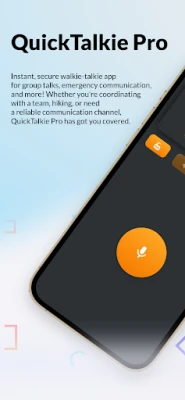
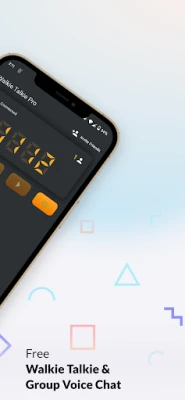
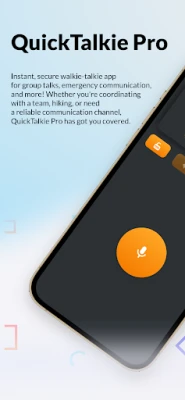
Group Talks is a free Android application that lets you use your device as a walkie‑talkie. By tapping a button you can speak directly to other users who have the same app installed, creating a real‑time voice channel without the need for phone calls or text messages.
Main features
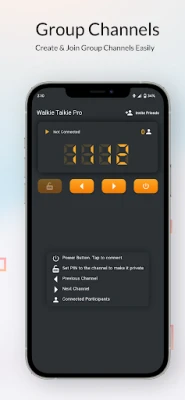
- Push‑to‑Talk (PTT) interface – One‑tap voice transmission mimics the experience of a traditional walkie‑talkie.
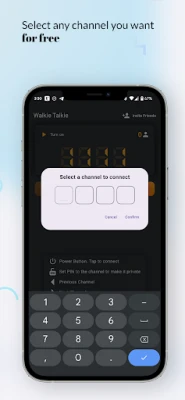
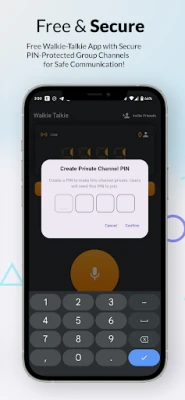
- Group channels – Create private or public channels to talk with a specific team, family group, or a larger community.
- Live voice streaming – Voice is sent instantly, allowing participants to hear each other without noticeable delay.
- Simple UI – A clean layout focuses on the talk button and channel list, making it easy for users of any age.
- Free to use – No purchase is required to download or operate the core functionality.
How it works
After installing the app, you register with a nickname and join an existing channel or start a new one. When you press and hold the talk button, your voice is captured, compressed, and sent to the server, which forwards it to all other participants in the same channel. Releasing the button stops the transmission, allowing others to speak.
Practical uses
- Outdoor activities – Hikers, cyclists, and campers can stay in contact even when cellular coverage is spotty.
- Work coordination – Small teams on construction sites, events, or warehouses can quickly relay instructions.
- Family and friends – Stay connected during gatherings, trips, or while navigating crowded venues.
Installation information
The app is available through the standard Android package manager. Search for the package name com.walkie.talkie.pro or the title “Group Talks: Walkie Talkie Ptt” and tap Install. The download size is modest, and the app does not require additional data packs to function.
Things to know before installing
- The app needs internet access to route voice data between participants. A stable Wi‑Fi or mobile data connection improves reliability.
- Microphone permission is required for voice capture; the app does not request unrelated permissions.
- Channel privacy depends on the creator’s settings; private channels are accessible only by invitation.
Who may find it useful?
Anyone who needs quick, hands‑free voice communication without dialing a number can benefit from Group Talks. This includes outdoor enthusiasts, small business teams, event organizers, and families who want a simple way to stay in touch.
Frequently asked questions
Do I need a special headset?
No. The app works with the device’s built‑in microphone and speaker. Headsets can be used for convenience but are not required.
Is the voice quality reliable?
Voice is compressed for efficient transmission, and most users report clear audio when the network connection is stable.
Can I use the app offline?
Communication relies on an internet connection. Without connectivity, the app cannot transmit voice between devices.
Is there a cost for additional features?
All core features are free. The developer has not announced any paid upgrades at this time.
Rate the App
User Reviews














Popular Apps










 Games
Games Entertainment
 Communication
 E-mail
 Security
 Tools
Tools Media
Media Internet
 Finance
 Design
 Education
 IT Tools
 Travel & Local
 Android
 Windows
 Linux
Linux