

Latest Version
Latest
August 13, 2026
Google LLC
Communication
Android
215
Free
com.google.android.apps.googlevoice
Report a Problem
More About Google Voice – Call, Text, and Voicemail on Android
What is Google Voice?
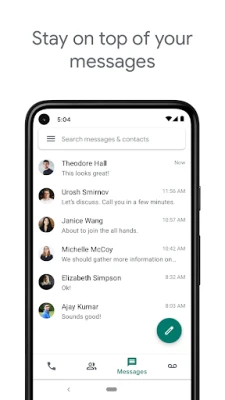
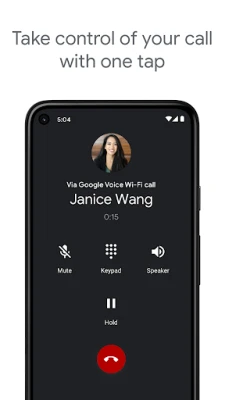
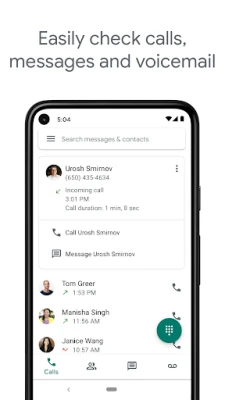
Google Voice is a communication service from Google that provides you with a dedicated phone number. With the Android app, you can place calls, send and receive SMS messages, and handle voicemail without needing a separate device.
Main Features
- Unified phone number – Use one number for calls, texts, and voicemail on any Android device.
- Call forwarding – Direct incoming calls to any of your linked phones.
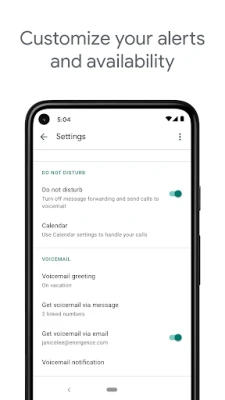
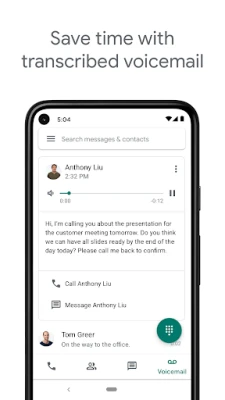
- Voicemail transcription – Read transcribed voicemails in the app or have them emailed to you.
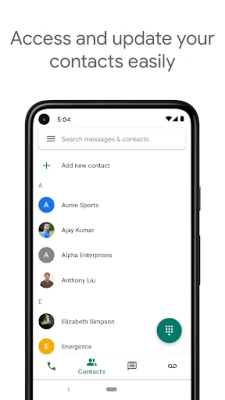
- Message sync – Your call history, texts, and voicemails are stored in the cloud and accessible from multiple devices.
- Spam filtering – Unwanted calls can be automatically filtered or blocked.
How It Works
After signing in with a personal Google Account (or a supported Google Workspace account), the app links your Google Voice number to your Android device. Calls can be placed directly through the app or via a Google Voice access number, depending on your carrier and location. Text messages are sent using data, so they do not consume carrier SMS minutes.
Practical Uses
- Keep personal and work communications separate without carrying two phones.
- Travel internationally while maintaining a U.S. number for contacts.
- Manage voicemail efficiently with searchable transcripts.
- Block unwanted callers and reduce spam.
Installation Information
The app is available through the Google Play Store. Install it like any other Android application, then follow the on‑screen prompts to choose or create a Google Voice number.
Compatibility
Google Voice requires an Android device running a supported version of the operating system. The exact minimum version is not specified here, but the app is designed for modern Android releases.
Things to Know Before Installing
- The service is primarily available in the United States; Google Workspace users may have access in additional regions.
- International calling rates apply when you place calls to numbers outside the U.S.
- SMS support may vary by market.
Who May Find It Useful?
Anyone who wants a single, portable number for personal or professional use—students, freelancers, small‑business owners, and frequent travelers—can benefit from Google Voice.
Frequently Asked Questions
Do I need a separate SIM card?
No. Google Voice works over data or Wi‑Fi, so you can use it with your existing cellular plan.
Can I use Google Voice on multiple devices?
Yes. Your number, messages, and voicemail sync across Android phones, tablets, and the web interface.
Is there a cost to use the app?
The app itself is free. Standard rates apply for international calls and any carrier charges for data usage.
Rate the App
User Reviews















Popular Apps










 Games
Games Entertainment
 Communication
 E-mail
 Security
 Tools
Tools Media
Media Internet
 Finance
 Design
 Education
 Android Firmwares
 Travel & Local
 Android
 Windows
 Linux
Linux