
Latest Version
September 08, 2026
Google LLC
Media
Android
1
Free
com.google.android.apps.magazines
Report a Problem
More About Google News – Daily Headlines
What is Google News – Daily Headlines?
Google News – Daily Headlines is a free news aggregation app from Google LLC. It pulls articles from a wide range of publishers and organizes them into a feed that reflects your interests, location and the most important stories of the day.
Main features
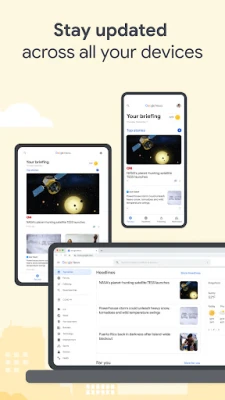
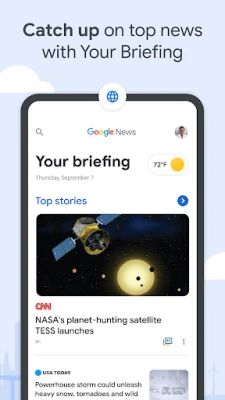
- Personalized briefing – A continuously updated snapshot of the top headlines that matter to you.
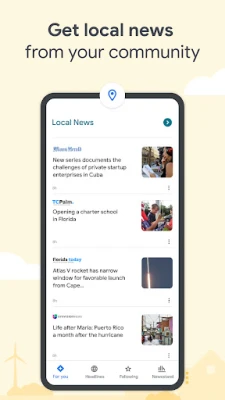
- Local news – Choose one or more locations to see stories from nearby outlets.
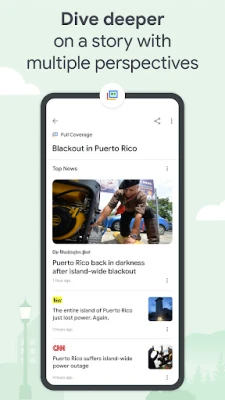
- Full coverage – Tap a story to view multiple perspectives, videos and related reports in one place.
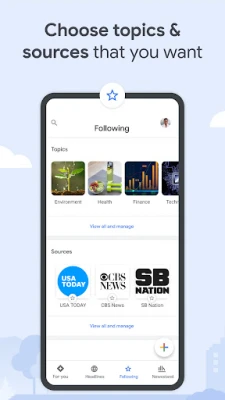
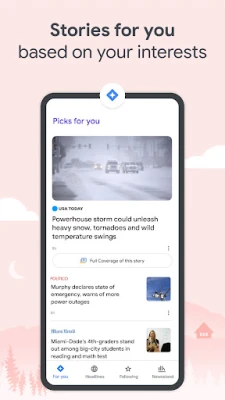
- For you section – Follow topics, sources or keywords to shape the articles that appear in your feed.
- Offline reading – Save articles over Wi‑Fi for later access when you have limited connectivity.
How it works
The app analyses the content it indexes and matches it to the topics you follow, the locations you select and broader news trends. As new articles are published, the feed refreshes automatically, so you always see the latest information without manual updates.
Practical uses
- Quickly catch up on world events during a commute.
- Monitor local developments such as city council decisions or community events.
- Research a developing story by reviewing the full coverage view.
- Customize the feed to focus on professional interests, hobbies or specific regions.
Installation information
Search for Google News – Daily Headlines in the Google Play Store, tap Install, and follow the on‑screen prompts. The app requires a Google account for personalized features, but it can be used in a limited read‑only mode without signing in.
Things to know before installing
- The app may request permission to access the internet and to store downloaded articles on your device.
- Data usage can be reduced in the settings by limiting image quality or enabling Wi‑Fi‑only downloads.
- Content is sourced from third‑party publishers; Google does not create the news itself.
Who may find it useful?
Anyone who wants a single place to stay up‑to‑date—students, professionals, commuters, and casual readers alike—will benefit from the app’s blend of personalized and comprehensive news coverage.
Frequently asked questions
Do I need a Google account?
A Google account enables personalized briefings and the ability to follow topics. Without an account, you can still browse headlines, but customization is limited.
Can I read articles offline?
Yes. Articles can be saved for offline reading when you are connected to Wi‑Fi. This helps conserve mobile data.
How does the app handle data usage?
Settings allow you to restrict image loading, choose Wi‑Fi‑only downloads, and limit background refresh frequency.
Is the content filtered for bias?
The app presents multiple sources for a given story in the Full Coverage view, giving you a broader perspective. It does not alter the original reporting.
Rate the App
User Reviews










Popular Apps










 Games
Games Entertainment
 Communication
 E-mail
 Security
 Tools
Tools Media
Media Internet
 Finance
 Design
 Education
 IT Tools
 Travel & Local
 Android
 Windows
 Linux
Linux