

Latest Version
August 12, 2026
Google LLC
Communication
Android
311
Free
com.google.android.apps.messaging
Report a Problem
More About Google Messages – Simple, Secure Messaging for Android
What is Google Messages?
Google Messages is a messaging client developed by Google LLC for Android devices. It replaces the traditional SMS/MMS app with a modern interface that can take advantage of Rich Communication Services (RCS) where available. The app is free to download and aims to provide a consistent, feature‑rich texting experience across phones, tablets and Wear OS devices.
Main features
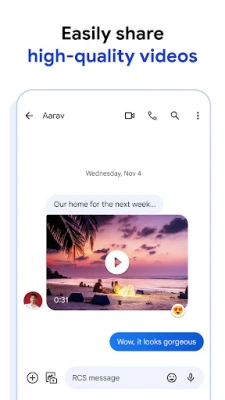
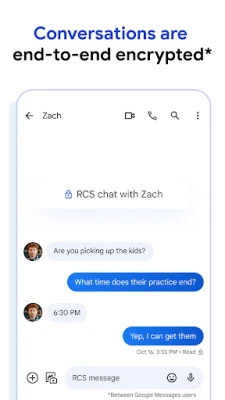
- RCS chat support – When your carrier and device support RCS, you can send high‑resolution photos, videos, and animated stickers, see when contacts are typing, and receive read receipts.
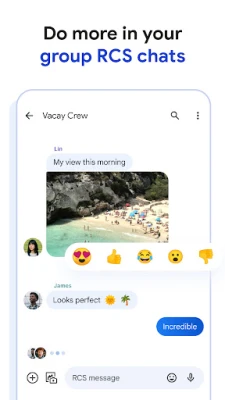
- Group conversations – Create and manage group chats with options to add or remove participants, name the group, and customize notifications.
- End‑to‑end encryption – Chats between two Google Messages users are encrypted, meaning only the participants can read the content.
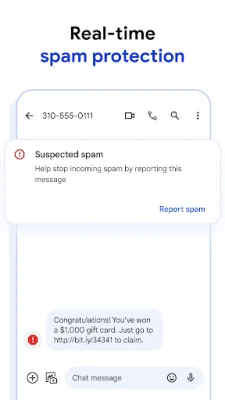
- Spam protection – The app includes built‑in spam detection that can flag suspicious messages and help keep your inbox clean.
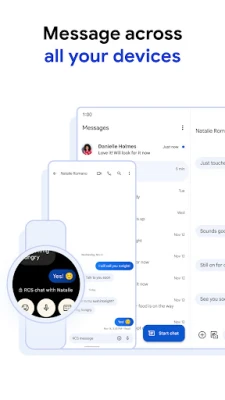
- Cross‑device continuity – Start a conversation on your phone and continue it on a tablet, computer (via the web interface) or Wear OS watch without needing to switch accounts.
- Customizable chat bubbles – Choose from a selection of bubble colors to personalize the look of individual conversations.
How it works
When you install Google Messages, it becomes the default SMS app on your device. If your carrier supports RCS, the app automatically upgrades your messages to the richer format. For contacts who do not have RCS, the app falls back to standard SMS/MMS, ensuring you can always reach anyone.
Messages are stored locally on the device, and encrypted chats are synced securely between devices that use the same Google account. The web version works by scanning a QR code from your phone, establishing an encrypted link that lets you type and view messages from a browser.
Practical uses
- Sharing photos or videos with friends without needing a separate messaging app.
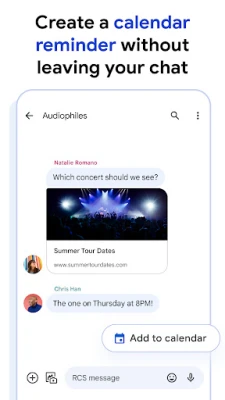
- Coordinating events in group chats that show who has read the latest updates.
- Keeping personal conversations private thanks to encryption.
- Continuing a conversation while working on a laptop or tablet.
Installation information
Google Messages is available through the Google Play Store. Search for "Google Messages" or use the package name com.google.android.apps.messaging. The download size varies by device and version, and the app requires Android 5.0 (Lollipop) or newer, though newer features may need more recent releases of Android.
Things to know before installing
- RCS features depend on carrier support and may require a data plan.
- End‑to‑end encryption is only active for one‑to‑one chats between two Google Messages users; group chats are not encrypted in the same way.
- Switching the default SMS app may affect how other messaging apps behave, but you can revert the setting at any time.
Who may find it useful?
Anyone who wants a unified texting experience on Android will benefit from Google Messages. It is especially handy for users who travel between devices, participate in group chats, or prefer a Google‑managed solution with built‑in spam protection.
Frequently asked questions
Is Google Messages free?
Yes, the app is free to download and use.
Do I need a Google account?
A Google account is required for cross‑device sync and the web interface, but you can still send and receive SMS without one.
Can I use Google Messages on a non‑Google phone?
As long as the device runs a compatible version of Android, you can install and use the app.
What happens to my old messages?
When you set Google Messages as the default app, it can import existing SMS/MMS threads from the previous messaging app.
Rate the App
User Reviews















Popular Apps










 Games
Games Entertainment
 Communication
 E-mail
 Security
 Tools
Tools Media
Media Internet
 Finance
 Design
 Education
 Android Firmwares
 Travel & Local
 Android
 Windows
 Linux
Linux