

Latest Version
Latest
June 21, 2026
Google LLC
Communication
Android
606
Free
com.google.android.apps.messaging
Report a Problem
More About Google Messages – Smart SMS & RCS Chat
What is Google Messages?
Google Messages is the official messaging client from Google for Android devices. It supports traditional SMS and MMS as well as Rich Communication Services (RCS), the modern standard that adds chat‑style features to carrier‑based texting.
Key features
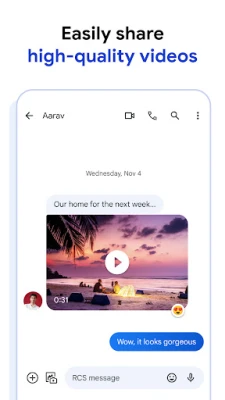
- RCS chat – high‑resolution photos, videos, animated stickers, read receipts and typing indicators when both parties use RCS.
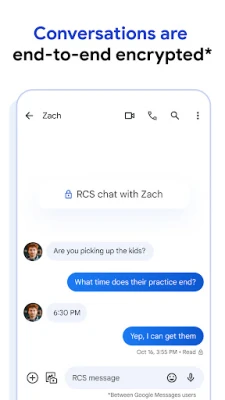
- End‑to‑end encryption – one‑to‑one conversations between Google Messages users are automatically encrypted, so only the participants can read the content.
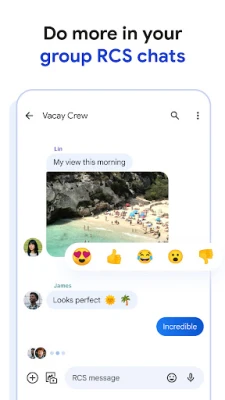
- Group chat enhancements – add or remove members, rename groups, and share media without leaving the conversation.
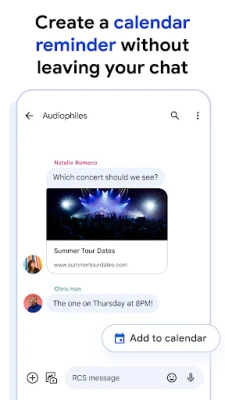
- Smart suggestions – the app offers contextual reply suggestions and, where available, AI‑driven compose assistance.
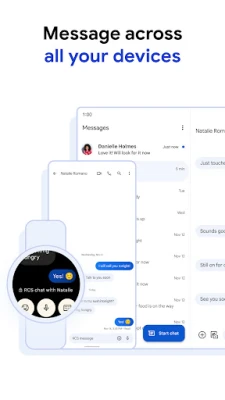
- Multi‑device sync – start a conversation on your phone and continue it on a tablet, Chrome browser or Wear OS watch.
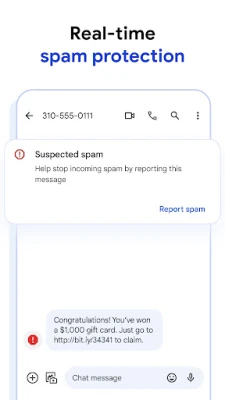
- Spam protection – built‑in filters flag suspicious messages and let you block unwanted senders.
How the application works
When you open the app, it registers with your carrier’s RCS network (if the carrier supports it). If RCS is unavailable, the app falls back to SMS/MMS, ensuring you can always send a message. Media files are uploaded to Google’s secure servers only for the duration needed to deliver them to the recipient.
Installation information
Google Messages is available for free on the Google Play Store. Tap the Install button, accept the permissions, and the app will appear in your app drawer. After the first launch, you will be guided through a short setup wizard that lets you choose the default SMS app and enable RCS where possible.
Compatibility
The app requires Android 5.0 (Lollipop) or newer, but a recent version of Android (7.0+) provides the best experience. RCS functionality depends on carrier support and a data plan; not all regions or operators enable it.
Things to know before installing
- RCS features such as read receipts work only when both sender and receiver are on RCS‑compatible networks.
- End‑to‑end encryption is available for one‑to‑one chats between Google Messages users; group chats are encrypted in transit but not end‑to‑end.
- The app may request access to your contacts, storage and microphone to enable sharing and voice input.
Frequently asked questions
Is Google Messages safe?
Yes. One‑to‑one chats are encrypted by default, and the app includes spam filters and regular security updates from Google.
Can I use Google Messages on a PC?
Through the Messages for web feature you can scan a QR code from a Chrome browser and continue your conversations on a desktop.
What if my carrier does not support RCS?
The app will automatically revert to SMS/MMS, so you can still send and receive text messages without losing functionality.
Rate the App
User Reviews















Popular Apps










 Games
Games Entertainment
 Communication
 E-mail
 Security
 Tools
Tools Media
Media Internet
 Finance
 Design
 Education
 Android Firmwares
 Travel & Local
 Android
 Windows
 Linux
Linux