




Latest Version
August 13, 2026
Google LLC
Communication
Android
294
Free
com.google.android.apps.tachyon
Report a Problem
More About Google Meet – Secure Video Meetings for Android
What is Google Meet?
Google Meet is a video‑conferencing app from Google LLC that enables individuals and groups to connect face‑to‑face over the internet. Designed for Android devices, it works with a Google account and integrates with other Google services such as Calendar and Gmail, making it easy to schedule and join meetings directly from your phone.
Main features
- High‑quality video and audio – Adaptive streaming adjusts picture quality to match network conditions, helping keep the call smooth.
- Built‑in security – Meetings are encrypted in transit, and hosts can control who joins the call.
- Screen sharing – Present slides, documents, or any app screen to participants.
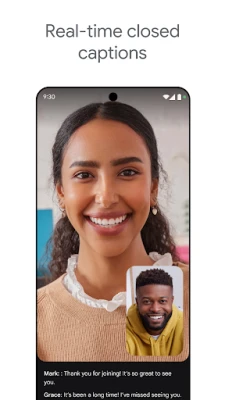
- Live captions – Real‑time captions are available for supported languages, improving accessibility.
- Background options – Choose a blurred background or a preset image to keep your environment private.
How it works
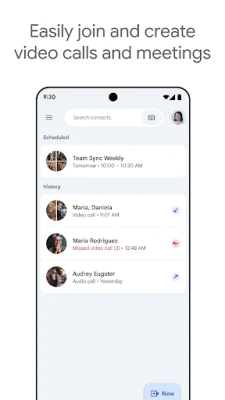
After installing the app, sign in with your Google account. You can start a new meeting instantly or join an existing one using a meeting code or a link received via email or chat. Once inside, the interface provides controls for microphone, camera, chat, and participant management. Hosts can lock the meeting, mute participants, or remove unwanted attendees.
Practical uses
Google Meet is suitable for a range of scenarios:
- Remote work – Hold team stand‑ups, project reviews, or client presentations without leaving your desk.
- Education – Teachers can create virtual classrooms, share screens for lessons, and use captions for students who need them.
- Personal connections – Catch up with family and friends, share photos, or celebrate milestones together.
Installation information
The app is available from the Google Play Store. Search for “Google Meet” or use the package name com.google.android.apps.tachyon. Tap “Install” and follow the on‑screen prompts. The download size varies with device and network conditions; the store will show the required space before installation.
Compatibility
Google Meet runs on Android devices that meet the minimum system requirements set by Google. The app typically supports recent versions of Android, but exact version numbers are listed on the Play Store page. Ensure your device has a working camera, microphone, and internet connection for the best experience.
Things to know before installing
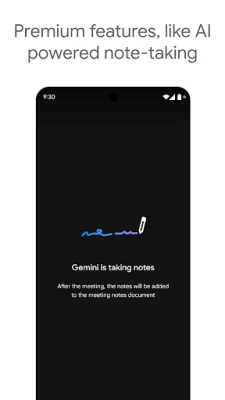
- Some advanced features, such as meeting recording or extended caption languages, may require a paid Google Workspace subscription.
- Data usage can be significant during long video calls; consider using Wi‑Fi when possible.
- The app requests permission to access the camera, microphone, and storage for screen sharing and background images.
Who may find it useful?
Anyone who needs reliable video communication on Android can benefit from Google Meet. This includes professionals, educators, students, and casual users who want a trusted platform backed by Google’s infrastructure.
Frequently asked questions
Do I need a Google account?
Yes, a Google account is required to sign in and create or join meetings.
Can I join a meeting without installing the app?
Participants can join via a web browser on Android, but the full feature set is available only through the installed app.
Is the app free?
The core video‑calling functionality is free. Certain premium capabilities are tied to Google Workspace subscriptions.
Rate the App
User Reviews















Popular Apps










 Games
Games Entertainment
 Communication
 E-mail
 Security
 Tools
Tools Media
Media Internet
 Finance
 Design
 Education
 Android Firmwares
 Travel & Local
 Android
 Windows
 Linux
Linux