
Latest Version
August 13, 2026
Google LLC
Communication
Android
285
Free
com.android.chrome
Report a Problem
More About Google Chrome – Fast, Secure Mobile Browser
What is Google Chrome?
Google Chrome is a web browser developed by Google LLC for Android devices. It lets you access websites, search the internet, and interact with online content using a familiar interface that integrates many of Google’s services.
Main features
- Speed and performance – Chrome is built on a high‑performance engine that loads pages quickly and handles modern web standards efficiently.
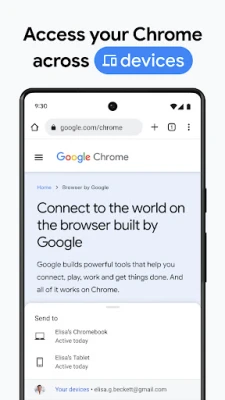
- Sync across devices – When you sign in with a Google account, bookmarks, open tabs, passwords and other browsing data are synchronized, making it easy to continue a session on a phone, tablet or computer.
- Voice search – You can initiate searches or navigate by speaking, which is handy for hands‑free operation.
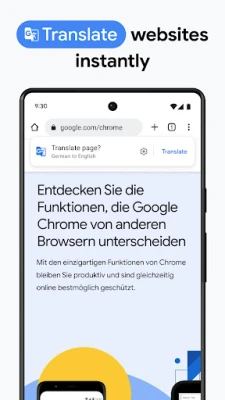
- Built‑in translation – Chrome can translate whole webpages into many languages, helping you read content that isn’t in your native language.
- Secure browsing – The browser includes protections against phishing, malware and other threats, and it regularly updates its security components.
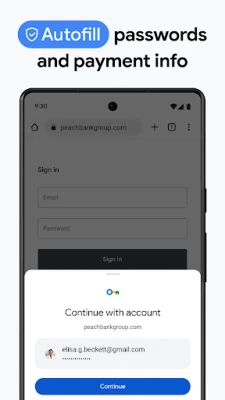
- Autofill – Saved payment methods, addresses and passwords can be filled automatically, reducing the need to type repetitive information.
How it works
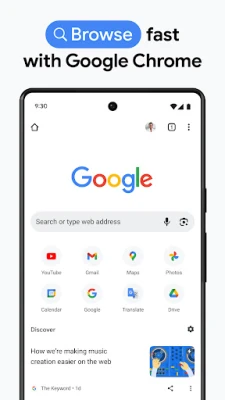
When you open Chrome, the address bar doubles as a search box. Typing a query or a URL triggers Google’s search engine or loads the requested site. The browser renders pages using the Blink rendering engine, which supports HTML5, CSS3 and JavaScript, ensuring compatibility with most modern websites.
Practical uses
- Research on the go – Quickly look up information, read articles, or watch videos while commuting.
- Cross‑device workflow – Start reading an article on your phone, then pick up where you left off on a laptop.
- Online shopping – Use autofill to speed up checkout and benefit from secure password storage.
- Travel assistance – Translate foreign‑language sites instantly, making it easier to navigate local services.
Installation information
Google Chrome is available as a free download from the Google Play Store. The installation process follows the standard Android app installation steps: tap “Install,” wait for the download, and then open the app. No additional configuration is required to start browsing.
Compatibility
Chrome supports a wide range of Android versions. The exact minimum Android version may vary with each update, but the app is generally compatible with devices running recent Android releases. Users should ensure their device meets the Play Store’s listed requirements.
Things to know before installing
- Signing in is optional – You can browse without a Google account, but signing in enables sync and personalized features.
- Data usage – Streaming video or loading media‑rich sites can consume significant mobile data; consider using Wi‑Fi when possible.
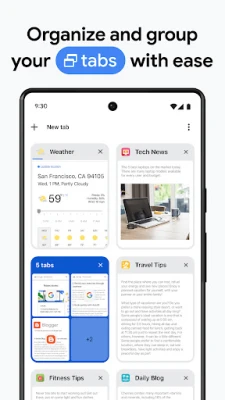
- Battery impact – Like any browser, Chrome uses resources; closing unused tabs can help conserve battery life.
Who may find it useful?
Anyone who needs a reliable, fast browser on Android will benefit from Chrome. It is especially useful for users who already rely on Google services, want seamless synchronization across devices, or require built‑in translation and voice search capabilities.
Frequently asked questions
Do I need a Google account to use Chrome?
No. You can browse without signing in, but a Google account unlocks sync, personalized suggestions and password management.
Is Chrome safe for online banking?
Chrome includes security features such as safe browsing warnings and encrypted connections (HTTPS). While it provides a secure environment, users should still follow standard security practices.
Can I customize the browser’s appearance?
Chrome offers a limited set of themes and a dark mode that can be toggled in the settings.
Rate the App
User Reviews















Popular Apps










 Games
Games Entertainment
 Communication
 E-mail
 Security
 Tools
Tools Media
Media Internet
 Finance
 Design
 Education
 Android Firmwares
 Travel & Local
 Android
 Windows
 Linux
Linux