
Latest Version
Latest
May 16, 2026
Google LLC
Communication
Android
1,013
Free
com.android.chrome
Report a Problem
More About Google Chrome – Fast Secure Browser
What is Google Chrome?
Google Chrome is Google’s flagship web browser, optimized for Android smartphones and tablets. It provides a streamlined interface, quick page loading, and tight integration with Google services, making everyday web tasks smoother.
Key features
- Speed and performance – Chrome uses the Blink engine to render pages swiftly, reducing wait times.
- Secure browsing – Built‑in Safe Browsing, Enhanced Protection Mode, and regular security updates protect you from phishing and malware.
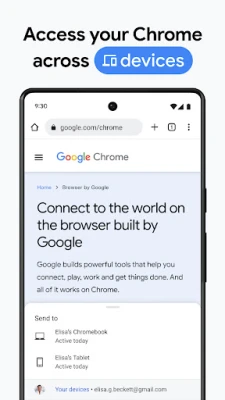
- Sync across devices – Sign in with your Google account to sync bookmarks, open tabs, passwords, and autofill data between phone, tablet, and desktop.
- Voice search – Tap the microphone icon or say “Hey Google” to search the web hands‑free.
- Google Lens integration – Use your camera to identify objects, translate text, or shop for items directly from the browser.
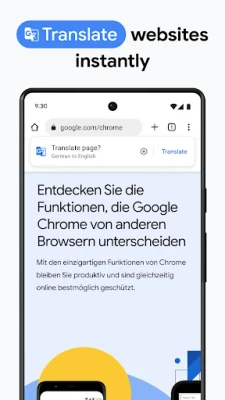
- Instant translation – Translate entire webpages in more than 130 languages with a single tap.
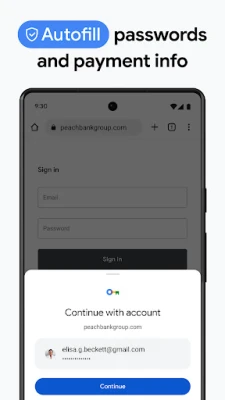
- Password manager – Generate, store, and autofill strong passwords, with alerts if any are compromised.
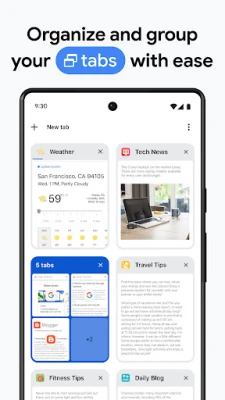
- Tab groups – Organize related tabs into groups, making multitasking easier.
How the application works
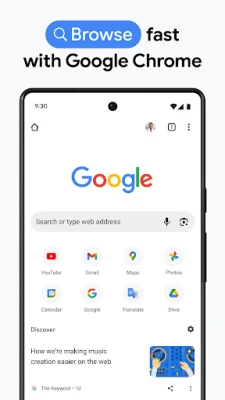
When you launch Chrome, the home screen displays your most visited sites and a search bar powered by Google. Typing or speaking a query pulls up instant results, while the address bar doubles as a search field. As you browse, Chrome automatically upgrades to HTTPS when possible, and the built‑in security checks warn you about risky sites.
Sync is enabled after you sign in, encrypting your data both on your device and in Google’s cloud. Passwords saved in Chrome are stored securely and can be accessed on any synced device.
Installation information
Google Chrome is available for free on the Google Play Store. Tap “Install,” grant the requested permissions (such as storage and camera for Lens), and the app will download and install automatically. After installation, open the app, sign in with your Google account to enable sync, and start browsing.
Compatibility
Chrome requires Android 7.0 (Nougat) or newer. It runs on most modern smartphones and tablets, including devices with limited RAM, thanks to adaptive memory management. The app is regularly updated to support the latest Android versions and security standards.
Things to know before installing
- Data usage – Chrome can consume mobile data when loading media‑rich pages; consider enabling Data Saver in settings.
- Battery impact – Background tabs may use a small amount of battery; closing unused tabs helps conserve power.
- Privacy – Review the privacy settings to control what data is synced and how location information is used.
Frequently asked questions
Can I use Chrome without a Google account?
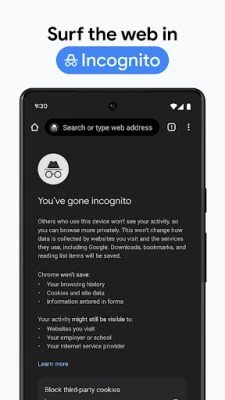
Yes, you can browse anonymously, but you won’t have access to sync, password manager, or personalized suggestions.
How does Chrome protect my passwords?
Passwords are encrypted on your device and stored in Google’s secure cloud. Chrome alerts you if any saved password appears in a known data breach.
Is Chrome compatible with extensions?
On Android, Chrome does not support desktop‑style extensions, but it offers built‑in features that replace many popular add‑ons.
Rate the App
User Reviews















Popular Apps










 Games
Games Entertainment
 Communication
 E-mail
 Security
 Tools
Tools Media
Media Internet
 Finance
 Design
 Education
 Android Firmwares
 Travel & Local
 Android
 Windows
 Linux
Linux